Wirecast Helps: Bringing Chat Clients into Wirecast

TL;DR

Wirecast makes it easy to bring remote guests into your live broadcasts using Skype or ooVoo. Using the built-in Desktop Presenter, you can capture both the video and audio of your caller on a single computer, eliminating the need for complex, multi-computer mixing board setups.

Many of us live streamers do talk interview shows in which the participants are not in your studio. Whether you’re interviewing guests or taking calls from viewers, Wirecast easily integrates with Skype and equivalent video calling services such as ooVoo.

Wirecast has a unique utility called Desktop Presenter. Unlike other screen grabbers DTP (as many of us call it) can bring in audio in addition to video. Also, unlike other screen grabbers, it can bring in both video and audio from other computers on a LAN (Local Area Network) and works cross platform. A wired gigabit network will give you the best performance.

Wirecast-Skype audio setups can be very elaborate with multiple Skype computers all feeding into a mixer with video and audio feeds returning to the guest.  While that gives you a lot of control, it can also be an expensive and complicated setup for some.  There was a time when certain streaming systems required separate computers, hardware, video and audio inputs, as well as returns for Skype integration. Using Wirecast and DTP, the point of entry can now be a  lot less expensive and simple.

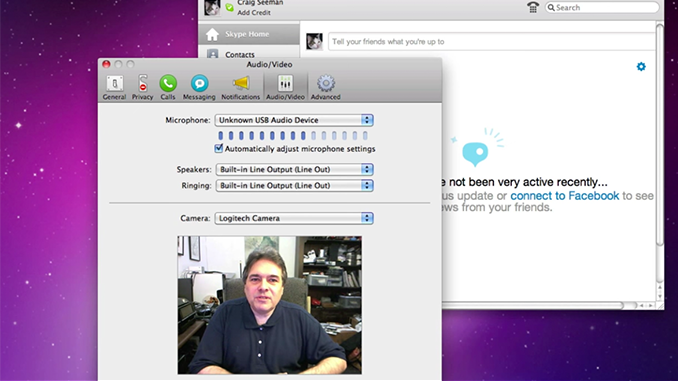
In this tutorial you’ll learn how to handle Skype in a simple single computer setup. Additionally you’ll learn how to layer your shots to create a professionally looking switched-feed in which you can go from guest to host to two shot all while keeping the host’s audio active.

Once you learn these basic techniques you might even consider getting a Skype Group Video (Premium) account in which you can have multiple guests on simultaneously (much like the complicated setup I described above), but you can do it all on one computer using the same techniques I show in this tutorial.  If need be, you can certainly use a second computer on the LAN to take care of the Skype Group Video call. All this is possible because of the unique power Desktop Presenter offers with Wirecast.


Join Thousands of Broadcasters

Experience why professionals rate Wirecast as the top live video production software.

Article FAQs

Yes. Using Wirecast's Desktop Presenter, you can capture the video and audio from a Skype or ooVoo call and integrate it directly into your live broadcast as a professional picture-in-picture or split-screen shot.

No. Wirecast allows you to run Skype and your broadcast on the exact same computer, drastically simplifying your setup and saving you from buying expensive external audio mixers.

Unlike many basic screen capture tools, Wirecast's Desktop Presenter captures both the video feed and the internal system audio, ensuring your guest's voice is perfectly synced with their video on stream.

Leave a Comment

Your email address will not be published. Required fields are marked *