
PTZ/Robotic Cameras
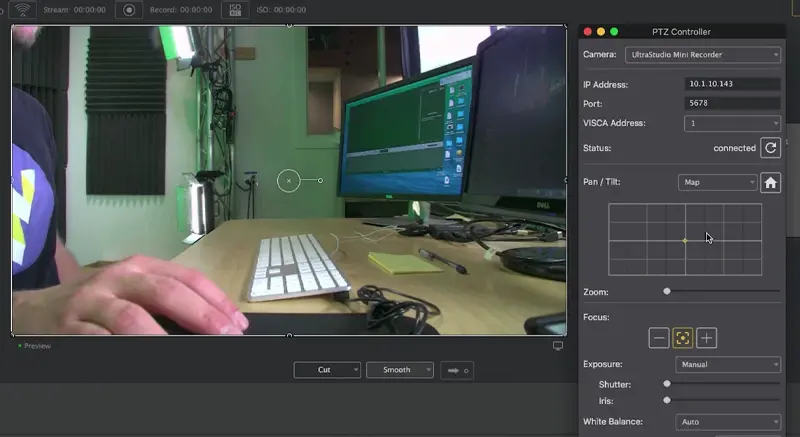
Connect and control a PTZ/Robotic camera using Wirecast Pro’s built-in PTZ Controller.
Ditch the clunky hardware joysticks. Control your Pan, Tilt, and Zoom (PTZ) cameras directly from your computer using Wirecast’s built-in VISCA over IP integration.
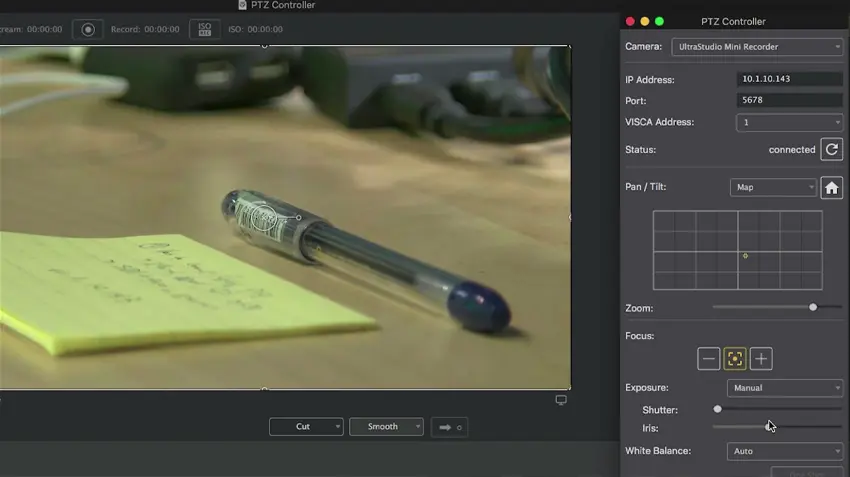
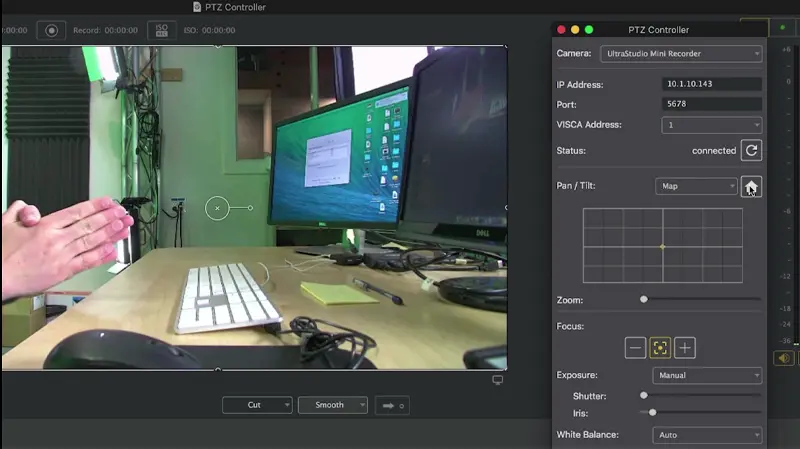
You shouldn’t have to manually re-frame a camera while you’re live. Save unlimited PTZ presets to perfectly frame your wide shots, close-ups, and alternative angles.
Wirecast’s PTZ Controller communicates using the industry-standard VISCA over IP protocol, meaning it works flawlessly with the most popular robotic cameras on the market.
Explore our library of related resources.
Connect and control a PTZ/Robotic camera using Wirecast Pro’s built-in PTZ Controller.
Set up and configure a PTZOptics camera to use with Wirecast.
Connect and control a PTZ/Robotic camera using Wirecast Pro’s built-in PTZ Controller.
Common questions about controlling robotic cameras.
Eliminate extra hardware and streamline your workflow. Upgrade to Wirecast Pro to unlock full PTZ control today.
