Wirecast Support
You’ve come to the right place. Find answers, download updates, check out training resources, or get in touch with our support experts.
How to Contact Support
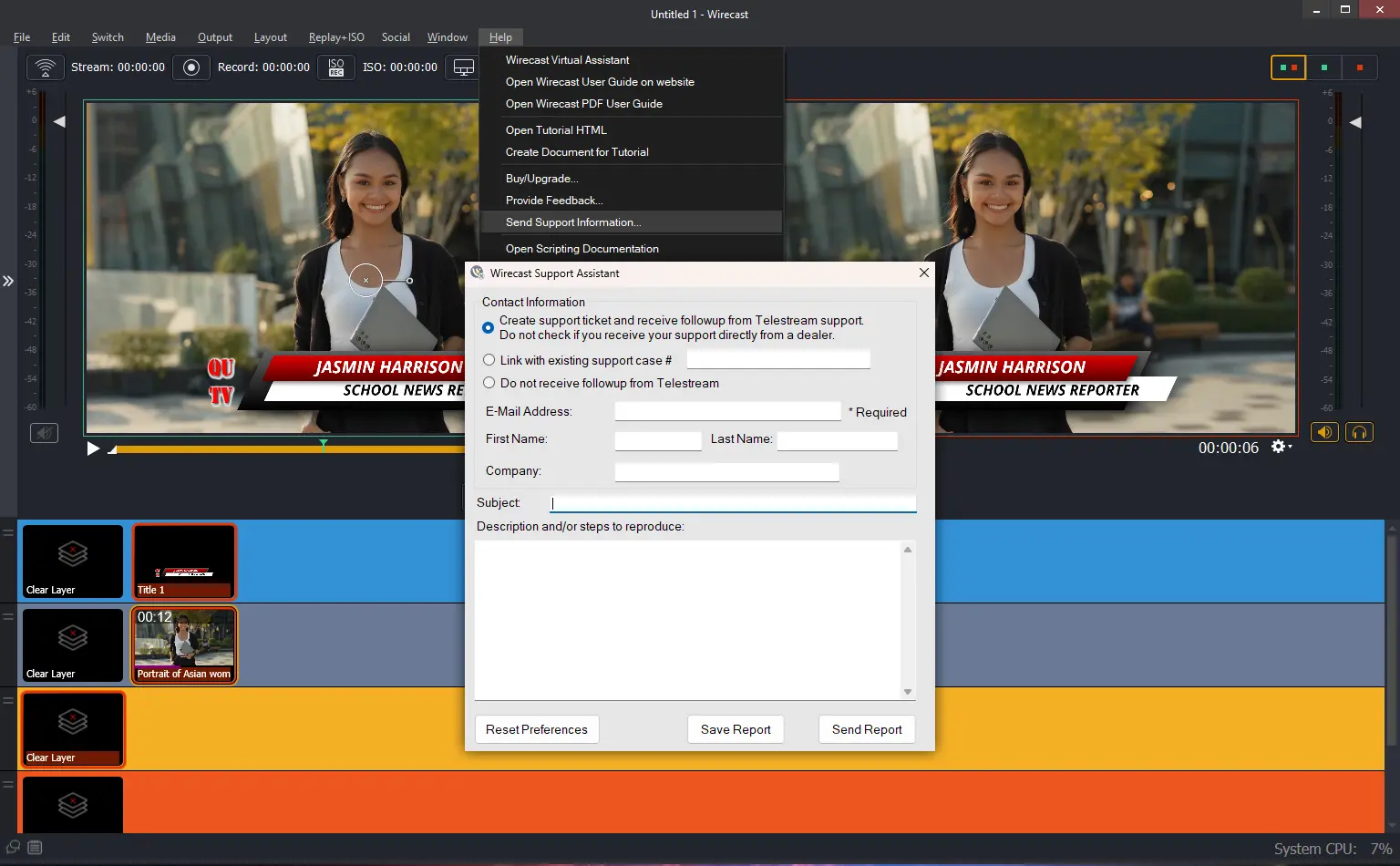
For fastest support, use the in-app support feature. In the Wirecast application, under the Help menu, click “Send Support Information…” and complete the form.
Use the Support Portal to Submit and Manager Tickets
Support Portal guides
Install & Activate
Activation Tutorials
Watch these guides for activating Wirecast on Mac or Windows.
Wirecast Activation Guide for Mac
Wirecast Activation Guide for Windows
Frequently Asked Questions
Activation, licensing, subscriptions, technical help, streaming, and input-source answers in one place.
Depending on your date of purchase, use the following:
- After Feb 2017: 2Checkout – Manage My Account
- Feb 2013 – Feb 2017: Avangate Order Lookup
If purchased through a reseller, contact them directly to recover your license.
Problem:
When applying my license, I receive a license error.
Solution:
If you are running into a Wirecast activation error, please try the following instructions.
First, deactivate your license key by going to Preferences > Licenses > Deactivate License.
Then, please quit Wirecast:
- Delete the following files:
- HD > Library> Preferences>net.telestream.wirecast.plist
- User > Library> Preferences>com.varasoftware.wirecast.plist (if Available)
- User > Library> Preferences>Vara Software folder (if Available)
- Restart your computer.
- Launch Wirecast and activate your license.
After deleting these folders, you should be able to activate successfully. If you continue to have difficulty, please contact support.
Problem:
When applying my license, I get an activation error.
Solution:
If you are running into a Wirecast activation error, please try the following instructions.
First, deactivate your license key by going to Preferences > Buy/Upgrade > Deactivate License.
Then, please quit Wirecast and uninstall from the Add/Remove Programs in your Control Panel:
- Next, delete the following files:
- (Show Hidden Folders)
- C:\Program Data\Telestream Folder\ Delete the XML file
- C:\Users\USERNAME\AppData\Roaming\Vara Software\Wirecast Preferences
- Restart your computer.
- Re-download Wirecast
- Launch Wirecast and activate your license.
After deleting these folders, you should be able to activate successfully. If you continue to have any difficulty with your license, please contact support.
Use our new “License Reset Tool” where you have 24/7 access to reset your own license key.
You have 24/7 access to reset your own license key, see below for instructions.
- Please go to our “License Reset” page
- Fill out the license key field and the Email address or Order Id.
- Once submitted, your serial number will automatically be reset.
Our software End User Licensing Agreement (EULA) states that you may only have your license activated on one (1) computer at a time.
To activate your single license on a second computer you must first deactivate the license on the original machine and install and activate the license on your second system. Here is some helpful information on how to activate and deactivate your license:
Our software End User Licensing Agreement (EULA) states that you can run your desktop product on one (1) computer at a time. If you have purchased multiple quantities of the product, you are authorized to install the software on that number of computers.
To activate your single license on a second computer you must first deactivate the license on the original machine and install and activate the license on your second system. Here is some helpful information on how to activate and deactivate your license:
- How to activate and deactivate your license on a Mac
- How to activate and deactivate your license on Windows.
You have 24/7 access to reset your own license key, please visit to our new “License Reset” page.
My support expired on my perpetual (lifetime) Wirecast license, how can I renew?
We are no longer selling support renewals for perpetual/lifetime licenses. You can stay on your last supported version, purchase a new Subscription to regain access to updates and support, or use our self-help resources.
How to lower CPU usage
System CPU usage should remain below 70% while streaming.
- Disable “Live GPU Accelerated Icons”
- Set canvas size to 1280×720
- Select a lower resolution encoding preset
Why am I getting dropped frames?
We recommend checking your bandwidth via speedtest.net. System CPU usage should remain below 60% while streaming. Try switching to MPEG4 if using H.264.
- Chroma Key: Supports Green and Blue screen. Use main, fill, and back lights for best results.
- USB Webcams: Supported via AVFoundation (Mac) and DirectShow (Win).
- PTZ Cameras: Visca over IP control supported (e.g. PTZOptics).
Wirecast Demos & Tutorials
Overview & Setup
Capturing Your Content
Producing Your Show
Going Live
Wirecast Webinars
Basics
Advanced
Education
Sports
Houses of Worship
Telestream Software License Terms and Conditions
Please read the Telestream Software License Terms and Conditions (EULA) carefully before installing this software.
Version History & Downloads
Choose your operating system below. Review the release notes for system requirements, changes, and known issues. Wirecast 16 may require a paid upgrade from an earlier version.
Bug Fixes
- WC-1560: Fixed an issue where certain PTZ NDI Cameras could not be detected on macOS only.
- WC-1557: Fixed an issue where the user was unable to use the Virtual Camera if the Virtual Microphone driver was blocked by a cooperate IT policy.
- WC-1506: Add an intermittent frames flag to the NDI source. Example: To prevent NDI Screen Capture from continuously restarting.
Bug Fixes
- WC-1535: Fixed unable to login to Facebook destination on Windows.
- WC-1527: Fixed a rare crash when starting an RTMP output.
Bug Fixes
- WC-1518: Fixed unable to broadcast to LinkedIn destination.
Bug Fixes
- WC-1488: Fixed unable to authenticate with the YouTube destination in Output Settings.
- WC-1468: Fixed a bug that prevented several Elgato devices from appearing in the Add Source menu.
- WC-1439: Fixed certain serial licenses do not display the license tab in Preferences. This prevented users from deactivating their licenses.
- WC-1431: Fixed the countdown clock gets stuck at 00:00 on Windows.
- WC-1400: Fixed Black Duck.
- WC-1392: Fixed Multistream sessions cannot be created when opening Wirecast documents quickly.
- WC-1179: Updated the minimum macOS version to 14.0.
- WC-1047: Fixed an outdated dialog when the subscription expires.
- WC-1038: Fixed the Facebook Speed Test.
Bug Fixes
- WC-1309: Fixed a hang when deleting assets from Asset Manager.
- WC-1307: Fixed unable to mute user’s microphone in a Zoom Meeting.
- WC-1299/1290: Fixed a rare crash when starting an output.
- WC-1254: Fixed a rare crash when opening the Stock Media Library.
- WC-1248/1226/1222/1134/812: Fixed an issue where users on certain networks could not stream to Facebook.
- WC-1245: Fixed an audio issue with sources that produce 24 kHz audio.
- WC-1230: Fixed Zoom Panelist audio disappears when the Panelist leaves then re-joins the Webinar.
- WC-1214: Fixed Stock Media Library shows nothing after entering a search query, then erasing it.
- WC-1200/934/612/565: Fixed flickering issues when using Video Filters, especially with the Multi-Viewer enabled.
- WC-1176: Fixed user needs to refresh connection to PTZ cameras when opening a saved document.
- WC-1119: Fixed an issue where the clock overlay would get ahead of the system clock.
- WC-928: Fixed an issue that caused Gatekeeper to block Wirecast from launching on some macOS systems.
- WC-702: Fixed an issue where Wirecast did not recognize anonymous Zoom guests.
- WC-673: Fixed applying a virtual PTZ or Background Removal filter to an SRT source causes the source to drop frames on Windows with D3D12.
- WC-670: Fixed an issue where Zoom shots would not reconnect after reconnecting to the internet.
- WC-511: Fixed an issue where the Virtual Camera did not show up in the list of video sources for certain third-party apps on macOS.
Bug Fixes
- WC-1151 / 1130 / 1125: Fixed issues with connecting to destinations that require Adobe authentication. This fixes connecting to ChurchStreaming.tv, AWS and Wowza servers that require Adobe authentication among others.
- WC-1138: Fixed several crashes with certain audio devices that use unsupported sample rates on macOS. The minimum supported sample rate is 8 kHz, and the maximum is 192 kHz for System Devices.
- WC-1136: Fixed hold behavior when playing media files.
- WC-934: Fixed issue with single frame of black video during a media file loop or transitioning between different media files.
Bug Fixes
- WC-1068: Fixed a rare crash at startup.
- WC-1049: Remove use of “Not Configured” as the default destination name.
- WC-1046: Fixed cannot connect to Teams using RTMPS.
- WC-951: Fixed a rare crash on Windows.
- WC-939: Show a better error message when the user cannot stream to a Facebook page due to restrictions.
- WC-206: Improve playback of SRT sources when timestamps are out of order.
Bug Fixes
- WC-1042: Fixed audio distortions with certain audio sources on Windows.
- WC-1026: Fixed an issue with Multistream where destinations were reporting a disconnection when there was no disconnection.
- WC-1020: Give better error messages when a user attempts to use Multistream and there are too many active sessions with the account.
- WC-1017: Add Multistream status button to server timeout page in Output Settings.
- WC-1000: Enable LinkedIn destination with Multistream.
- WC-793: Fixed translations missing for Multistream service.
- WC-787: Fixed Multicast/Unicast outputs.
Features and Improvements:
- Wirecast Cloud Multistream (Beta): Stream to multiple destinations while only using the resources of one stream! Currently supporting 2 destinations.
- Facebook API v19 Update
- NDI SDK 6.0 Update
- WC-167: Improved SRT source logging when the peer rejects the connection. For example, give a specific error when the peer rejects the password.
Bug Fixes
- WC-972: Fixed a rare crash when adding media files to a document.
- WC-844: Fixed Rendezvous audio output selector applies wrong selection.
- WC-727: Fixed rendering issue with certain custom scoreboard PNG sources.
- WC-726: Fixed Facebook Business pages do not appear in the Pages drop-down list.
- WC-662: Move macOS EULA into application.
- WC-508: Fixed UI issues in Video Filters.
Bug Fixes
- WC-908: Fixed an issue where users were not able to schedule an event with the LinkedIn destination.
- WC-906: Optimized how Wirecast interacts with YouTube in order to increase stability during busy periods of Wirecast usage.
- WC-936/WC-857: Fixed a crash that can occur when a Rendezvous guest that is not in the Session disconnects.
Bug Fixes
- Zoom Webinar Support: Live stream and record your Zoom Webinars. Added support to join a Zoom Webinar without logging into an account which requires a Panelist link.
- WC-846: Fixed an issue that caused Wirecast Gear customers to be unable to use the Gear specific source with a subscription license.
- WC-824: Improve error message when Zoom rejects the connection to the meeting.
- WC-661: Do not attempt to join a Zoom meeting if the user inputs an invalid invite link.
Bug Fixes
- WC-807: Fixed unable to login to Facebook when the user is an administrator of a group.
- WC-806: Updated NDI SDK to version 5.6.1.
- WC-775: Fixed an issue where wirecastd.exe processes would not stop after Wirecast was quit.
- WC-773: Fixed an issue where NDI sources would not recover if the source process crashed.
- WC-760: Fixed an issue where the Rendezvous Live Output would stop functioning for remote guests.
- WC-755: Fixed a rare crash when adding Rendezvous guests.
- WC-737: Fixed a crash when unplugging certain USB devices on Windows.
- WC-707: Fixed a crash when streaming to LinkedIn if Wirecast could not connect to the LinkedIn REST API.
Features and Improvements
- Background Removal Video Filter: Introducing AI-powered background removal! Whether you prefer to blur your background for added privacy or completely remove it to immerse yourself in a virtual environment, simply apply the background removal filter.
Bug Fixes
- WC-660: Fixed unable to join Zoom meeting.
- WC-582: – To prevent unintended shortcut usage, the “Enter” and “Spacebar” keys have been removed as hardcoded shortcuts due to their common usage in text fields.
- WC-552/WC-551: Fixed a couple of issues with Stinger transitions.
- WC-539: Fixed an issue that caused all rendering to stop if the system clock was changed while a clock source was running.
- WC-552/WC-551: Fixed a couple of issues with Stinger transitions.
- WC-528: Fixed a rare crash when starting a stream.
- WC-517: Fixed tags and categories don’t work with YouTube events.
- WC-410: Fixed webcams don’t recover when physically unplugging and plugging them back.
- WC-324: Wirecast GO sources no longer try to reconnect indefinitely when the document first loads. The user needs to manually connect to these sources now.
- WC-134: Fixed OBSBOT Tiny 2 4K webcam virtual camera source does not work.
Features and Improvements
- Virtual PTZ Video Filter: Introducing the AI-powered PTZ virtual camera that effortlessly maintains focus on you by intelligently tracking your face during every movement. Seamlessly enhance your broadcast by applying the virtual PTZ filter, allowing you to stay perfectly framed in your shot without any hands-on adjustments.
Bug Fixes
- WC-519: Fixed a bug that caused VST3 plugins to be unable to load on M1 macs.
- WC-518: Fixed a rare crash when starting an ISO recording.
- WC-479: Fixed a bug that caused the RTMP connection state to indicate an issue when there was no issue.
- WC-452: Fixed a bug where rarely device discovery would not work.
- WC-408: Fixed a bug where if the network latency is greater than 22 seconds, reconnection attempts took much longer than before.
- WC-321: Removed One-Time Events from Vimeo destination and fixed error messages. Vimeo removed support for this feature.
Bug Fixes
- Fixed a problem that could cause “flickering” when the document had video filters with the D3D12 Rendering Engine.
- WC-391: Fixed the Virtual Camera/Microphone installer prompts the user to install Rosetta on macOS.
- WC-387: Fixed an issue where certain devices did not render at full frame rate supported by the device.
- WC-366: Improve maximum activation message in the Welcome Window and provide link to reset tool.
- WC-425: Fixed a rare crash when opening the Stock Media Library window.
Features and Improvements:
- Zoom App Store: Login to your Zoom account with Wirecast to bring in multiple HD Callers. You can now find Wirecast in the Zoom App Store.
Bug Fixes
- Streamlined subscription upgrade workflow for users with an existing serial license.
- Fixed a crash on macOS with certain sources.
- Fixed shortcuts for Clock Source.
Bug Fixes
- Fixed a crash on exit on macOS.
- Fixed a crash on launch on Windows.
- Fixed an issue that caused the Welcome Window to never load on slower Intel machines.
- Removed the license tab from Preferences when using a subscription.
Features and Improvements:
- Virtual Assistant: Our new Virtual Assistant is here to help answer any questions. Simply type your questions in the chat and let the assistant show you the way.
- Video Filters: Have fun with your stream by adding a couple of our new video filters.
- Document Locking : You can lock Wirecast layers, Preview window, or the Shot Editor, to prevent unintentional changes during live screencasts.
- SRT Source: Deliver the best quality and low latency video with SRT Source now in Wirecast.
- Hardware accelerated NVENC encoder for SRT output: Users will now be able to leverage the NVENC encoder for SRT output to decrease CPU usage and enjoy a smoother streaming experience.
- Coming Soon! Zoom Integration: Have the production power of Wirecast for your Zoom call.
Tech updates:
- Update Virtual Camera on macOS to use new system extension API. This should improve compatibility with apps on macOS only. Users must allow this in System Settings.
- Stream Delay rework.
- Update NDI SDK to 5.5.4.
Bug Fixes
- Fixed a rare crash with the Multiviewer on Windows.
- Fixed an audio issue with the Web Page source.
- Fixed a border issue with MS-Teams NDI sources.
- Fixed an issue where the Blackmagic output would not start the first time after the machine was power cycled.
- Fixed a hang when closing a document with a Remote Desktop Presenter source.
- Fixed a crash when running Wirecast in certain locales on Windows.
- Fixed stinger transitions don’t render properly on Windows with D3D11 rendering engine.
- Fixed shot icons pixelated with certain Intel GPUs with the D3D12 rendering engine.
- Fixed using a Matte on a Chroma Key layer causes the layer to become transparent.
- Fixed a problem when sending two layers containing the exact same video file live simultaneously.
- Fixed inaccurate Facebook viewership count.
- Fixed an issue where NDI sources could randomly freeze.
- Fixed several problems with RTMP connections to YouTube.
- Fixed animations in Web Page sources aren’t rendering at max frame rate.
- Fixed an issue with the Output Statistics RAM metric.
- Fixed stream delay only works when audio encoding is enabled.
Fixes
- WIRE-21340: Fixed an indefinite hang when opening certain documents
- WIRE-21336: Fixed a rare crash when closing a document
- WIRE-21308: Fixed a rare crash with the Scoreboard source
- WIRE-21305: Fixed another rare crash that could occur with other sources
- WIRE-21301: Fixed a bug where users could not drag shots if there were more than three rows of shots in a main layer
- WIRE-21294: Fixed a bug where pressing enter in the YouTube Event dialog Description field would complete the dialog instead of adding a return
- WIRE-21291: Fixed a bug where animated Titles would briefly flash in the Live canvas before the built-in animation
- WIRE-21289: Fixed a crash when using the color picker during a transition
- WIRE-21288: Fixed a rare crash at startup
- WIRE-20376: Fixed an issue that caused stinger transitions to not display properly on macOS and on Windows with D3D11 rendering engine
New & Improved
- NEW! Support for output of multiple audio tracks!
- Now you can output up to 4 audio sub mixes to separate audio devices. (WIRE-14179)
- NEW! Now you can add borders around shots.
- Add a border/stroke around any video layer or source, change its width, color and even round corners or create a feathered edge. (WIRE-18003)
- NEW! Added a new “Snapshot” option which lets you take and save a PNG snapshot of your live window at any time. (WIRE-10450)
- NEW! Stinger transitions can now have audio!
- Implemented audio playback (with volume control and mute options) in Stinger transitions if stinger movie contains audio (WIRE-20782 /20829)
- NEW! Added support for YouTube Channel Membership comments and SuperChats.
- These special comments are now distinguished and sorted at the top of the Social Media Comment Moderation window for better visibility (WIRE-20663/20662)
- NEW! Added a StreamID parameter for SRT Output (WIRE-18259)
- NEW! Added an option in Advanced Preferences to override the system language when opening Wirecast and choose which language to use. (WIRE-13214)
- And more!
- Improved: Improved overall keyboard navigation and focus on Windows (WIRE-10185 /14266)
- Improved: Added ability to set Application Shortcut keys to change instant replay speed (WIRE-9659)
- Improved: Added ability to define Application Shortcuts for more increments/decrements for Live Scoreboards (WIRE-8277)
- Improved: Added Application Shortcuts to control clock/timer/stopwatch functions (WIRE-13519 /19799/14506)
- Improved: performance of PNG files from Stock Media Library (WIRE-20957)
- Improved: Provided button to the Multi-Track Audio Mapper in the Audio Mixer UI for easier access (WIRE-21042)
- Improved: Lowered resources of idle media decoders to improve efficiency (WIRE-20955)
- Improved: We no longer automatically end a Vimeo event when a live stream ends (WIRE-20859 /14147)
- Improved: Updated Facebook API with the new Facebook Event path for Profiles (WIRE-20858)
- Improved: Minor text update in a dialog box about Video Display Rate (WIRE-20787)
- Improved: We now detect if your camara is delivering wildly wrong timestamps and let you know (WIRE-20777)
- Improved: Modal color panels now update continuously so you can see changes in real time (WIRE-20729)
- Improved: Added ability to search Application Shortcut by their keystrokes (WIRE-20701)
- Improved: Application Shortcut categories will now automatically expand to show contents when searched (WIRE-20700)
- Improved: Added the ability to filter Social Comments by Destination (WIRE-20617)
- Improved: Added even better visibility for whether shots are in Live or Preview, with thicker borders and colored title bar (WIRE-20575)
- Improved: We now return you to the Welcome Screen when a document is incompatible with the current version of Wirecast instead of annoyingly closing out the application(WIRE-16106)
- Improved: We now leave the area under Clear Layer shots empty when the number of shots overflow to a second line, for easier visibility (WIRE- 14831)
- Improved: In Stinger Transition Manager, “i” now sets in-point of the selected stinger and “esc” will exit from the menu (WIRE-14802)
- Improved: Added a refresh button for Facebook encoder output settings (WIRE-14154)
- Improved: We added a notification to add Wirecast to the trusted apps list to enable global hotkeys on macOS. (WIRE-10176)
- Improved: We now automatically select the next shot layer when a layer has been removed (WIRE-11004)
- Improved: When adding an application shortcut, hitting TAB while in the Name field will now advance to the Record Shortcut field (WIRE-10234)
KNOWN ISSUES
- WIRE-21191: On macOS, the default keyboard shortcut set does not allow the user to increment the home team’s score with the Scoreboard widget. Users can workaround this by duplicating the default keyboard set and setting the shortcut to “=”.
- WIRE-20891: Applying a Matte to an Image Carousel will break all rendering with the D3D12 rendering engine. Users can workaround this by setting the Render Engine to D3D11 in the Preferences->Advanced tab.
- We added an automatic mode for Windows Render Engine Selection in Preferences, which, if you’re using an AMD GPU we will automatically switch you to Direct3D11.
- WIRE-20182: Any version of the Support Assistant lower than Wirecast 15.0 will lose the ability to email crash reports. This will break when TLSv1.2 is enabled on the server side.
- WIRE-15439: If the user defines two conflicting OMP environment variables a command prompt can appear when starting Wirecast.
- WIRE-20456: AVerMedia Live Gamer HD colors become distorted when Source ISO recordings start. We’ve been unable to reproduce this with other AVerMedia capture devices.
- WIRE-20455: AVerMedia Source ISO recordings fail to write any data to disk when audio is enabled.
Fixes
- WIRE-20871: Fixed a crash when adding Audio Plugins to the Final Mix when closing a document or changing the focus to another document.
- WIRE-20867: Fixed a hang when opening a document with an NVENC encoder if the machine has no NVIDIA adapter.
- WIRE-20866/20865: Fixed an issue that can cause image files to not render if the filename was in a language other than English.
- WIRE-20835: Fixed a race condition that can cause a crash or incorrect/stale data to appear.
- WIRE-20832: Removed the Facebook Live Scheduling feature as Facebook has deprecated and disabled this feature.
- WIRE-20826: Fixed a rare crash when saving certain documents.
- WIRE-20824: Fixed a crash when a Wirecast Go source disconnects while in the Live canvas.
- WIRE-20821: Fixed a rare crash when switching between media files.
- WIRE-20817: Fixed blank frames being added to certain media files.
- WIRE-20800: Fixed a rare crash when playing media files.
- WIRE-20308: Fixed an issue where the NDI source process would remain running after quitting Wirecast.
Fixes
- WIRE-20637: Fix a race condition which could cause a random crash with any source.
- WIRE-20826: Fixed a rare crash when saving a document.
- WIRE-20820: Fixed a rare crash when opening a document.
- WIRE-20810: Fixed a run-time exception when clicking on the gear icon of a Rendezvous Screen Share Guest.
- WIRE-20810: Fixed a crash when disconnecting a Rendezvous Guest if the Guest refreshed the browser at the same time.
- WIRE-20808: Fixed a crash when opening the DubDelay Audio FX configuration window.
- WIRE-20806: Fixed a crash when adjusting the Ration slider in the Dynamics FX configuration window.
- WIRE-20805: Fixed a crash when launching Wirecast in Rosetta mode.
- WIRE-20794: Fixed a crash when launching Wirecast on older Mac systems (pre-2014).
New & Improved
- New! Added support for VST3 Plugins¹: Added support for 3rd Party VST Audio plugins. (WIRE-1236/9910/16131/17940/20002/20355/20432/20439/20449/20342)
- New! Audio effects on Final Mix output: Now you can add audio effects, including your VST effects, to your master live output or final mix. (WIRE-18584)
- New! Keyboard Shortcuts/Document Hotkeys: Complete update of keyboard shortcuts to improve productivity. Now you can make your own keyboard shortcuts for nearly any action in the app. You can save, export and import Keyboard Shortcuts Sets. This adds capabilities for all the following: (WIRE-20162/20417/ 19824/19823/16735/17265/ 15269/12576/10178/8893)
- To trigger transition speed with hotkeys (WIRE-19175/7535)
- To start/stop ISO recordings (WIRE-19071)
- To open the Rendezvous Dashboard (WIRE-18646)
- To disable or override default shortcuts (WIRE-18430/10235)
- For international keyboards (WIRE-18411/13084)
- To advance playlists (WIRE-17561)
- For muting/monitoring audio (WIRE-14064)
- For Replay options, “Replay Mark All”, “Create All Replay Shots”, and “Update All Replay Shots” (WIRE-11058)
- New! Increased Rendezvous quality: Increased the video resolution of Rendezvous guests to 720p. (WIRE-20263)
- New! Expanded access to Social Media comments: Allows you to add YouTube or Facebook comments from streams that use a generic RTMP Server output or for instances where the main Wirecast production computer is not the one streaming. (WIRE-19904/19921/20399)
- New! Increased Twitter Refresh Rate: We now refresh Twitter User/Home Timeline comments every 10 seconds, and Search/Favorite Timeline comments every 30 seconds. (These are Twitter limitations) (WIRE-20399)
- New! YouTube API update: Updated the YouTube destination API, adding support for RTMPS and using the auto-generated event from YouTube. (WIRE-11683/13149/19478/19493/20093)
- New! Vimeo API update: Updated Vimeo API, and added support for scheduled and recurring events. (WIRE-17324)
- New! H.265/HEVC Playback Support: Added support for playback of H.265/HEVC videos on Windows (WIRE-16391/19870)
- Improved! File watching improvements: We now enable Wirecast to watch network shares for media files and update them automatically if their originating source file gets updated. (WIRE-20428/20427)
- Improved: Playlist settings: Moved Playlist settings to the Source Property tab for easier access. (WIRE-19874/ 19118)
- Improved: Easy copy of Audio FX: In the Audio Mixer, you can now drag and drop Audio FX settings from one source to another source without having to manually apply FX settings for each audio source. (WIRE-19733 /17946)
- Improved: Firewall check: On Windows, we now run a check at document startup and will present a user log warning if we detect that Wirecast is being blocked by a Firewall. (WIRE-17681)
- Improved: Hotkey display preference: Now you can display your Hotkeys on your shot as either the Hotkey name or the Hotkey key combination (WIRE-16089)
- Improved: Pin as top window: Added the option to pin the Wirecast window as the topmost window. It hated getting covered by other windows. (WIRE-15881)
- Improved: Reordering Hotkeys: Document hotkeys can now be reordered by clicking and dragging them in the preferences panel. (WIRE-14255)
- Improved: Multiple hotkeys per shot: Added ability to assign multiple hotkeys to a single shot in the same main layer. (WIRE-10236)
- New! Rendezvous Camera + Screen Share: Now a Rendezvous guest can share both their desktop and video camera at the same time. (WIRE-14438)
Fixes
- WIRE-20764: Fixed an issue where the Audio Mixer was showing bad levels for one channel on M1 Macs.
- WIRE-20760: Fixed an issue where the WavesCentral VST3 plugin failed to load.
- WIRE-20752: Fixed a crash when editing the default YouTube Event.
- WIRE-20727: The default shortcut for enabling the Multiviewer was not shown in the Shortcuts UI.
- WIRE-20725/WIRE-20348: Fixed an issue where the YouTube Social Media Comments stop updating after one hour.
- WIRE-20723/WIRE-20712: Fixed several issues that caused the VST Plugin explorer to fail to load plugins.
- WIRE-20710: Fixed an issue that caused Stinger Transitions to play at double of normal playback speed.
- WIRE-20705: Fixed an issue where Rendezvous Guests would not be reconnected in the Wirecast document after a disconnection.
- WIRE-20692: Fixed an issue where importing the Keyboard Shortcuts set would overwrite the current set.
- WIRE-20690: Added an error message when the NVIDIA driver version is too old to support the current version of the NVENC encoder in Wirecast 15.1. This will affect Wirecast Gear 420 users.
- WIRE-20684: Fixed existing Vimeo Events that do not load the first time a Vimeo destination is added.
- WIRE-20673: We no longer allow Vimeo Events to be deleted while editing the event.
- WIRE-20667: Fixed issues with changing the Vimeo event name not updating in all parts of the app.
- WIRE-20661: Fixed an issue previewing Vimeo streams.
- WIRE-20646: Updated the system audio capture driver on macOS.
- WIRE-20644: Fixed a rare crash with System Devices on macOS.
- WIRE-20643: Fixed a rare crash at quit.
- WIRE-20642: Fixed a rare crash when using a Stinger transition.
- WIRE-20641: Fixed a rare crash on startup.
- WIRE-20640: Fixed a rare D3D12 crash.
- WIRE-20639: Fixed a rare crash on Windows when using the D3D12 render engine.
- WIRE-20638: Fixed a rare crash when using any RTMP output.
- WIRE-20624: Fixed a rare crash at quit with certain SourceSDK sources (Titler Live/Remote Desktop Presenter/AJA)
- WIRE-20602: Fixed a bug where the user could not create recurring Vimeo events on a Sunday.
- WIRE-20601: Fixed an issue with deleting a Vimeo Live Event.
- WIRE-20629: Fixed a long-standing issue with Wirecast’s custom URL scheme on Windows when multiple commands are sent from the same application.
- WIRE-20596: Fixed a rare crash when deleting a playlist shot.
- WIRE-20593: Fixed a crash upon launch when an iPhone is connected on macOS.
- WIRE-20589: A click-and-drag selection area now disappears from Preview as expected.
- WIRE-20585: We now provide an error message when a system device is used by another application on Windows.
- WIRE-20563: We now prevent the flash log from flooding when an unexpected disconnection occurs.
- WIRE-20559: Updated the search functionality in the comment Moderation window to allow users to search the same term more than once
- WIRE-20551: Fixed a Crash on Windows after closing a Wirecast document when another document has a modal dialog
- WIRE-20524: Fixed a rare crash when clicking to reposition a source in Preview.
- WIRE-20519/WIRE-7059: Fixed a crash that could occur when changing an IP address in Remote Desktop Presenter
- WIRE-20516/WIRE-19528: Media file resizing after upgrading a document is now working correctly.
- WIRE-20502/20454/20137: Fixed an issue causing color differences between different encodings.
- WIRE-20500: Fixed rare crash with certain USB capture devices on macOS.
- WIRE-20495/20493: Fixed a crash that could occur when opening the Rendezvous dashboard.
- WIRE-20464: Deleting a playlist will no longer cause the Main Shot Display to go haywire.
- WIRE-20440: Upgrade CEF to version 5060.
- WIRE-20431: Fixed an issue that was causing Rendezvous sessions to expire in less than 24 hours.
- WIRE-20394/WIRE-20229: Crash no longer occurs when opening the rendezvous dashboard after switching cameras.
- WIRE-20393: Fixed an issue that caused a problem authenticating the YouTube output destination.
- WIRE-20388: Fixed an issue where Video would appear green on AverMedia Live Gamer Duo
- WIRE-20386: Fixed a crash that could occur when applying a shadow to an emoji
- WIRE-20373: Upgrade WebRTC to version 4951 (m101).
- WIRE-20370/WIRE-11042: Fixed the behavior of Wirecast’s media playback finish states. This was causing Replays to play at the beginning of the file when another replay was live.
- WIRE-20369: Fixed several issues when sending a playlist Live.
- WIRE-20363: Updated colors on Audio Mixer background to be more pleasing.
- WIRE-20360: Fixed an issue that caused an indefinite hang when playing media files.
- WIRE-20359: Improved efficiency of chroma key on D3D12 on Windows.
- WIRE-20330: Fixed the display of the time overlay of Media files on shot icons being cut off with longer media files.
- WIRE-20329/WIRE-19825: Fixed crash when opening a document with a Screen Capture source on certain macOS machines.
- WIRE-20317: Alpha channel now works with Image Carousel sources when using the Direct3D12 Rendering Engine.
- WIRE-20251: Updated the Audio Mixer’s Delay FX Label to properly reflect functionality.
- WIRE-20234: Fixed “Hide Unlicensed Features” preference.
- WIRE-20226: Reordered YUV 422 formats below YUV 420 for all Blackmagic UVC devices to fix an issue where some devices were choosing a 422 format by default that was failing to deliver any video frames.
- WIRE-20216: We added a “Delete” option right in the Add Source dialog box, for User-created placeholders.
- WIRE-20210/WIRE-15342: Added more support for opening and playing certain H.264 files on Windows, using MainConcept decoder as a backup to MediaFoundation.
- WIRE-20206: Fixed a rare crash that could occur when selecting or editing a layer in the Preview Window.
- WIRE-20199: We now recall RTSP credentials when opening a saved document.
- WIRE-20163: Fixed a very rare problem with the Windows scheduler that could cause an increase in CPU usage with no recovery until Wirecast quits.
- WIRE-20141: Fixed a crash with the Dynamic Destination when the XML has an invalid parameter.
- WIRE-20124: Fixed an issue with titles that would cause them to stop working if you cancelled a title.
- WIRE-20084: Fixed 9:16 video appearing stretched in Rendezvous
- WIRE-20068: Fixed a couple of missing translations in the Media Source Properties.
- WIRE-20050: Mouse wheel no longer gets stuck on text entry fields.
- WIRE-20047: Removed B-frames from YouTube x264 encoder presets.
- WIRE-20024: We swapped the position of the options in the Gear menu in Rendezvous to make it less likely to accidentally disconnect a guest.
- WIRE-20023: Fixed an issue where Rendezvous guests heard an echo after a guest left the session.
- WIRE-20021: When changing canvas size, the preview outline no longer redraws improperly.
- WIRE-20016: Fixed crash on close with AJA devices.
- WIRE-20003: We increased the RTMP connect timeout to 30 seconds, while keeping the send and receive timeouts at 15 seconds to fix some connection issues when using slower DNS servers.
- WIRE-20001: Fixed a rare crash when the RTMP connection fails due to slow DNS servers.
- WIRE-19923: Fixed a rare crash when adding a Title.
- WIRE-19922: Certain .WAV files are now supported in Wirecast.
- WIRE-19907: Fixed media playback issues when they are duplicated in multiple shot layers.
- WIRE-19905: Fixed an issue that could cause CPU spikes when using the same media source in multiple shots.
- WIRE-19888: Fixed a crash that could occur when deactivating a license and then buying a new one.
- WIRE-19853: Fixed a quality degradation issue that could occur when recording while using D3D12 Rendering Engine on Windows.
- WIRE-19852: Removed an unnecessary setting in some titles Source Properties.
- WIRE-19851/WIRE-19657: Fixed an issue where titles were not transitioning in/out properly if clicked before transition finished.
- WIRE-19840: Fixed some unsightly text in the Output Settings dialog box.
- WIRE-19786: Fixed a rare crash when adding many media files to a playlist.
- WIRE-19782: Fixed a crash that could occur when opening a document with a missing asset and dialog automation is set to delete all missing assets.
- WIRE-19724: Dropdown menus now appear and work as expected when using a Web Page source.
- WIRE-19622: Updated the live window default text to say: Live Broadcast Area: View your live output.
- WIRE-19584: Fixed an issue where scrolling text could overlap itself if there was a fixed height and not a fixed width.
- WIRE-19508: Fixed rare crash when starting a stream.
- WIRE-19275: Fixed a crash that could occur if starting a Quicksync encoder after an NVENC encoder
- WIRE-19226: We now display an error if you try to stream to a YouTube event that is already closed.
- WIRE-19172: Fixed an issue where media file duration was not accurately displayed in a Playlist.
- WIRE-19116: Fixed transition problems with two of the same video in a single shot.
- WIRE-19115/WIRE-16403: Fixed an issue where encoding with Quicksync at 50 or 60fps would cause frame drops.
- WIRE-19067: Fixed a rare crash with the Preview Picker.
- WIRE-18847: Fixed a crash that could occur when importing super large images into the Image Carousel.
- WIRE-18815: Fixed a rare crash when pressing the spacebar to transition.
- WIRE-18693: Fixed an issue where mix/minus would not work with Desktop Presenter.
- WIRE-18677: Fixed a rare crash in the QuickSync encoder.
- WIRE-18630: Fixed a Vimeo authentication failure when changing accounts.
- WIRE-18546: Fixed a rare crash with Remote Desktop Presenter source.
- WIRE-18538/WIRE-18320: Fixed certain H.264 files failing to open in Windows.
- WIRE-18460: We now use YouTube’s variable resolution and frame rate options for streams, to allow different streams to have different presets.
- WIRE-18454: Fixed an issue where you could not reconnect to Desktop Presenter if the IP address changed
- WIRE-18435: Fixed an issue where shot layers could not be dragged and reordered as expected.
- WIRE-18403: Fixed a crash that could occur when changing an MP4 output to SRT if the canvas size has changed.
- WIRE-18374: Added support for VP8, VP9, Vorbis and WebM on ARM.
- WIRE-18353: Fixed Program Replay Hotkeys will not work until the user clicks somewhere.
- WIRE-18333: Fixed audio issues when the Rendezvous guest has a single channel input device on Windows.
- WIRE-18292: You can now join a Rendezvous session as a guest, even if your default camera is busy or unavailable.
- WIRE-18105: Prevented a rare indefinite hang when starting AJA devices.
- WIRE-17989: Fixed a bug where the System Audio Capture shot caused poor UI performance when dragging or selecting the layer.
- WIRE-17984: Fixed a crash during a transition that includes more than 67 layers.
- WIRE-17969: Fixed Apple H.264 quality issue at keyframe interval.
- WIRE-17930: Fixed an issue where shot Layer Property sizing boxes were not always accurately changing and going live.
- WIRE-17907: Fixed an issue where adding audio-only layer would cause some lag in the UI.
- WIRE-17870: Fixed an issue where hovering a file over the Main Shot Display but not adding it would cause the next shot drag to go haywire.
- WIRE-17772/ WIRE-17395/ WIRE-16191: Some fixes to perfect our punctuation and consistency.
- WIRE-17759: Fixed an issue where an errant black frame would appear during a transition.
- WIRE-17707: Fixed an issue where Document Hotkeys would not work in certain situations.
- WIRE-17684: Fixed an issue where deleting a playlist could cause weird behavior on the Main Shot Display.
- WIRE-17616: We made the bottom-right corner drag area of document window larger for easier grab-ability.
- WIRE-17611: Users can no longer make keyboard shortcuts with non-printable characters (tab, arrows, backspace, etc.) without any modifiers (like shift, ctrl).
- WIRE-17583: Now using the same video file on disk in multiple shots won’t max out the CPU.
- WIRE-17540: When disconnecting a Desktop Presenter shot, the source in Wirecast will now correctly show the user’s preference for missing media
- WIRE-17518: On saving an older document version in 15.1 (anything below current doc version of 14), a new dialog warning is thrown – saying a backup is being created before upgrade.
- WIRE-17311/WIRE-10279: We now support playback of files encoded in MPEG-4 Part 2 on Windows.
- WIRE-17270: Fixed crash when disconnecting Legacy Text source.
- WIRE-16874: Fixed indefinite hang with HEVC source on Windows.
- WIRE-16872: Fixed HEVC sources don’t display on Windows.
- WIRE-16848: Fixed green and grey artifacts when switching between HEVC sources on Windows.
- WIRE-16521: You can now copy/paste shot layers into and out of shots in playlists.
- WIRE-16309: Fixed crash when starting three or more encoders when the first encoder has video disabled.
- WIRE-16304: Now when you upgrade to Wirecast Pro, you’ll see the ISO recording button upon the upgrade.
- WIRE-16190: Fixed some minor UI issues that was causing heartburn for some of us with OCD.
- WIRE-15941: Fixed an issue where adding multiple items to a playlist could cause flickering.
- WIRE-15926: Removed outdated in-app catalog/store pages to transition to a more modern external browser-based store for in-app purchases.
- WIRE-15760: Fixed layout issue in System Device source properties.
- WIRE-15622: Now you can play two instances of the same imported video at different speeds and not see a major performance hit.
- WIRE-15447: Fixed an issue where you could not close document using command+w on macOS.
- WIRE-15439: Fixed an issue where trying to open our tutorial document resulted in the application closing.
- WIRE-15436: Fixed UI elements vanishing when narrowing the document during output.
- WIRE-15428: Updated UI fixed an issue where video information was being cut off for Webstream sources.
- WIRE-15032: Fixed the ability to select multiple audio tracks in trial mode.
- WIRE-14292: Fixed crash when certain media files loop on macOS.
- WIRE-14035: Multi-track audio selection no longer copies to other outputs.
- WIRE-13902: Audio track selections now reset when switching destination types.
- WIRE-13807: Fixed an issue where the Noise reduction filter creates a brief sound surge when switching shots.
- WIRE-13624: Fixed an issue where trying to authenticate on Twitter when you were not connected to the Internet (which BTW… why would you do that?…) would cause a hang.
- WIRE-12890: User is now able to join a Rendezvous session even when they have no valid camera.
- WIRE-12592: Fixed crash with certain MOV files.
- WIRE-12408: Minor fix to the UI that makes the divide between the Main Shot Display and the Preview/Live windows more apparent.
- WIRE-12404: Fixed issue with snapping layers in Preview.
- WIRE-12071: Fixed a line that appears in the Scoreboard dialog window.
- WIRE-11643: Document hotkeys now work properly even if you have focus on a window that’s not the Wirecast main UI.
- WIRE-11281: Fixed the scrub bar remains in the Preview window after moving a media file.
- WIRE-11171: Somewhere along the line, we fixed a UI issue with scoreboards, that no one probably noticed anyway.
- WIRE-11156: Time counters no longer blur when scrubbing in/out points.
- WIRE-10461: We no longer let you assign the same keyboard shortcut to a Replay option and another shortcut. Trying to do so will cause the shortcut to be removed from the first assignment and assigned to the new shortcut.
- WIRE-10403: Fixed a crash when switching desktops in Remote Desktop Presenter on macOS.
- WIRE-7991: Fixed playlist not playing some files from the beginning.
- WIRE-7281/WIRE-5047: Fixed no notification when disk is out of space.

Fixes
- WIRE-20411/WIRE-20388: Fixed problems with AVerMedia capture cards unable to capture in Wirecast.
- WIRE-20130: Fixed A/V sync problem with Webstream sources where the audio starts much later than the video.
Fixes
- WIRE-20405: Fixed an issue where sources would not appear correctly in the Add Source window for the latest 510 model of Wirecast Gear.
Fixes
- WIRE-20352: Fixed a crash when pasting a Facebook Live Pairing code.
- WIRE-20343: Updated the End User License Agreement.
- WIRE-20333: Fixed an error when using the Facebook Crosspost feature when the account did not have Business permissions.
- WIRE-20327/WIRE-20311: Fixed Chroma Key with the D3D11 Rendering Engine.
- WIRE-20296: Fixed an issue where opening a saved document with a Wirecast Go source that was not active caused a crash when a manual IP address was used.
New & Improved
- New! Social Media Comment Moderation:
- Integrate Twitter, Facebook and YouTube comments directly into your broadcast.
- See all comments from the supported connected platforms come into one Comment Moderation window. Add one of the new Social Media Titles from the add source menu, select a comment, and your comment will automatically display in your social media title. You can rotate selected comments automatically, or manually select your comments. We now also support YouTube Member Milestone Chat Messages and Twitter Post photos .
- New! Major Performance Improvement:s
- We’ve undertaken a massive project to improve the efficiency of Wirecast on your hardware. (Benchmarks coming soon!) A few highlights include more efficient GPU rendering with Direct3D12 on Windows and updated encoding presets for more efficient encoding without sacrificing quality. But there is much more under the hood! We’ll be doing benchmarks but would love to hear your anecdotal experience with this (on both Mac and Windows).
- Improved! File playback performance:
- Alongside the general performance improvements, we have also specifically improved the performance of file playback.
- Improved! 4K support:
- Improved support for 4K60 input, playback and streaming. With all the work we’ve done improving performance, one of the benefits is greatly improved handling of 4k content.
- Improved! Web Page Source interaction:
- When you add a web page source to your document, you can now select a mode where you can interact with that webpage, as if you were in a browser – from directly in the Wirecast UI
- New! Refreshed UI:
- We’ve updated and refreshed the User Interface. Besides the more pleasing design, we now offer larger, brighter fonts, better tally indicators and more.
- New! More Rendezvous Improvements:
- More layout options: We now let users choose either a grid layout for all guests or one-main-guest-others-small layout in their Rendezvous Dashboard
- Mirror view: Ability for guests to mirror their self-view by clicking “Flip Video Horizontally”
- Muted: Host can see when guest’s mic is muted
- Network Diagnostics: Rendezvous hosts can now see an icon (either a green, yellow or red signal icon) for each guest, indicating downlink network quality (from guest to Wirecast).
- Additionally, the host can see current network stats in the bottom left corner of each guest’s video. Presented stats are received bitrate, round trip time, jitter and packet loss. Stats are refreshed every 5 seconds
- New! Rendezvous Music Mode: Rendezvous guests can turn on Music Mode, which will greatly improve the audio quality when playing musical instruments over Rendezvous
- Rendezvous guests will have the option to turn on Music Mode in their Rendezvous web app. This will:
- Enable stereo audio
-
Increase the audio bitrate to 256k. (By default, it is mono 32k. When enabling music
mode, it
will be two channels, 128k each.)
Note: this applies only for Rendezvous guests sending audio to Wirecast. Higher quality audio will not be sent to other guests in session (bandwidth utilization would be significantly higher in such case). -
Disable audio processing (echo cancellation and noise reduction)
Note: disabling audio processing for normal microphones and just talking can result in poor quality audio – so this should only be used for playing instruments. - New! New and Improved Audio Meters
- All audio meters now use a consistent dBFS scale across the app. You’ll see consistent readings whether you’re looking at Multiviewer audio bars or the Advanced audio Meter. Levels turn yellow when they hit -6dB and red anything greater than -1dB. All meters are consistent in showing when audio is clipping (yellow & red)
- New! More Animated Titles
- We continue to build our library of animated titles with several new options in addition to the new social media-specific titles
- And more!
- Improved the low-level clock system in Wirecast. This will improve A/V sync over long periods of time.
- Improved quality of Screen Capture source on macOS Retina displays.
- Improved the framerate of Multiviewer on Windows.
- Improved workflow when deleting a source from the Asset Manager. It will now remove any layers of that source from the document.
- Improved audio “smoothing” when a discontinuity occurs.
- WIRE-19882: Added ability to show username and photo on Facebook Group stream
- WIRE-19875: Improved the placement of the forward/back buttons for interacting with a web page source
- WIRE-16862: added support for BGRX raster format
- Updated Technology: NDI 5.1, WebRTC to 4664 (m96), libVLC to 3.0.16
- WIRE-19736: Created new UHD Presets Encoding Settings in Output Settings
- Plus hundreds of additional bug fixes and improvements!
Known Issues
- We added an automatic mode for Windows Render Engine Selection in Preferences, which, if you’re using an AMD GPU we will automatically switch you to Direct3D11.
Fixes
- WIRE-19651: Fixed a rare crash when starting a Rendezvous Session.
- WIRE-19650: Fixed an indefinite hang that could happen when removing a microphone then adding the same microphone to the Rendezvous Mix.
- WIRE-19600: Resolved an audio glitch in Rendezvous that could happen when enabling document audio when the audio in Live is also selected as a microphone in the Rendezvous Mix.
- WIRE-19545: You can now once again schedule events on LinkedIn.
- WIRE-19540: Fixed an issue where you could lose audio from a USB audio source when connecting Wirecast GO sources.
- WIRE-19526: Added Screen Capture Properties information to User Guide.
- WIRE-19229: Fixed an issue where audio stopped coming through certain USB audio devices when adding a guest to a Rendezvous session.
Fixes
- WIRE-19501: Fixed invalid error messages from appearing in Output Settings when the user is authenticated to YouTube.
Fixes
- WIRE-19243: Fixed a crash that could occur when loading saved documents with legacy Image Carousel sources.
- WIRE-19241: Fixed a rare crash with certain Blackmagic and Wirecast Gear sources.
-
WIRE-19194: Updated the Twitter/Periscope output destination to use Twitter’s new
endpoints.
Note: Twitter has deprecated the Periscope platform. Periscope Outputs in existing documents will need to be manually converted to Twitter Outputs. - WIRE-19130: Fixed several issues which caused PTZ presets to stop working in a document.
- WIRE-18829: YouTube Destination no longer randomly changes the stream key when a different encoder is selected.
- WIRE-18495: Fixed an issue where you could not stream to some events scheduled through YouTube Studio.
- WIRE-18457: YouTube events are no longer being duplicated when configuring a new event.
Fixes
- Added some missing translations for Titles feature.
- WIRE-19206: Fixed issue where encoder presets were not appearing for some destinations in the Output Settings.
- WIRE-19205: Changed the Duplicate Shot Option for Title to be checked by default (meaning it will create a new instance of the Title). This will only affect users who did not previously set Duplicate Shot Option preferences in 14.3.
- WIRE-19179: Audio mixers that support more than 16 channels of audio will no longer downmix all audio to channels 1-2 on macOS.
New & Improved
- New! Title Engine: New library of animated titles! Choose from over 25 (with more on the way!) high quality, customizable animated titles. Add your logo, change colors and fonts, and adjust timing of animations.
- New! Secondary Display Live Output Audio mapping: We now allow you to map Audio Tracks to Secondary Display Live Output.
- New! Media Playback in Live window: Control playback of media clips while they are Live.
- New! In/Out point selection: Editable text fields showing the current in & out point times of media.
- Improved! Trace Logs for better information when diagnosing issues.
- Improved! Integration with AverMedia Live Gamer BOLT GC555 capture cards.
- Improved! AVFoundation Source capture: Made some fundamental changes to the way we bring in AVFoundation sources to improve sync drift between USB devices.
- Improved! Countdown Clock: Added 60+minute display in Countdown Clock.
- Improved! Media File finder: Access the original file location of a media file from the context menu on the Shot Layers tab.
- Improved! Virtual microphone monitoring on Windows: We now really do allow monitoring of Wirecast Virtual Microphone audio on Windows 10.
- Improved! Updated technology, including: Facebook API to v10.0, WebRTC to 4430 (m90), and NDI SDK to v5
Fixes
- WIRE-19090: A replay shot now scales properly with the replay template
- WIRE-19044: Added ‘+’ and ‘–’ zoom buttons to work with PTZ NDI cameras that don’t have absolute positioning implemented.
- WIRE-19039: Beta users may have noticed that titles were not retaining text/image changes when loading saved document or shot template. Now they do.
- WIRE-19020: Twitch Ingest Server can now be changed, and selections are retained.
- WIRE-19016: Fixed a crash that could occur when authenticating to Twitter/Periscope.
- WIRE-18976: Renamed old Title sources to Title (Legacy).
- WIRE-18970: Multiviewer Configuration will now scale properly regardless of your monitor DPI, so that all layouts can be seen
- WIRE-18960: Improved Performance of YUV converter needed for x264 encoder. Performance is improved by roughly 5x.
- WIRE-18945: Audio Mixer Audio Track selection is now saved.
- WIRE-18940: Wirecast no longer moves to a different monitor when Maximized->Minimized->Maximized on Windows OS.
- WIRE-18934: Shortcuts assigned to number now work on numpad again.
- WIRE-18900: Fixed a crash when using Twitter widget with certain UTF-16 characters.
- WIRE-18890: Blackmagic SDI Input configuration will no longer get locked after switching from Automatic to Manual.
- WIRE-18878: Made iOS video capture on Apple Silicon and Mac work better.
- WIRE-18850: PTZ Preset Recall will now work more reliably when using a Playlist.
- WIRE-18845: Now you can change the Audio Sample Rate of the Telestream System Audio Capture driver while Wirecast is capturing without dire consequences.
- WIRE-18813: Audio capture on Mac can now support various sample rates from the audio driver.
- WIRE-18811: The ticker collecting bandwidth statistics now stops after a Rendezvous session is disconnected.
- WIRE-18793: Fixed an issue that caused the playlist tab to not display correctly in certain circumstances.
- WIRE-18789: Now you can use PTZ controls with more than one Sony PTZ camera in your document.
- WIRE-18766: Fixed an issue that could cause an error message when outputting to YouTube, and in general improved error alert messages and logging for YouTube.
- WIRE-18758: We added a proxy image to let you know that you have overly HUGE files, and we are automatically downsizing them to a more appropriate size. This will only happen the first time you open an existing document.
- WIRE-18751: Fixed Window Screen Capture on Mac where in some instances it was unable to follow window changes.
- WIRE-18721: Fixed an issue where you couldn’t activate a license if you had no internet connection.
- WIRE-18717: Transitioning between a shot with an audio source and a playlist with media no longer removes any of the Audio FX settings.
- WIRE-18692: MOV and MP4 recordings no longer have incorrect file creation date.
- WIRE-18679: Encoder preset dimensions now continue to update even after invalid dimensions are provided.
- WIRE-18659/WIRE-18575: Updated to work better in situations where we detect an audio sample rate that is different than what the source is telling us they are delivering. (This was particularly true for AVIPAS PTZ cameras)
- WIRE-18657: When you drag a shot onto another shot, now a warning message will appear giving you the option to ‘cancel’ or ‘create’ a playlist.
- WIRE-18634: Now, when you add media, you will be shown the location of your last imported media file.
- WIRE-18625: Wirecast no longer crashes when opening text files encoded with specific formats.
- WIRE-18613: Fixed a crash that could occur after deleting an output destination.
- WIRE-18596: Fixed an issue where a Rendezvous session webpage would not display all the guests depending on browser.
- WIRE-18555: added more information that could be helpful to us and the user, in the case of a websocket error when using Rendezvous
- WIRE-18547: Fixed a crash when opening certain MPEG-4 Version 3 files.
- WIRE-18407: Improved ability to capture video from Sony Imaging Edge Webcam software.
- WIRE-18369: We reimplemented the ability to stream to Facebook using the Device Pairing workflow (which lets you stream to Facebook using a one-time stream key, rather than having to sign into a Facebook account)
- WIRE-18359: Updated the Quicksync SDK to fix an issue where the Quicksync encoder was not working with new drivers.
- WIRE-17978: We now let you save your document when you have so many unused sources that need to be deleted, it takes up all the available window real estate.
- WIRE-17843: When switching back and forth to a playlist tab all your layers will retain their sizes.
- WIRE-17779: Fixed an issue where Virtual Mic output on Windows would not include sources that were removed from the Monitor’s mix.
- WIRE-17172: Preferences for Camera no longer reset after rebooting computer.
- WIRE-16880: Fixed an issue in Rendezvous where if browser didn’t send any video, we would not send audio.
- WIRE-16256: Now you can happily mute Replay Template shots.
- WIRE-10914: We now do a better job of collecting crash dump files on Windows.
Known Issues
- WIRE-19145: AVFoundation audio sources do not appear in the list of Rendezvous Microphone sources until they are added to the document.
- PTZOptics Cameras will not work with the PTZ Controller using NDI Protocol until the firmware is updated on the camera. VISCA Protocol will still work with older versions of the firmware.
Fixes
- WIRE-18841/WIRE-18685: Put some bits in to help us diagnose installer issues in the future.
- WIRE-18833: Squashed a memory leak when using Image Carousel.
- WIRE-18798: We now make two attempts to uninstall previous versions of Wirecast during an update or reinstall on Windows. First we’ll try silently. If that fails, we will nag you to once and for all quit all other apps using Virtual Mic/Camera, for Pete’s sake.
- WIRE-18794/WIRE-18784: Fixed a crash when starting an RTMP output when the CPU doesn’t support AVX instructions.
- WIRE-18780: Fixed an issue where locked Thumbnail images would occasionally not load from a document.
- WIRE-18765: Placeholders are now available to all license levels of Wirecast, not just the privileged Pro users.
- WIRE-18715: Fixed an issue where Wirecast was not installing correctly (or at all) on certain Windows machines.
- WIRE-18760: Fixed a crash when importing QuickTime Animation files on machines that don’t support AVX instructions.
- WIRE-18517: Fixed crash when starting an x264 encoder when running Wirecast in the Rosetta emulator.
New & Improved
- New! Apple Universal Support: Now Wirecast can be run natively on M1 Macs
- New! Placeholders and Shot Templates: New and improved Shot Templates let you easily add a pre-configured shot layout to your document or save any shot as a Template. And assign cameras or sources to Placeholders to quickly add a source across a number of shots in your document. Especially useful for pre-configuring shots for Rendezvous guests!
- New! Secondary Display Output (Pro-only): Adds a new type of output that sends the live program feed to a secondary display without the need for specific hardware. Great alternative for hardware-based program out but can also be used as an alternative to Virtual Camera/Microphone when paired with a capture device.
- New! Lock Shot Icon: Now you can take a snapshot of your live shot and save it as the icon thumbnail image.
- New! Shot ISO indicator: You’ll see a tally indicator on shots that are currently being ISO recorded.
- New! PTZ Control of X-Series Sony cameras: Added Sony X-Series VISCA/UDP protocol profile in the PTZ controller.
- New! LinkedIn Live Auto-Captions support: Make your LinkedIn Live broadcasts more accessible by adding auto-generated captions to any LinkedIn Live video.
- New! Updated the app icon to Big Sur style on macOS: It’s minor, but thought we’d mention it.
- New! Input connection selector for Blackmagic devices: This new option lets you select the type of video/audio input connection (HDMI/SDI) used for incoming Blackmagic Designs sources. This helps ensure you have the right connection chosen, to reduce errors in your incoming sources.
- New! Audio in Web Page source: Added the ability to adjust audio from a Web Page source as well as stream it out as part of your broadcast.
- Improved! Several Clock enhancements including:
- Auto-start countdown: An option to automatically start the countdown clock when it gets pushed live, saving time and clicks.
- 60+ min: Added the ability to set times in minutes greater than 60 minutes, useful in sports and other applications.
- Countdown to specific date: Countdown to a specific date and time, for longer broadcasts and countdowns.
- New display options: Including US-centric date formats, and a day-of-the-week-only option.
- Improved! Text Scrolling improvement: There is now a checkbox option in the scrolling section of the text source properties (defaults to enabled) titled “Restart when pushed live”. If enabled, scrolling will restart from the beginning when the shot containing the text source is sent live.
- Improved! Windows Installer Improvements: Just making it a better experience for all.
- Improved! Rendezvous guests in Favorites tab: Rendezvous guests will now appear in the Favorites tab if Rendezvous Shot is favorited.
- Improved! M4V files can now be selected.
- Improved! Image Carousel: Improved rendering for Image Carousels
- Improved! Automatic image downscaling: Images larger than the current document’s canvas will now be automatically downsized before being loaded into Wirecast for better performance.
- Updated technologies:
- VLC library: Updated libVLC to version 3.0.12
- CEF: Updated Chromium Embedded Framework to version 88.0.4324.182.
- NDI: We’ve updated to versions 4.6.2 (Windows) and the (M1 supported beta) 4.6.1 on Mac.
- WebView2: Now using WebView2 for embedded browsers on Windows.
Fixes
- WIRE-18688: Windows installer now installs correctly on Windows 10 N editions.
- WIRE-18672: Fixed a rare crash on macOS.
- WIRE-18607: Fixed an issue with Virtual Microphone on M1 systems.
- WIRE-18686: Now you can happily hear sound when using Secondary Display Live Output with audio devices that have more than 2 channels.
- WIRE-18637: Made the Wirecast Support Assistant app on Windows legit by code signing it.
- WIRE-18616: Fixed a memory leak that would slowly grow over time when capturing Remote Desktop Presenter sources on macOS.
- WIRE-18608: Disabled LinkedIn Live Draft Mode until it’s officially supported by LinkedIn.
- WIRE-18593: Fixed some issues with NDI sources.
- WIRE-18588: Removed Telestream Cloud Settings from Wirecast Output Settings as we are sunsetting this service. See more info here.
- WIRE-18581/WIRE-18531/WIRE-18366: Fixed a rare crash that could occur when running Wirecast with other programs on Windows.
- WIRE-18548: Made some improvements to media playback on macOS.
- WIRE-18544: Added Title and Description requirement for Facebook streams.
- WIRE-18533: MIDI and XKeys controllers are now working on macOS.
- WIRE-18526: Custom Mattes now again display in the Shot Layer Properties menu.
- WIRE-18472: Fixed a crash that could happen if “Keep Reading File” was checked in a Text File Mode shot.
- WIRE-18467: Localized dates correctly in Clock Widget.
- WIRE-18463: Fixed a crash when opening certain older documents with a countdown Clock source on Windows.
- WIRE-18461: Fixed a crash that could happen when playing certain MP4 files on Windows.
- WIRE-18442: If you switch Timestamps mode while outputting, this should no longer introduce an A/V sync issue.
- WIRE-18416: Fixed an issue prohibiting some MP4 files to be imported.
- WIRE-18414: Fixed a rare crash when a program is making OLE scripting calls at shutdown.
- WIRE-18400: Fixed an issue with the Wirecast installer on Windows silently failing if Wirecast is running in the background.
- WIRE-18395: Fixed Clock Widget crashing if reset button is clicked in countdown mode when an invalid time format is specified.
- WIRE-18389: Now the Clock Widget won’t annoyingly show you an alert message twice when an invalid time format is specified. You’ll be alerted once. So pay attention.
- WIRE-18349: We no longer will allow installation of Wirecast on Windows 10 versions less than 1809. Please update Windows.
- WIRE-18324: We made it easier to save a Shot ISO Filename value by clicking OK.
- WIRE-18303: Fixed a Rendezvous conundrum where guests wouldn’t actually leave a session if they disconnected while the host was ending the session. (There’s probably a joke here about guests overstaying their welcome…)
- WIRE-18295: We now disable ONVIF devices by default. This can be enabled in the Preferences > Advanced section.
- WIRE-18289: Fixed an issue where some saved documents (specifically with long audio asset names) couldn’t be reopened.
- WIRE-18287/WIRE-18286: Removed CEF and activated WebView2 for embedded OAuth browsers in Output Settings.
- WIRE-18260: Now your Output Settings will not be overwritten when you delete another Output destination.
- WIRE-18211: Fixed a minor issue where long shot/source names would cause the Add Source dialog box to expand.
- WIRE-18203: Fixed a Typo in the install Telestream Audio Capture alert dialog. Nothing to see here.
- WIRE-18197: Fixed privileges for LinkedIn Live – Now it only retrieves company pages for which you are an admin.
- WIRE-18126: Fixed some strange behavior with Image Carousels when you set a long transition time.
- WIRE-17917: Automatically downscale images larger than the maximum canvas size to avoid crashing when the image is larger than the maximum Metal Texture dimensions on macOS.
- WIRE-17607: Fixed an issue where certain images wouldn’t display in the Image Carousel.
- WIRE-16688: Fixed an issue where Live Audio would not play after loading documents set to show Preview only.
- WIRE-13900/WIRE-13613: Fixed an issue where Multiviewer would not discretely output to certain HDTV displays when they were the exact same model.
Known Issues
- WIRE-18573: Mainconcept H.264 encoder is not supported on M1 systems.
- WIRE-18572: Unicast and Multicast Outputs are not supported on M1 systems.
- WIRE-18517: Starting an x264 encoder crashes Wirecast when running in Rosetta. We’ve decided not to support Rosetta mode.
- WIRE-18496: Legacy Text source has been removed. This means that certain Legacy Text properties that are not compatible with the new Text Widget won’t be available.
Fixes
- WIRE-18339: Fixed a rare crash on macOS that could appear more frequently when there were many Screen Captures and/or System Devices in the document.
- WIRE-17996: X-keys Controller now works with macOS Big Sur.
Fixes
- WIRE-18445 / WIRE-18444 /18397: Fixed several issues with YouTube encoder presets not behaving. (Please Note: if you encounter any issues with the YouTube output destination, please report that to our support team, and if needed, a workaround is to use the RTMP destination to your YouTube account.)
- WIRE-18420: Fixed an issue where some people couldn’t create Facebook Events on their accounts.
- WIRE-18404: Chroma Key now works again on macOS Mojave.
Wirecast 14.1 incorporates new features that will enable new workflows and improve your existing ones. Here’s a quick rundown of some of the new features and important improvements and fixes in version 14.1.
- New! Rendezvous back-channel chat: Enables behind-the-scenes messaging between hosts/guests.
- New! Shot ISO (Pro-only): You can now independently record any shot in your document, including Rendezvous shots, audio-only shots or any user-generated shots. Great for NLE workflows.
- New! SRT output: Support for Secure Reliable Transport (SRT) output via Caller method. Supports x264 and Apple H.264 encoding methods. SRT is an open-source video transport protocol that enables the delivery of high-quality and secure, low-latency video across the public Internet. SRT Alliance
- Improved! Mac Audio capture plugin: Restored the ability to bring into Wirecast any audio any running apps are producing on your Mac.
- New! ProRes encoding on Windows: Great for NLE workflows, now available for Windows, for both ISO recording and record to disk.
- New! Canvas preference page: Time-saving default for document canvas size, video frame rate, and snapping settings.
- Improved! Media playback improvements: Performance and efficiency improvements for playback of PNG animations.
- Improved! Rendezvous connection improvements: Better reconnection if your Rendezvous guests somehow get disconnected.
- Updated! Blackmagic SDK: Adds new resolution options and also fixes some issues when capturing certain resolutions.
- Fixed! Audio distortion with Blackmagic output: Fixed an issue where some audio could become distorted on output with Blackmagic devices.
- Plus, lots of other bug fixes and improvements!
Full Release Notes
New & Improved
Fixes
- WIRE-18364: In a continued effort to banish 2020 from our memories, we updated our About box to display 2005-2021.
- WIRE-18343: Fixed an issue where the Clock Widget’s time display could go out of sync with real time when the computer went to sleep.
- WIRE-18342: Our Live Icon thumbnails were not updating when showing a Clock. They do now.
- WIRE-18330: Fixed an issue where StreamDeck Multi Shot by Name wasn’t working on Windows. This update will be distributed via the Stream Deck Plugin.
- WIRE-18311: Added a note to in-app Cloud Settings page that the service will end March 15th, 2021. On that note, please be aware: Wirecast Restream and Wirecast Live Captioning features are being phased out. The last date to renew a subscription will be March 15, 2021. Learn more
- WIRE-18302: Now it’s no longer possible to input 0 for size in the Shot Layer Properties size box when Locked Aspect Ratio is enabled.
- WIRE-18296: We wrangled the Cross Dissolve transition to once again fade audio instead of cutting it.
- WIRE-18291: Squashed a crash that could occur when attempting to stream to SRT after deleting another configured output.
- WIRE-18283: Fixed Shot Layer Drop Shadows on the Clock Widget.
- WIRE-18272: Multiviewer was only displaying on the primary monitor when running Wirecast through the Rosetta emulator on macOS M1 machines. It now happily will display on other monitors.
- WIRE-18262: Fixed a doozy where Blackmagic Output could stop sending audio if seeking or switching shots on certain media files (especially if they are long GOP format. Note: don’t use those when you can avoid it!).
- WIRE-18208: Removed “Record Additional Audio channels” checkbox from Shot ISO recording UI.
- WIRE-18207/WIRE-17960: Wirecast now will not obstinately ignore your mouse clicks on Windows, which you could have experienced if you removed a layer via the Shot Layers right-click context menu.
- WIRE-18153: Fixed an issue where the Main Shot Display on Windows briefly stretched or squished when you zoomed layer height.
- WIRE-18149/WIRE-18048: Increased size of the Vimeo authentication window on Windows, which is helpful when you actually want to see it.
- WIRE-18146: Users will now see a warning message if they open Wirecast when GPU Tweak II is active in the On-Screen Display (OSD). Best to not use that with Wirecast. Trust us.
- WIRE-18133: Audio increases in volume momentarily when using certain transitions.
- WIRE-18115: Removed an erroneous warning message when you opened a Wirecast document from Windows Explorer if you already had another document open.
- WIRE-18104: Crash on exit with certain Thunderbolt 3 PCI-e adapters with certain Blackmagic capture cards on macOS.
- WIRE-18093: Order of operations change for streaming to LinkedIn Live: we’ll check if live video is available, then create a post (instead of creating a post and then checking for the live video).
- WIRE-18077: Reverted a previous performance improvement with H.264 files on Windows due to the change causing playback problems with other certain media files.
- WIRE-18075: Did you know there was something wrong with opacity setting for Solid color on macOS? No? Oh. Then there wasn’t. See, everything is fine.
- WIRE-18070: Fixed a crash that could occur on macOS when changing shot templates.
- WIRE-18065: Fixed an issue where opening context menus would cause the Multiviewer to drop frames on Windows.
- WIRE-18052/ WIRE-18051/ WIRE-18050: Simplified the Output Settings for Facebook, Twitch and Vimeo by removing a Sign-Up link that was so small you could barely see it anyway.
- WIRE-18044: When a YouTube Event is selected, we now try to select a preset matching the event’s stream frame rate and resolution.
- WIRE-18022: If you change your canvas size and try to quit, we will now stop you and ask if you want to save that change. Just trying to make things easier for you.
- WIRE-18015/ WIRE-17776: You may have heard, we updated our Clock widget – and happily, all the typeface settings now work. Unless it’s Chalkboard. No one should be using Chalkboard font.
- WIRE-18013: Now when you transition a shot with the De-Ess filter enabled, you won’t hear a popping noise – causing you to run to the microwave to check your popcorn before it burns.
- WIRE-18010: If you try to record an ISO recording to a folder that doesn’t exist, we will now warn you politely, instead of giving you the finger and silently refusing to record.
- WIRE-17997/WIRE-16967: Fixed an assertion failure when playing specific media files.
- WIRE-17981: Fixed a bug that caused a deleted document to hang around defiantly in your Welcome Window.
- WIRE-17968: Creating a new Rendezvous session after trying to reconnect to an expired one now works.
- WIRE-17962: We now add a helpful, nicely worded error message to the Notification window if you try to do a Screen Capture on macOS if Wirecast hasn’t been given Screen Recording permissions.
- WIRE-17959: We removed ‘Show Facebook Post’ link from our Facebook Destination Scheduled Events since Facebook has removed this functionality.
- WIRE-17948/WIRE-17760/WIRE-17620/WIRE-17481: Fixed a crash that could happen when adding a Blackmagic source that is capturing certain resolutions.
- WIRE-17928: Fixed an issue with certain RSS feeds not displaying correctly.
- WIRE-17912: If you uncheck Twitter in Output Settings, we will no longer illogically require you to log into your Twitter account before you can stream.
- WIRE-17906: The zoom on your Main Shot Display layers will now be saved when you close and reopen your document.
- WIRE-17897: We updated to the latest version of NDI HX2 which fixed a bug in HX2 decoding causing some HX2 video to not appear on older Macs.
- WIRE-17896: Removed the end date fields from YouTube Event dialog.
- WIRE-17847/WIRE-18109: Now your settings are maintained when you copy and paste a source from one shot to another
- WIRE-17813: We thank you for your patience. Wirecast sometimes took a long time to open if you had recent documents with Titler Live sources. Once you open and save your document, you’ll see that’s fixed. (You’ll need to open any recent Wirecast Documents that appear in your Welcome Window, and save them to stop experiencing slow loading.)
- WIRE-17737: Fixed an annoying issue where audio would become distorted when outputting via in Blackmagic output.
- WIRE-17682: If your RTMP output fails, we now perform a little check to see if perhaps your firewall or antivirus is blocking your ability to stream, and we’ll quietly let you know.
- WIRE-17589: Fixed a link in an ISO-related error message that led you into a dark alley and left you there to figure out what happened and to fend for yourself.
- WIRE-17575: Fixed a rare crash on macOS that could occur at quit, when the Teradek Streamreader plugin was installed.
- WIRE-17470: We squashed a bug where playing certain media files could cause an indefinite hang on older Macs.
- WIRE-17259: Improved error messaging when attempting to connect to a source with dimensions greater than 8000 pixels. 8k is our limit.
- WIRE-17052: Fixed some of our output statistics, which weren’t reflecting accurate statistics. Awkward!
- WIRE-17008: Improved performance of animated PNG media files, which could cause high CPU usage on playback.
- WIRE-16226: Fixed issues where YouTube outputs would get confused if you had several users or outputs.
- WIRE-15370: Fixed playback issues with specific media files with AAC audio. Basically, the software equivalent of when your mechanic puts in a new air filter and you have to take their word for it
- WIRE-15161: Updated our Dynamic Destination Documentation to include hardware encoders.
Known Issue
- NOTE: X-keys Controller does not currently work on macOS Big Sur. If you plan to use X-keys with Wirecast, we advise you to stay on macOS Catalina or Mojave.
Fixes
- WIRE-18071: One more YouTube fix: We had to enable Wirecast to use a previous YouTube stream key when creating events.
Fixes
- WIRE-18045: Updated the Lumens PTZ Profile, which may have the happy consequence that some Sony cameras will now work with this profile.
- WIRE-18030: We now limit the Multiviewer render frame rate to the canvas frame rate, which should reduce the amount of background processing going on. Previously this would always render at 60Hz.
- WIRE-18028: We removed the Stream Now event for YouTube Destination, since YouTube has removed this option.
- WIRE-18027: Fixed a Backenderror when creating a YouTube Event. No one wants a backenderror.
- WIRE-17990: Fixed a crash that could occur if you edited a YouTube Scheduled Event and that Event mysteriously returned a start date of 1/1/1970.
- WIRE-17955/WIRE-17941: Text Scrolling now works when OS is set to any language other than English.
- WIRE-17934: We re-enable Global Keyboard Shortcuts on macOS Big Sur. If you were following closely, we disabled them on Catalina because they caused a crash. Big Sur doesn’t have that issue.
- WIRE-17913: RTMP output stream field can now be empty, and you can write your own stream name into the field.
Known Issues
- NOTE: X-keys Controller does not currently work on macOS Big Sur. If you plan to use X-keys with Wirecast, we advise you to stay on macOS Catalina or Mojave.
- NOTE: As part of the fix for WIRE-17286, on BlackMagic devices, we now identify them via hardware ID instead of enumeration order. The fallout is that if you have a document that once referred to one piece of hardware it may fail to initially reference a different piece of hardware. The workaround is to use the asset manager to replace the references to the new hardware. Once done, that document should save your new sources as expected.
Fixes
- WIRE-17908: Fixed rare crash when stopping an RTMP output on macOS
Wirecast 14 is here! This is an epic release with a LOT of stability and reliability improvements. Additionally, we have several new features including an all new Chroma Key with added Luma Key and Color Key options.
We’ve also focused on improving the experience of doing remote guest interviews by improving Rendezvous’ stability as well as adding more flexibility for what displays if your guest gets disconnected.
Here’s what to expect in Wirecast 14:
- All new Chroma Key (with special guests Luma Key and Color Key)
- New options for more accurate keying, including spill suppression, edge coloring, and clipping ranges. Plus a Luma Key (useful if you have a logo with a white or black background you wish to remove), and Color key (useful for images (logos) that have non-black and non-white backgrounds).
- Better, more reliable incoming video source connections
- Improved reliability for Wirecast Go, Rendezvous and webstream sources, plus efficiency improvements with GPU decoding for NDI sources
- Text and font improvements
- Smoother text scrolling and a new font picker to select font variants
- More options when sources get disconnected
- When a source gets disconnected, you can now choose to replace it with transparency or a custom image
- Improved ability to size and scale sources
- We’ve added new options for sizing and scaling sources, making it easier to precisely size your videos and images on the canvas. Plus, incoming sources are now scaled automatically, and will maintain their size based on settings you choose.
- Latency and syncing improvements
- We’ve made improvements to – and we’ve also given you more control over – the way incoming audio and video are synced together, ensuring more accurate lip-sync.
- Updated technologies
- Updated to NDI 4.5, ported OpenGL to Metal on macOS, updated webstream plugin (libVLC), for improved connectivity and efficiency
- Better notifications and stats
- The status bar is now moved to the bottom of the screen, giving more space to show System CPU and App CPU, as well as other streaming stats.
- Plus hundreds of additional bug fixes and improvements!
New & Improved
- WIRE-17128: Added support for LinkedIn Live Events
- WIRE-16913: Added support for LinkedIn Live Audience Targeting
New & Improved
- WIRE-17078: Added logging and improvements for Rendezvous connection states. We also now indicate which guests in the Session are using the TURN server in the Rendezvous Dashboard.
- WIRE-16901: Added PTZ Controller Profile for the 1Beyond PTZ cameras
Fixes
- WIRE-17195: Facebook Live has deprecated continuous live (ambient) streaming, so we removed that option from our Facebook output settings.
- WIRE-17170: Fixed an issue where if you hit the space bar to transition a shot to Live, you could inadvertently stop your recording.
- WIRE-17134: Gave you back the ability to set the default action when your Countdown Clock reaches 0.
- WIRE-17083: We now will display up to 8K video dimensions from Task Sources.
- WIRE-17074: Fixed a bug where the code for Facebook Live with User Code would disappear before it could be copied.
- WIRE-17013: Fixed an issue where audio muted within shot layers was not muted in the Rendezvous Live output audio.
- WIRE-17001: We were unable to connect to RTMP endpoints when the DNS server would take longer than 3 seconds to respond. We increased the timeout to 15 seconds.
- WIRE-16960: Connecting to Rendezvous and screen sharing no longer greys out all microphone options.
- WIRE-16910: Fixed the localization on a message for the Stock Media Library
- WIRE-16877: Fixed a bug where Rendezvous Guests would confusingly hear their own audio in the document mix if they have reconnected to the Session.
- WIRE-16794: Fixed a crash that could occur when a Rendezvous guest joined a Session with certain Unicode characters (such as emojis) in their username.
- WIRE-16791: Fixed an issue where your Output Settings window wouldn’t display correctly if chose Cloud Settings first.
- WIRE-16733: Made fonts available again for the Clock widget.
- WIRE-16462: For Catalina users, we have disabled Global Hotkeys due to a conflict with MacOS which was causing crashing.
New & Improved
- WIRE-16991: Back by popular demand: our watermarked free trial (and removal of the 30-day time constraint), allowing you to leisurely evaluate the product on your own time schedule.
Fixes
- WIRE-16997: Fixed a crash that could occur when trying to download media from the integrated Stock Media Library.
- WIRE-16992: Fixed Stinger Transitions on Windows – for some, it was not working.
- WIRE-16941: Fixed an issue with Crossposting on Facebook pages.
- WIRE-16923: The Text Background Color picker on the Text Properties Panel was momentarily missing its transparency option – it’s back.
- WIRE-16914: Added a band-aid for a hang that could occur when clicking a shot in a project document.
New & Improved
- WIRE-16617: Continuing our quest to improve performance, efficiency and to reduce code bloat, we’ve done some under-the-hood updates that will make way for MORE updates, but in the short term should improve specific display functionality and reduce CPU usage.
- WIRE-16615: We now prevent icons from being rendered in the background unnecessarily, again with the aim of providing some performance improvement
- WIRE-16612: Now you can do a “draft” or preview of your broadcast when streaming to LinkedIn Live.
- WIRE-16557: Updated to NDI SDK 4.1- just keeping things current.
- WIRE-16545: We now allow you to configure the Closed Captions settings for YouTube Events
- WIRE-16516: Thanks to all who let us know how much they love to collapse the layers on the Main Shot Bin. We brought back that ability.
- WIRE-16496: Updated Facebook API version to the latest release.
- WIRE-16490/16489: Updated various UI buttons and images so that they scale better on Windows.
- WIRE-16485: We widened the properties panel and did some general cleanup to make the whole properties panel area look more appealing.
- WIRE-16483: We received a very good suggestion to update our audio icons to make them more obviously show when audio is muted. Now, instead of just changing color, the icon has a line through it to indicate when it’s muted.
- WIRE-16469: More under-the-hood improvements – we updated the Wirecast audio code to use AudioQueue and WASAPI APIs. The only user-facing change in this phase is that audio from multiple open documents will now be mixed together rather than only playing the audio from the topmost document.
- WIRE-16467: We updated some wording for our Failed to Activate License warning, and included a link to our license reset tool.
- WIRE-16464: When running Wirecast on a Windows machine where a monitor has > 100% scale, the text and graphics are now crisp and clean.
- WIRE-16184: Improved decompression of MJPEG video, which will improve performance for many webcams, 4K webcams, and USB3 capture devices that capture 4K video.
- WIRE-15999/15994/15951: More clean up and updating – we’ve removed CEF from the inspector panel which improves drawing performance and reduces flicker in the UI.
- WIRE-15714: We also updated our technology to improve the performance and quickness of adding NDI sources to a document.
- WIRE-15651: We have greatly improved the ability to navigate within the UI using the tab key. There’s more to come, but you can now joyfully tab through the text entry fields.
- WIRE-15078: We’ve re-enabled NVENC high-profile encoding.
Fixes
- WIRE-16906/WIRE-16903: Fixed a couple translation bugs in the Wirecast Preferences.
- WIRE-16899: Twitter Message feed is now readable on macOS in Dark Mode.
- WIRE-16829: Fixed an issue that was causing a transparent video signal from certain DeckLink capture cards when receiving an RGB signal from the HDMI input
- WIRE-16804: Fixed some obscured notifications which could lead to confusion and crashes.
- WIRE-16786: Now you can again set/reset time on Countdown Clock.
- WIRE-16781: Fixed a crash when exiting Windows Notifications (WinToast)
- WIRE-16676: Made Download Manager window more intuitive to understand when nothing has been downloaded.
- WIRE-16656: When you select a deinterlacing option from the drop down in Source Properties, it now respects and saves your choice.
- WIRE-16640: In our ongoing crusade to prove that English is indeed our first language, we’ve simplified the message that prompts you to install our audio capture driver.
- WIRE-16639/16107: We fixed a crash that occurred on Windows when starting a Rendezvous Session with a video device set to “Logi Capture”.
- WIRE-16636: Fixed a memory leak while the DirectShow configuration window is open.
- WIRE-16635: Fixed an issue where sources from the Blackmagic ATEM Mini weren’t showing up, unless you selected the option to Show Duplicate Devices.
- WIRE-16625: When typing a description for LinkedIn Live, the return key will now not cause the ‘OK’ button to be clicked, and all carriages returns will appear in the description field, as they should.
- WIRE-16621: Fixed a long-standing annoyance where an extremely long RTMP stream key or name would get truncated and not saved correctly in a document.
- WIRE-16614: We found a crash that could occur when closing a document after starting some recordings. We don’t know why you would ever do that, but we fixed it.
- WIRE-16605: Put in a fix to alleviate some reported A/V sync issues that could occur when using multiple input sources.
- WIRE-16595: On macOS we fixed an error that would occur if you started an ISO recording with an AVCapture video and audio source.
- WIRE-16593: We updated YouTube’s branding.
- WIRE-16551: Stock Media Warning message was unreadable when in dark mode
- WIRE-16549: Rendezvous audio mixer now displays the correct meter values for sources that emit floating point audio (such as NDI) as opposed to 16-bit.
- WIRE-16540: Fixed a missed translation in an Output Settings window.
- WIRE-16539: Wirecast is no longer supported on Windows 7 after January 2020, so we now do not allow it to be installed on versions lower than Windows 10.
- WIRE-16538: Wirecast no longer hangs/beachballs when you send an MP4 file live while showing a solid color in preview and starting an ISO/record.
- WIRE-16530: For those of us who don’t fully understand the purpose of the Monitor Mix Minus button – we have added a tooltip to help.
- WIRE-16522: Bet you didn’t even catch the misspelling. Consoliated is not a word. And now you won’t see that non-word in our app. #embarrassing
- WIRE-16519: Fixed an issue where cryptic placeholder strings were displayed in place of text in a navigation menu in several instances.
- WIRE-16504 / 16212 /16507: Fixed numerous reported issues with the countdown clock – specifically where it would default to local computer time when stopped – making it impossible to pause the countdown.
- WIRE-16499: Stinger transitions on Mac now work and maintain transparency for all framerates, including 25fps, which briefly forgot how to function.
- WIRE-16497: Fixed a broken link in the Welcome to Wirecast window that pointed to a video, which you may have wanted to watch but couldn’t.
- WIRE-16494: Fixed an issue that in some instances wouldn’t let you reconfigure Output Settings once they had been set to one destination.
- WIRE-16482: Layer 1 in the Main Shot Bin no longer disappears when switching shots using your shortcut keys.
- WIRE-16480: If you were trying to bring in a shot from a remote computer that didn’t have much motion, via NDI– you might have noticed the shot would remain black. This was an NDI bug, which can be fixed by updating to NDI Tools v.4.
- WIRE-16474: Fixed an issue where the audio Multi-Track Input Mapper would not show your source until you resized the window.
- WIRE-16473/WIRE-16370: We updated all RTMP outputs to use our transport library, which fixed some issues caused by using a different library.
- WIRE-16465: The inline audio meters used to incorrectly cause the Main Shot Bin to redraw if the meter reading was 0dB. That was a waste of resources, which we’ve corrected.
- WIRE-16463: Drop shadows on text were disappearing or didn’t update properly. Fixed.
- WIRE-16461: If you declined usage of a device (like a microphone), then later wanted to use that device, Wirecast would silently fail. Now we will nicely ask you if you still want to decline the device.
- WIRE-16451: Updated Twitch and YouTube default bitrate presets to be 4Mbps to be more consistent with other destination defaults.
- WIRE-16450: We also updated our destinations, so they default to x264 encoders.
- WIRE-16428: When Wirecast is running on Wirecast Gear 110, 210, 220 or 230, live icons in the Main Shot Bin will be now be defaulted to off to conserve system resources.
- WIRE-16419/16415: Removed a bunch of old, unused code. That’s all we’re going to say about that.
- WIRE-16413: Now you can hot plug your X-keys device, and Wirecast will resume the connection seamlessly, rather than giving you the silent treatment.
- WIRE-16406: On Mac, if you close your document while still streaming, the streaming indicator would remain in your Dock, confusingly indicating that a broadcast was still in progress. You now won’t see that. But really, not recommended to close your document while streaming.
- WIRE-16390: Fixed an issue where the Twitter account selector box would be obscured or disappear in Output Settings after you had logged into Twitter, making it difficult to switch accounts.
- WIRE-16383: Wirecast now properly detects if there is a network disconnection
- WIRE-16377: You can now add a Cineform file into Wirecast without it crashing.
- WIRE-16369: We added support for RTMPS streams to Wowza Streaming Engine.
- WIRE-16366: Re-enabled the ability to click links in our embedded browser window on macOS 10.15
- WIRE-16363: We removed the channel selector from the Audio Mixer.
- WIRE-16357: Fixed a rare crash on Mac when closing the Output Settings while you’re in the mouseDown state.
- WIRE-16342: Fixed a little glitch in our API calls to Twitch.
- WIRE-16341: The “Allow Embedding” option in Output Settings for YouTube broadcasts was not working. We’ve fixed that.
- WIRE-16340: We worked with Facebook to restore places, cross-posting and sponsor settings which stopped working after Facebook made some deprecations on their side.
- WIRE-16337: Updated the help link next to YouTube Event Allow Embedding, to go to a more appropriate and helpful page.
- WIRE-16312: Removed the audio icon from a QR Code Generator source in Shot Layers, since QR codes don’t have audio, silly.
- WIRE-16310: Relatedly, we also removed some other unnecessary options in Source Properties for QR Code Generator.
- WIRE-16262: Fixed a crash that occurs while simultaneously unplugging an Audio Source while trying to change its settings in the Source Properties.
- WIRE-16243: Fixed a UI issue on Windows where a black bar appears above Main Shot Bin if you drag enough shots in there and really try to break it.
- WIRE-16240: Fixed some more instances where text wasn’t translated when viewing the app in languages other than English.
- WIRE-16233: We updated the Create and Open document icons on Welcome to Wirecast window. They’re much more attractive now.
- WIRE-16224: We removed the poorly aligned border background image from the Audio Mixer’s FX settings menus and replaced it with a solid color.
- WIRE-16208: Fixed a UI annoyance on the Image Carousel where toggling the shuffle checkbox would cause the default image to flash briefly.
- WIRE-16112: Fixed some more UI weirdness when switching background color from ‘None’ to ‘Solid’ on Text, Title, and Clocks.
- WIRE-16094: We changed the behavior of the Windows Installer to force users to uninstall before downgrading.
- WIRE-15975: Fixed a memory leak that occurred while outputting with Virtual Camera.
- WIRE-15969: Now you can switch between LinkedIn Live accounts on Windows, without having to change the Post type.
- WIRE-15947: On certain Windows machines, Quicksync encoders would be missing from the encoder drop-down. We found them and put them back where they belong.
- WIRE-15919: Wirecast no longer hangs when losing Internet connection, and it will automatically reconnect after the Internet connection is restored.
- WIRE-15767: Unplugging or disabling the network adapter(s) now does not cause a spike in CPU usage.
- WIRE-15740: When clicking on the “Save as Default” button in the Chroma Key, now actually saves your selection as a default.
- WIRE-15680: Fixed an issue where shots that were moved or renamed, then reassigned in a document, could not be taken live until a different shot on the same layer had done so.
- WIRE-15633: Multi-viewer on Mac can now identify each monitor, even when Wirecast is assigned to a specific Display in Mission Control.
- WIRE-15521: Fixed a bug that caused NDI audio output to stutter – sometimes, and only after more than 2 hours.
- WIRE-15466: Now, when creating a Vimeo stream with a custom stream name, the stream name no longer shows as “Untitled, and the actual name created is displayed.
- WIRE-15388: Fixed a crash – which may or may not have been related to WebRTC and Rendezvous.
- WIRE-14511: When you open a ticket via the support assistant, we now require you to add a subject, which helps us help you.
- WIRE-13457: Fixed an intermittent crash when closing a document with an ASIO/WASAPI device.
- WIRE-13389: On Windows, we fixed a long-standing issue where colors from Blackmagic Web Presenter looked incorrect.
- WIRE-13387: Fixed a somewhat random crash related to our source manager.
- WIRE-13187: Added a warning message to prevent you from inadvertently copying over an existing file when you Record to Disk.
- WIRE-10394: Now, if you try to record to disk to a subfolder that doesn’t exist, the path/subfolder will be created, or the user will be alerted if the location needs to be edited.
Known Issues
- WIRE-16822 – Apple will soon drop support for KEXT audio drivers, which enables us to capture the system audio on Mac. For now, users that have the old Wirecast driver installed can continue to use that until Apple fully disables this system. New Wirecast users will have several options (outlined in this Knowledge Base article), including to manually install the old driver if they want to use this.
New & Improved
- WIRE-16316 – Now you can set your LinkedIn Live broadcasts to be visible only to your first-degree connections. Like if you don’t want your boss’s boss to see your live stream. Now you can do that.
- WIRE-14718 – We now correctly enable Wirecast Live captions in a YouTube event when setting that event to auto start.
Fixes
- WIRE-16512 – If you tried to use Osprey 825e capture cards with Wirecast 13, you may have noticed they weren’t working very well, or at all. Try again – we think you’ll be pleasantly surprised…
- WIRE-16505 – Sometimes good intentions backfire. A fix we made in 13.0.1 caused a crash when trying to load a saved Wirecast document with Chroma Key. It’s better now.
- WIRE-16500 – Fixed an issue where changes made to Color Space or Dynamic Range for a video source were not, in the strictest of terms, accurate. (At all.)
- WIRE-14923 – Fixed an error that caused audio to sometimes not play through the monitor unless the Mix Minus button was toggled, which one would not naturally think to do.
- WIRE-14637 – Fixed a miscellaneous issue with a miscellaneous solution for streaming with Wirecast Restreaming to certain destinations.
Fixes
- WIRE-16454 – On Windows, smooth transitions between two shots that contain the same source is working again, after briefly trying to break free and take over the world.
- WIRE-16445 – Main Shot Layers now remember their sizes when a saved document is reopened. A little Ginkgo Biloba did the trick.
- WIRE-16442 – Also fixed was Wirecast’s ability to remember the Controller selected in Preferences.
- WIRE-16440 – Recorded audio from Rendezvous guests was sometimes having dropouts or was garbled. Yo..cn ..ear..t.agn now.
- WIRE-16479 – When an input format changes to a Magewell capture card, the audio will no longer stop working from that device.
- WIRE-16432 – The YouTube’s Create Event Menu now correctly shows the dark mode color scheme. Handy for when you actually want to see the text.
- WIRE-16425 – Sources from BlackMagic capture cards that don’t support automatic format detection were not being found when upgrading to version 13. We found them and helped them get back to where they belong. They’re fine. A little shaken, but basically fine.
- WIRE-16240 – Sometimes certain areas of the app would appear in English when they shouldn’t. We’ve fixed that bit of linguistic imperialism.
- WIRE-15656 – Fixed a crash when clicking the Output Menu when a BlackMagic Decklink 8K Pro capture card was installed.
- WIRE-15461 – Now, when you use Desktop Presenter and check the capture audio box the playback should be clear without being choppy or skipping.
New & Improved
- WIRE-15060 – Main Shot Bin overhaul – We’ve done a complete refurbishment of our Main Shot Bin (that’s the layered area where you add all your shots.) We’re excited about a lot of under-the-hood improvements that reduced our code bloat, which you’ll have to trust us on. But what you will see is:
- Greatly improved responsiveness when selecting and reordering shots, resizing windows and scrolling. It’s now smooth like buttah.
- GPU accelerated live icons so you can see live previews of all your live shots, without hosing your system CPU.
- Refreshed and decluttered user interface – like Feng Shui, but for software.
- A bunch of other small but daring improvements like being able to reorder your master layers and more layer resizing options … oh, the power!
- WIRE-16006 – Speaking of resizing layers : We’ve added a “Zoom Layers To’ menu under ‘Layout’ so you can set all your master layers in one fell swoop. AND now you can resize all your layers at the same time by holding down the Shift or Alt (Win) or Shift, Option or Command (Mac) keys. PLUS! Extra added bonus: If you double click a layer divider, your layer will resize to its default height. Boom.
- WIRE-12584 – You can now also drag & drop a shot by clicking anywhere in the shot, not just on the title.
- WIRE-15939/WIRE-159940 – BlackMagic Designs and Direct Show source process separation – We have been working hard to improve the resiliency of Wirecast when dealing with sources. We have updated our code for sources, which for us makes it easier to maintain and support future source updates. You won’t see a lot of obvious changes yet in usability – but this helps us set the stage for future improvements.
- WIRE-15590 – More efficiency – We’re now allowing Blackmagic, DirectShow and Magewell sources to be more efficient – giving them access to GPU-accessible buffers for better performance.
- WIRE-15588 – Added support for MJPEG video in DirectShow sources
- WIRE-16368 – Stream to Facebook and other places simultaneously : Facebook recently changed their policy that allows you to stream to multiple destinations when also streaming to Facebook. We have enabled that in our application. So, stream away, anywhere!
- WIRE-16394/WIRE-16261 – Facebook 1080p streaming : Now you can stream 1080p and up to 60fps to Facebook.
- WIRE-15870 – Integrated Facebook Speed Test – New option in Facebook output settings “Optimize Connection” initiates a Facebook Speed Test to Facebook’s various regional ingestion servers to determine the best choice.
- WIRE-16200 – And we now warn busy users that the Facebook Speed Test can take several minutes.
- WIRE-14429 – PTZ control over NDI – This should allow all NDI PTZ cameras supporting movement controls over NDI to be fully usable in Wirecast. We have not tested every possible NDI PTZ device, but due to the standardization of NDI, all should work.
- WIRE-15624 / WIRE-16114 – We also added support for PTZOptics PT12X-ZCam, for which we added a message in the PTZ Control Window that this device does not support pan/tilt controls. (It only zooms).
- WIRE-16001 – MacOS Dark Mode – We’re going dark. Or at least you can choose to now.
- WIRE-15989 – Larger user camera in Rendezvous – When entering the Rendezvous landing page (to enter the username), now the camera appears in the middle of the page so the user can see themselves more clearly than the small view in the top-right corner. Once the Rendezvous session starts, the camera jumps back to the top-right hand corner.
- WIRE-15976 – LinkedIn Live Error Tracking – We improved the error tracking when streaming to LinkedIn Live.
- WIRE-15968 – Preference Pane additions – We’ve added more options to the preference pane to give you even more decisions to make, including the look of your shot display, turning GPU Accelerated Live Icons to “Highest Framerate”, “Reduced Framerate” or “Disabled”, and other settings that give you ultimate omnipotence (at least within your own Wirecast document).
- WIRE-15876 – Streamlined Buy link – Clicking on the ‘Buy/Upgrade’ item under ‘Help’ now opens the web store directly instead of taking you on a leisurely walk-about through another page or two. We’re saving you time.
- WIRE-15933 – Warm and fuzzy analytics invite – We made our analytics opt-in pop-up warmer and fuzzier. We really hope you’ll help us by opting in to analytics!
- WIRE-16123 – You probably don’t care, but we’ve enlarged the Welcome Window to make room for in-app videos to play in that window.
- WIRE-15922 – During the trial period, it is now easier for you to find and press a purchase button.
Fixes
- WIRE-16380 – We fixed an error when attempting to authenticate to Twitch, caused by a change in the Twitch API.
- WIRE-16364 – Fixed an issue that caused audio underflow/popping sounds when using certain Elgato capture cards.
- WIRE-16361 – We made an adjustment to the way Wirecast responds to changes in properties – one result being that now when you stop and restart the clock widget, it will resume where you left off, instead of restarting at the beginning.
- WIRE-16347 – Jetstream aka Streamzilla now shows up in Mac Output Settings without error.
- WIRE-16328 – When you replace a shot with another source, it will not automatically display at a ridiculously large size.
- WIRE-16305 – Now when you click on the “Enter full screen” button on the video in the Welcome Screen, it will actually display full screen.
- WIRE-16283/WIRE-16175/WIRE-16029/WIRE-15892 – Fixed an issue where files were flickering when added as a Web Stream source.
- WIRE-16279 – A minor display issue – our cute little Cloud icon was being cut off when enabling Restream and Captions. Now it’s not.
- WIRE-16271 – Fixed an issue where most SD video (720×480) from Blackmagic and other devices were coming in with improper scaling.
- WIRE-16270 – We have more carefully isolated our media handling from other processes to help prevent crashes.
- WIRE-16250 – Fixing some long-standing ‘jank’ where audio mute buttons would display on video-only sources and video mute buttons on audio-only sources. Just more housecleaning.
- WIRE-16241 – Continuing with some housecleaning – We’ve done some additional clean up in the source settings tab of the Shot Inspector so it will only display the appropriate controls for audio-only and video-only sources.
- WIRE-16235 – The ISO filename no longer reverts to default after choosing a destination.
- WIRE-16227 – We had some over-zealous capitalization on some messages we displayed. They are now proper English. The grammar police can rest easy.
- WIRE-16217 – We added back the menu bar, which would mysteriously disappear when you opened the Advanced Rendezvous Audio Mixer on Mac.
- WIRE-16214 – We spent way too much time debating whether it’s OK to display the copyright symbol as (C). No. And then we fixed it.
- WIRE-16213 – Eradicated an egregious bug that would cause Wirecast to slow down or eventually hang when the audio properties panel was open. That was a doozy.
- WIRE-16209 – Fixed a memory leak that occurred while looping Chroma Keyed video.
- WIRE-16201 – Fixed a hang that happened if you took the very specific action to add a playlist shot, move it and then click at the top of Wirecast.
- WIRE-16196 – Now when you modify the Source Properties of Blackmagic devices while ISO recording, your Preferences for the device will not become corrupt.
- WIRE-16172 – We removed some unnecessary permissions for areas of Facebook that we weren’t actually using, and that have now been deprecated by Facebook anyway.
- WIRE-16157 – Fixed an error that occurred on Windows when starting a Program Replay with a canvas size of 854×480.
- WIRE-16156 – Related to the bug above – we fixed an indefinite hang that would occur on Windows when initiating Replay in conjunction with another Output while using an 854 x 480 Canvas.
- WIRE-16142 – Now, on Mac, reducing your window size will not cause the Preview/Program windows to disappear.
- WIRE-16125 – Fixed the Image Carousel – which is also fixed in 12.2.1, by the way.
- WIRE-16119 – Grammarians rejoice! We’ve made more minor language changes to standardize the naming of items under the ‘Window’ menu.
- WIRE-16111 – Fixed an odd bug that would cause an indefinite hang in certain documents when you hover the mouse over the Preview Window.
- WIRE-16088 – Fixed a bug that didn’t let you assign a hotkey to a shot that’s been duplicated.
- WIRE-16082 – Instead of immediately starting camera / audio devices on startup, which wastes resources, we now wait until we actually need to use them to start them up.
- WIRE-16079 – Fixed an annoying issue where dragging in unsupported media created a temporary shot which overlapped the clear layer icons.
- WIRE-16074 – Squashed a crash that happens when opening a document from Explorer/Finder, completing the analytics dialog, then opening and closing the preferences.
- WIRE-16058 – Fixed a licensing issue that, when deactivating a license and then immediately clicking Purchase, would open the Web Store instead of the more appropriate Product Catalog page.
- WIRE-16057 – Almost not worth mentioning, because most people will never see this, but we re-aligned a logo on a page that comes up when a Wirecast Pro user clicks purchase. (All in the name of making every aspect of Wirecast supremely excellent.)
- WIRE-16050 – When you upgrade from Wirecast One, your master layers will also upgrade accordingly. This wasn’t happening, which could cause you to think you hadn’t upgraded.
- WIRE-16049 – Fixed a bug where setting audio channel to both L and R made you think you had to upgrade to Wirecast Pro. Sorry.
- WIRE-16041 – Fixed numerous minor layout issues in media source properties panel.
- WIRE-16027 – When you upgrade from Wirecast One, you’ll now be able to access Wirecast Studio or Pro help and User Guides.
- WIRE-16026 – Now, you can’t reorder a shot on a layer to be before the special Clear Layer shot.
- WIRE-16014 – When you create a Twitter shot, it will no longer automatically be added to Layer 3. You now can choose.
- WIRE-16004 – Fixed a rare crash that could occur when quitting and not saving a document.
- WIRE-15993 – We re-enabled UI keyboard navigation on Mac, so you can again tab between controls.
- WIRE-15992 – NDI and Webstream sources will now display at full refresh rate in the multi-viewer.
- WIRE-15985 – Updated the X-keys 128 Controller SDK, so that it works correctly on macOS Catalina.
- WIRE-15978 – We prevented multiple calls to Facebook when it is the most recently selected destination, to reduce load time of the Output Settings dialog box.
- WIRE-15920 – Changing the opacity and subsequently hiding and showing the layer in the Shot Layers tab no longer reverts the opacity back to 100%. Opacity now stays the same as whatever it was set to previously…as it should.
- WIRE-15908 – Fixed an issue on Windows where mattes were not being applied to NDI or Webstream sources.
- WIRE-15879 – MacOS 10.15 is requiring applications to be “notarized”. Part of this update is to enable “hardened runtime” which adds additional protections to the application. We have done this.
- WIRE-15867 – Added an error message to indicate when an Elgato device is in use by another app or fails to start.
- WIRE-15855 – Increased wait time and publish attempts for LinkedIn Live broadcasts, which could fail due to the latency introduced when using it with Wirecast Live Captions or Wirecast Restream.
- WIRE-15853 – Now when you click on the info button to learn about our usage data policies, it takes you to an actual page – not a 404 error.
- WIRE-15782 – The preview video no longer freezes when you open source properties, so you can see changes being made live, which is of course the purpose of the preview window.
- WIRE-15780 – Fixed an issue that caused signal degradation for NDI Sources with Live Icons enabled.
- WIRE-15758 – Fixed an embarrassing oversight that caused a coder-level label to display when setting Exposure Levels settings in PTZ Controls.
- WIRE-15755 – Fixed issue that would cause “Use backup server” and “Automatically Start Event” to become unavailable in certain cases, when streaming to YouTube.
- WIRE-15735 – Fixed a bug that would cause audio to not be restored when reconnecting to NDI Sources on Windows.
- WIRE-15715 – Fixed an issue streaming RTMP to specific URLs on macOS Mojave.
- WIRE-15644 – Fixed some more odd license behavior when you select “Buy Wirecast” then close the purchase window on macOS.
- WIRE-15643 – Fixed an indefinite hang that occurred on Windows, when using a machine with a dual GPU setup and changing the graphics adapter then clicking restart.
- WIRE-15603 – An issue was fixed by Facebook that was causing an inability to switch to live from preview when using the Facebook Live – with User Code destination.
- WIRE-15567 – We changed the default encoder to x264 for Livestream.com.
- WIRE-15512 – Fixed a variety of scaling issues that occurred primarily when NDI or BlackMagic sources were added.
- WIRE-15395 – When Mac users tried to use Rendezvous with a Studio or Trial license, we did not serve up the proper pop-up window to explain next steps. We do that now.
- WIRE-15386 – Fixed a rare crash on Windows. Yah – that.
- WIRE-15358 – Improved the handling of alpha PNG files to more efficiently decode these files when played in Wirecast.
- WIRE-15340 – For users on Windows 10 Creator Studio with DirectX12 installed, our installer doesn’t fail for you now.
- WIRE-15265 – We now don’t put dark text on a dark background in the name of selected shot in the Shot Layers panel on macOS. #easiertoread.
- WIRE-15007 – Fixed an issue where .wcst documents could not be opened if they contained Cyrillic characters.
- WIRE-14905 – You can no longer change the default encoder presets by creating a new encoder preset with the same name.
- WIRE-14781 – Selecting a shot with the touch bar caused shot properties sliders/buttons/etc. to be greyed-out and unusable unless you tapped on that shot again in the touch bar. This was not intended. So, we fixed that.
- WIRE-14404 – We’re happy to report, we have significantly improved the way in which Wirecast plays ProRes 4444 clips on Windows. We’re seeing 2-3x less CPU usage, depending on the file.
- WIRE-14228 – Removed some old DX9c code – just cleaning up.
- WIRE-13872 – Ricoh Theta V video was coming in upside down. Now it’s not.
- WIRE-13828 – YouTube viewer statistics now will continue to update after streaming for more than an hour.
- WIRE-13792 – Fixed a long-standing issue that would result in missing media errors when trying to copy a shot from one document to another, if both documents are open at the same time.
Additional Notes
- WIRE-15638 – The time has come to drop support for older DV cameras, since we don’t test them anymore and they are difficult to even find nowadays. Consider official support for these dropped.
- WIRE-15214 – Windows 7 users: Note that Wirecast 13 will be the last release that supports Win7. You’ll see a message about this in app but consider yourself warned.
- WIRE-16014 – We removed the ability to create a Twitter shot directly from the top nav bar. Don’t worry, you can still do it from the Add Source (+) button in the Shot Bin area.
Known Issues
- WIRE-16400 – On Windows 7, system devices that deliver planar YUV display green video. The workaround for these devices is to set the color space to RGB.
- WIRE-16085 – If you are updating to Wirecast 13 and have multiple capture cards that are different models, when you open a saved document that contains sources from the capture cards, one of the inputs may fail to upgrade (and will show their saved source.) To remedy this re-add the missing source back into the document, then open the Asset Manager and assign that newly added source to back into its saved shot.
Fixes
- Fixed – Image Carousel does not work on Windows
- Fixed – Unable to use the audio channel mixer with a Studio license
NEW Features
- NEW – NDI ISO Recording and Replay
- Wirecast can now record independent NDI source feeds (ISO recording of NDI feeds). This also enables the use of NDI sources for instant replay.
Improvements
- Improvement – Double click volume slider to set volume level to 0db
- Improvement – Improve name reporting of Facebook Location Pages
- Improvement – Reset button for Crop Controls in Shot Layer Properties
- Improvement – Update notification dialog to inform users if the update can be ran given their support status
- Improvement – Update the error message for Stock Media when support is expired
- Improvement – Update the NDI SDK to the latest 3.8 version
- Improvement – When adding a shot from ‘Edit’ Menu allow the user an easier way to add a source
Fixes
- Fixed – Add additional logging to diagnose timestamp issues in RTMP outputs
- Fixed – Adding an NDI source from VLC the video output is missing with certain sources
- Fixed – Ampersand incorrectly displayed on the Controllers Tab in Preferences
- Fixed – Audio looping when NDI Sources become unavailable
- Fixed – Blackmagic Devices through NDI not available in Wirecast
- Fixed – Changing the graphics adapter then clicking restart causes indefinite hang
- Fixed – Changing the system language and locale to certain languages will cause the preferences to reset at startup
- Fixed – Colorspace dropdown is hidden when a source switches from RGB to YUV
- Fixed – Crash changing Canvas Size
- Fixed – Crash choosing Replay destination folder after adding duplicate Shortcut
- Fixed – Crash when opening a Wirecast document with specific Text Sources
- Fixed – Crash when reaching the Twitter/Periscope authorization timeout
- Fixed – Custom Presets are not available when using platform presets
- Fixed – Dynamic Destination Protocol: x264_preset not respected
- Fixed – Improper capitalization in lead sentence in Stock Media Library warning message
- Fixed – Improper layout when expanding the Add Shot dialog box
- Fixed – Improper layout when resizing the Stock Media dialog box
- Fixed – Improve LinkedIn Live failure logging
- Fixed – Incorrect frame rate streaming to Wowza
- Fixed – Korean Language – Web Stream configuration fields missing
- Fixed – Labels swapped for shadow interface settings
- Fixed – LinkedIn Live – Streaming to an organization then creating a broadcast as member results in server error
- Fixed – LinkedIn Live – Switching between accounts does not refresh organizations popup
- Fixed – LinkedIn Live – Unable to create a broadcast after finishing a broadcast
- Fixed – Japanese: Incorrect formatting of a hyperlink on the Welcome to Wirecast screen
- Fixed – Japanese: Incorrect translation for “Tip of the Day”
- Fixed – Memory leaks while looping video
- Fixed – Multi-Viewer Config Window shows incorrect resolution when a monitor is scaled at 200%
- Fixed – NDI – Tampered Network Traffic with NDI Source causes Wirecast to crash
- Fixed – Selecting the low bandwidth option results in bad video
- Fixed – Out of process Task Sources will not display at full refresh rate in the multi-viewer until the source enters Preview/Live
- Fixed – Odd license behavior when you select “Buy Wirecast” then close the purchase window
- Fixed – QR Code inverted
- Fixed – Remote rendezvous guest still hears audio from the microphone at full volume level
- Fixed – Show the correct error message when entering a blacklisted serial
- Fixed – Show the correct error message when entering an invalid serial
- Fixed – Show the correct error message when exceeding the activation limit
- Fixed – Stock Media Library: License tab of Preferences should indicate support date is also for SML
- Fixed – Stock Media Library no character limit or restriction in search box.
- Fixed – Support Restream.IO Chat in Web Page shot
- Fixed – Text: Shadow Checkbox does not retain state
- Fixed – Trial License does not allow certain PRO audio features
- Fixed – Web Page source not animating, just static images
- Fixed – Windows Media Server port number does not change
- Fixed – Wirecast crashed when changing output audio device on macOS
- Fixed – Wirecast One MBP Touch Bar displays five layers
- Fixed – Wowza Stream Engine Logs report incorrect frame rate metadata
- Fixed – X-keys – Transition indicator lights are backwards unless the default transitions are used
Fixes
- Fixed – Microsoft Stream destination filter rejects valid custom domains
- Fixed – QR Code does not work
- Fixed – Rare crash with certain Blackmagic devices on macOS
- Fixed – Removed CEF from YouTube destination authentication workflow
- Fixed – Rendezvous Guest stops receiving video after changing the camera or microphone
- Fixed – Rendezvous Guest tally lights do not work
- Fixed – RSS Feeds do not work
- Fixed – Unable to change active shot with AppleScript
NEW Features
- NEW – Wirecast One
- New tier of Wirecast now available!
- Wirecast One is the most affordable way to get your first streams up and running while harnessing the power and ease of use Wirecast is known for. With a single camera input and easy streaming to your preferred destination, Wirecast One covers all the basics for your first stream and is powerful enough for your 1000th!
- Wirecast One can be used by beginner streamers all the way up to the veterans of live video, but it is perfect for streaming to social media websites like Facebook or Twitter, and all your live streams from casual events to the most professional productions.
- For a comprehensive comparison of One, Studio, and Pro, please visit our Buy page .
- NEW – LinkedIn Live
- Attention: LinkedIn Live is currently invite only, via LinkedIn.
- Link to LinkedIn application process can be found within Wirecast Output Settings with LinkedIn Live chosen as the destination.
- Alternatively, you can apply directly by clicking here .
- With LinkedIn’s new Live offering, you can now stream directly to your LinkedIn network.
- Your LinkedIn network will receive an alert when you go live.
- NEW – Facebook Donation Button for Verified Pages
- Now, Wirecast users with a verified page can enable the donation button for viewers of the stream.
- In Wirecast, simply go to the advanced section of the Facebook Live output settings, log in with credentials to a verified Facebook page, check “Show Donation Button”, and enter the Facebook Charity ID.
Improvements
- Improvement – Add “Remind me later” option to the Wirecast Support Renewal nag page
- Improvement – Implement preference for disabling unlicensed functionality
Fixes
- Fixed – 404 returned when requesting help from the Encoder Presets window
- Fixed – Add Patios for LinkedIn Live Broadcast has ended alert message
- Fixed – Adding a VLC NDI source to the document causes a crash on Windows
- Fixed – Alpha issues with TL4 via NDI in WC12
- Fixed – Always allow change user option in Facebook log-in
- Fixed – Audio artifacts in Blackmagic and Magewell sources
- Fixed – Build In / Build Out elements don’t move proportionally
- Fixed – Cannot select Cut or Smooth from transitions dropdown menu after update
- Fixed – Check mark icon does not show for options within the Matte drop down menu
- Fixed – Clicking “Crosspost Settings” crashes Wirecast
- Fixed – Entering a place prevents FB destination from recognizing verified pages
- Fixed – Frozen video and synchronization problems when connecting to NDI sources in secondary documents
- Fixed – Localization Mac OS: Stock Media Library download button cut off in localized versions
- Fixed – Localization Windows OS: Stock Media Library cancel button cut off in localized versions
- Fixed – Localization: “Primary Sound Driver” does not display properly.
- Fixed – Memory leak/crash over time, ingesting 10 IP web streams
- Fixed – Missing space on the Software Update Tab in Preferences
- Fixed – NDI Sources remain in the add Source Dialog after being disconnected
- Fixed – NDI buffer delay
- Fixed – RTMPS output via Microsoft Azure destination does not work
- Fixed – Removing an AVCapture source from the Rendezvous mix causes the audio to be removed from the Live Output mix if it is also in the Live Canvas
- Fixed – Stock Media Library: Placeholder text shows when trying to select a folder to download Stock Media files to
- Fixed – Titler Live NDI Shot events do not work
- Fixed – Trademark not present beside “Wirecast” when licensed
- Fixed – Two browser tabs are spawned when selecting “MIDI forum” from Preferences
- Fixed – Unable to use 3D Plane transition in Wirecast 12.
- Fixed – Web stream URI and Username input boxes appear as if they are the same input box
- Fixed – Webstream HLS source video freezes after several hours
- Fixed – Windows: Rendezvous Audio Mixer shows a blank drop down menu until an option is selected
- Fixed – Wirecast Crashed when selecting a youtube event
- Fixed – Wirecast EULA showing odd characters in section 2.6
- Fixed – Wirecast Preferences do not save when computer language is set to Russian
- Fixed – Wirecast crashed when editing changes in audio mixer
Fixes
- Fixed – Dib.dll missing error when upgrading from Wirecast 11.1.2 to Wirecast 12.0 in specificcircumstances
NEW Features
- NEW – Stock Media Library
- Now included with every active support subscription, the new Stock Media Library adds a growing database of over 500,000 unique, high quality media assets to your projects.
- A new custom-built portal gives you direct access to transitions, motion backgrounds, royaltyfree backing tracks, and videos from right within Wirecast.
- Select the new Media Files category in the Add Source dialog and choose Stock Media Library.
- NEW – Stinger (Custom Transitions) Playback Speed Controls
- Spice up your stinger transitions using the new Stock Media Library, which contains transition files.
- New speed controls allow you to adjust the timing of your stinger transitions, and an additional transition bank gives you more options for live production.
- NEW – Rendezvous Audio Mixing
- In the Rendezvous dashboard, you can now create a custom audio mix to be sent to your Rendezvous guests.
- Studio license level will allow you to select the devices to mix.
- Pro license levels will grant you the ability to select individual channels from audio devices to be mixed.
- NEW – QR Code Generator Source
- Want to give your audience quick access to a custom link within your stream? Just create a QR code that your audience can scan! Copy your link into the new QR Code Generator and Wirecast will create a scannable image to broadcast to your fans.
- Select the Overlays category in the Add Source dialog and choose QR Code Generator.
Improvements
- Improvement – Add ability to configure the number of transition banks in the Preferences
- Improvement – Add ability to continuously read a text file in the Text Source Properties
- Improvement – Allow users to configure the playback speed of Stinger Transitions
- Improvement – Display the Facebook Page of Scheduled events in the Facebook Destination Output Settings
- Improvement – Enable NVENC High Profile in Encoder settings
- Improvement – Expose all options in Facebook Live Polls
- Improvement – Update CEF to version 3578
- Improvement – Update to NDI SDK v.3.8
Fixes
- Fixed – Add better error messaging when the GPU does not support Direct X 11
- Fixed – Adding a Direct Show audio device to the document causes duplicate sources to appear in the Rendezvous Dashboard
- Fixed – After attempting to activate an old license, any subsequent invalid license activation attempts show an incorrect error message
- Fixed – Audio from Multi-Channel Sources is not heard in the Rendezvous call when sending the Live Output audio track
- Fixed – Build-In/Build-Out elements don’t move proportionally
- Fixed – Certain stinger transitions can appear doubled and stretched
- Fixed – Change Audio right-click menu text is hard to read text
- Fixed – Change the wording for missing Stinger Transitions
- Fixed – Changing the playback speed of a stinger transition pauses it without updating the pause/play button
- Fixed – Clicking X in the Add Source Dialog adds any selected sources to the document on Windows
- Fixed – Clock System Fonts missing font picker dialog
- Fixed – Crash when adding a Stinger Transition on Windows 7 with an AMD GPU
- Fixed – Facebook Scheduled events list fails to be read properly in some cases
- Fixed – Fixed bad alignment in Teradek StreamReader Properties page
- Fixed – Hang when selecting a Stinger Transition then immediately using the transition
- Fixed – IP camera frame glitch
- Fixed – Midi controller volume slider control skips from 99% to 101%
- Fixed – NDI detection is disabled when disabling IP Camera discovery
- Fixed – Opening a new document during a stream caused Wirecast to Crash after disconnecting from a Rendezvous Session
- Fixed – Periscope Destination Schedules Event and Tweets even if Destination is Disabled
- Fixed – PTZ IP Port field does not update after switching to a PTZ profile that uses a required IP port
- Fixed – Random crash during a Rendezvous Session
- Fixed – Random crash when a document has disconnected sources
- Fixed – Random hang when switching sources
- Fixed – Rare hang that can occur on Windows
- Fixed – Remove Facebook donation button from Profiles (not supported by Facebook)
- Fixed – Remove Shutdown when not live from Clock and Solid Color sources
- Fixed – Security Warning Preventing Facebook Live Authentication on certain 4G networks
- Fixed – Streaming to Ustream causes a hang on macOS Mojave
- Fixed – Switching Destinations from Facebook User Code While Authenticating Disables OK Button
- Fixed – Telestream Cloud Restream output out of sync when started after another output
- Fixed – Unable to capture video from Osprey 900 series capture cards
- Fixed – Unable to create a Scheduled YouTube Event
- Fixed – Unable to delete Scheduled Events on Profiles
- Fixed – Unable to stream to certain RTMP servers on macOS Mojave
- Fixed – Unable to use ScreenFlow screen record with record PC audio selected while running Rendezvous Session
- Fixed – Virtual Mic audio distortion in Zoom
- Fixed –Unable to remove Live Output from the Rendezvous mix
Known Issues
- MacOS – Adding more than one PTZOptics NDI connection to a single machine (regardless of the connecting application) can cause a crash in the application that is the second to connect.
- Workaround 1 – Disable Multicast
- Go to the PTZOptics camera admin webpage.
- Go to the Network Section.
- Disable Multicast
- Reboot the camera using the System page.
- Workaround 2 – Use RTSP instead of NDI
- Use the newly rewritten WebStream “plugin in Wirecast to connect to the RTSP stream”.
- The URL for this stream can be found in your PTZOptics camera’s documentation or admin webpage.
- Windows 6 – Certain 4K/UHD H.264 video files in the Stock Media Library are not supported.
- Animated PNG movies from the Stock Media Library can experience poor playback or dropped frames
- Setting the audio output device to 44.1 KHz or 96 KHz can cause audio noise to occur in the monitor. Does not affect the broadcast or recorded output.
Fixes
- Updated Facebook API to version 3.2
- Unable to retrieve Pages in Facebook Destination
- Unable to Schedule Facebook Events to Pages
New Features
- NEW – Facebook Live Polling
- Enables the creation and embedding in Facebook live streams of audience polls
- Text of questions and up to four answers can be written within the Wirecast user interface
- Results of the poll are dynamically displayed for viewers
Fixes
- Wirecast selects the Microsoft Basic Render Driver as the Video Adapter on Windows
- ISO recordings fail after certain periods of time
- Titler Live playlists do not work correctly
- Streaming to Sunday Streams does not work on macOS Mojave
- RTMP metadata has incorrect frame rate on macOS Mojave
- RTMP output does not work with fractional frame rates on macOS Mojave
New Features
- NEW – Facebook Live Polling
- Enables the creation and embedding in Facebook live streams of audience polls
- Text of questions and up to four answers can be written within the Wirecast user interface
- Results of the poll are dynamically displayed for viewers
Fixes
- Wirecast selects the Microsoft Basic Render Driver as the Video Adapter on Windows
- ISO recordings fail after certain periods of time
- Titler Live playlists do not work correctly
- Streaming to Sunday Streams does not work on macOS Mojave
- RTMP metadata has incorrect frame rate on macOS Mojave
- RTMP output does not work with fractional frame rates on macOS Mojave
NEW Features
- NEW – Rewritten WebStream Plugin
- Re-engineered WebStream plug-in with much broader format, codec and network transport support. This is hosted in a new out of process architecture that protects Wirecast from any failure in the plug-in. This enables HLS and MPEG-DASH ingest.
- Configurable latency of all WebStream network devices
- Improved discovery of ONVIF devices from the same vendor
- NEW – Stinger Transitions
- Stinger Transition support. Through the new stinger transition configuration panel, you can setup movies to use as custom transitions. Support for Apple Animation, ProRes and CineForm alpha channeled QuickTime content.
- NEW – ‘Smooth Transition’ build in & out properties
- Added panel for configuring the build in & out animations used when the ‘Smooth’ transition is selected.
- NEW – Virtual Camera Improvements
- The virtual camera driver for macOS has been rewritten for faster performance and better compatibility with host applications, including sandboxed apps.
- Added option to horizontally flip the video going to the virtual camera.
- NEW – MacBook Pro Touchbar Switcher
- Wondered what the Touchbar was for? Wonder no longer: Wirecast adds a quick shot switcher to the Touchbar.
Improvements
- On-going performance work: Wirecast 11 is speedier than ever, with quicker startup times, significantly faster drop shadow on macOS, and lower CPU on rendering. We’ll continue to build on this work with every release.
-
PTZ support for VISCA over UDP for PTZ Optics & Lumens cameras*.
*Other brands utilizing VISCA UDP may work but are not officially supported. - New ‘Add Reference’ workflow when adding a new shot or layer to control how sources are created
- Support for Facebook Live Donations
- Unlimited pagination for Facebook Live Groups and Pages
- Enabled users with Publish permissions to post to Facebook Groups
- Switched to the v5 API when publishing to Twitch
- Added ‘Clear Menu’ in the Recent Documents menu
- Improved UI layout of Welcome window
- Enabled copying the license number from Preferences to the clipboard
- Changed the scale of the data-rate statistics to Mb/s if the data-rate goes over 10,000 Kb/s
- Added support for TLS v1.2 for RTMPS on Windows
- Indicate an expired support subscription in the Preferences
- Lowered Telestream Cloud supported bitrates to 1.25 Mbps
- Restrict custom canvas size to 1/20 ratio in either dimension
- Change polling rate of Widget sources with text files to 1/10 of a second
- Change the name of Web Display source to Web Page
- Enable HTTPS login for Facebook (this affects any released version of Wirecast with the Facebook Destination)
- Facebook Live – Portrait (9:16 Aspect Ratio) Encoding Setting
Fixes
- macOS only: Virtual Camera does not work in sandbox apps
- macOS only: Virtual Camera does not work in Skype for Business
- Go button red dot is off-center
- Adding a Screen Capture from the Add Source UI duplicates the source and uses excessive resources
- Remove Ustream destination from Telestream Cloud supported destinations
- Unable to use PTZ presets with Matrox capture cards
- macOS only: Adding a matte causes the Live output to turn black
- Newtek NDI Spark Tally lights always indicate a preview state
- Crash when opening certain Wirecast documents with hotkeys
- Windows only: Unable to stream using Windows Media Streaming
- macOS only: Crash when editing an Audio Output device
- macOS only: Small memory leak when opening windows
- macOS only: Recording a Prores MOV file always drops frames at the start
- macOS only: Multi-Track Input Mapper Track Labels are not aligned
- Facebook Live: previously created Groups are no longer retrieved
- Periscope stream resets after 2 hours
- macOS Mojave: Search Text in Add Shot UI is white on white
- X-keys 128 Preview and Live lights do not remain lit for Clear Layers
- Unable to change Shot Source Properties without deselecting the shot
- 18 channel audio input devices were having their audio channels jump around
- Change wording of “Charity’s Facebook ID” to “Facebook Charity ID”
- Audio Properties Layout does not display all elements in certain languages
- Recording an ISO source with mono audio can create invalid recordings
- Virtual Camera does not work with Polycom RealPresence Desktop on macOS
- ISO Recordings fail to import into Adobe Premiere
- Audio Mixer – Moving the audio levels will cause Wirecast to periodically become unresponsive with a Webstream source in the document on Windows
- Closing a document with Multi-Viewer open can hang Wirecast on macOS
- FX Names do not have translations
- Webstream connection failure alert is not translated
- YouTube destination should auto-select new created events
- Crash when toggling NDI output quickly
- Mapping a Keyboard Shortcut to “0” does not work
- PTZ Controller Map Dot is not positioned correctly using HiDPI monitors on Windows
- Audio Mixer remains open after closing a Wirecast document on macOS
- NDI output does not work if started after an NDI source is added to the document on macOS
- Only allow mono-spaced fonts for Clock Widget
- Increase size of plus button on HiDPI displays on Windows
- Long transition names break the playlist transition selector’s alignment on Windows
- Unsaved changes to shot names should be saved when changing the focus from the shot name field
- Multi-Viewer tally state is broken
- Setting the canvas size to 9:16 aspect ratio hides the add shot button on Windows
- Add a dot to document close window when there are pending changes on macOS
- Wirecast crashes when adding a Web Display shot with a specific URL on macOS
- User is not prompted to save document when closing a document after editing Source Properties
- Highlighting the Welcome Screen document selection text obscures the selected the selected text
- URI field is blank when adding an ONVIF Webstream source
- Double clicking a source in the Add Source dialog copies the source name to the clipboard on Windows
Known Issues
- MacOS – Adding more than one PTZOptics NDI connection to a single machine (regardless of the connecting application) can cause a crash in the application that is the second to connect.
- Workaround 1 – Disable Multicast
- Go to the PTZOptics camera admin webpage.
- Go to the Network Section.
- Disable Multicast
- Reboot the camera using the System page.
- Workaround 2 – Use RTSP instead of NDI
- Use the newly rewritten WebStream plugin in Wirecast to connect to the RTSP stream.
- The URL for this stream can be found in your PTZOptics camera’s documentation or admin webpage.
macOS Mojave 10.14 Known Issues
- Stream Delay does not work
- RTMP Metadata does not show Keyframe Frequency
- OnFI Timestamps do not work
- Meridix and UStream (IBM Cloud) Destinations do not work (workaround is to use RTMP Server Destination)
Fixes
- Fixed – Crash when starting a stream on macOS Mojave
- Fixed – 480p Canvas Size does not work on macOS Mojave
- Fixed – Scoreboard sources do not work on macOS Mojave
NEW Features
- NEW – Wirecast Restream & Wirecast Live Captions (paid services)
- Restream: cloud-based redistribution service. Send a single Wirecast stream to multiple destinations and save bandwidth and processing power on your local computer
- Live Captions: automatically embed CEA-608 closed captions in over 5 difference languages using speech-to-text recognition
Fixes
- Fixed – Streaming with Telestream Cloud to destinations that require Adobe FMLE/publisher authentication (Akamai)
- Fixed – Facebook Places broke with the new Facebook Live v3.0 API update
- Fixed – Crash when opening Output Settings if all Telestream Cloud presets are hidden
- Fixed – Disabling Twitter/Periscope output destination causes a crash
- Fixed – Telestream Cloud sign up page is too small on HiDPI monitors on Windows
- Fixed – Accented characters become “?” in the output caption data
NEW Features
- NEW – Facebook Crossposting
- Ability to Crosspost to Pages with an approved relationship established through the Settings on your Facebook Page
- Crosspost options for Wirecast are found in the Output Settings
- NEW – Facebook Live Streaming with New Facebook API
- Create and maintain functionality with Facebook Live API 3.0 for deprecated live streaming functionality for Pages, Profiles, Groups and Events (Wirecast 9 will work only to Pages; Groups and Profiles will no longer be able to live stream to Facebook Live, this includes setting Place); custom RTMP output settings will continue to work.
- KNOWN ISSUE: Places tagging currently does not work in Wirecast 10 with the new 3.0 API. This is scheduled to be fixed in the next release.
- Events live stream posting has been permanently deprecated by Facebook
- NEW – Wirecast Restream & Wirecast Live Captions **TECHNICAL PREVIEW**
- New cloud-based features for restreaming a single live stream to Telestream Cloud and on to several destinations
- Ability to add live transcription closed captions to any live stream
- Restream and Live Captions will be in a Technical Preview in Wirecast 10.0; use of the features in trial mode (5,000 minutes trial usage) and feedback to the Wirecast team are highly encouraged
- NEW – Microsoft Stream Live Destination
- Adding new Microsoft Stream Live destination in Output Settings
Fixes & Improvements
- Improvement – Always restore previously selected folder when adding media files
- Improvement – Add Pro Badge to PTZ Preset Recall in Shot Layer Properties
- Improvement – PTZ: add mechanism to prevent preset recall when selecting shots
- Improvement – Indicate Streaming Status in the Taskbar Icon
- Improvement – Add Recent, Frequent, Open Empty Document and Open Support Assistant to the Windows Taskbar right-click icon on Windows
- Improvement – X-keys Controller: Color the Title bar of shots to match the color of X-keys Controller
- Improvement – Add option to color the title bar of every shot on each master layer in the preferences
- Improvement – Add System Output to audio output devices on macOS
- Improvement – Update NDI SDK to v3.5
- Improvement – Add menu access for OLE scripting API
- Improvement – 48 KHZ audio option for RTP encoder
- Improvement – Render audio internally at 48 khz
- Improvement – Add support for playback of CineFormHD files, including Alpha support
- Improvement – Move ‘Favorites’ and ‘All’ to the top of the add source UI
- Improvement – Remove ISO button from UI when License level is not Pro
- Fixed – Crash when clicking on the context menu of a shot that contains a ‘[no media]’ layer
- Fixed – No audio input after closing and reopening document
- Fixed – Wirecast shows up as “Wirecast Application” in the Windows system Volume Mixer control panel
- Fixed – New text in languages localized as non-ascii does not appear correctly when creating new text shots
- Fixed – Unable to send shots live after adding video files on macOS
- Fixed – Open recent file structure is not maintained
- Fixed – Distorted video with certain Direct Show devices (Logitech and Magewell) on Windows 7
- Fixed – After upgrading Wirecast, Blackmagic capture cards no longer detect video
- Fixed – Fatal error with clock or scoreboard shots
- Fixed – Clock date not localized
- Fixed – Starting an iOS device can hang Wirecast for up to a minute on macOS High Sierra
- Fixed – Clicking on the context menu of a disconnected RDP source will hang the app for 4-8 seconds
- Fixed – Replay+ISO menu names are cutoff in Czech and Dutch
- Fixed – Unplugging an iOS device will disable video and audio rendering of existing A/V capture sources on macOS
- Fixed – Cannot change selection from one layer to another in Preview Editing if it overlaps another layer
- Fixed – Disable system beep when hitting ‘Enter’ in text entry fields
- Fixed – PTZ preset recall does not work when there are multiple PTZ presets within the same shot
- Fixed – Adding an existing Source SDK instance as a new shot/layer will create a new empty instance instead
- Fixed – WASAPI capture does not work for mono sources (Logitech G930)
- Fixed – Windows do not maximize with multiple monitors
- Fixed – Text flickers when switching shots
- Fixed – Enabling VoiceOver causes a crash when starting an NDI Output
- Fixed – Solid color shot palette hides hex code
- Fixed – Animated GIFs are causing performance issues on Windows
- Fixed – Animated GIFs with transparency are stacking frames until looped
- Fixed – Teradek StreamReader Plugin Properties Tab has broken UI
- Fixed – Incorrect font and spacing for buttons on macOS
- Fixed – Wirecast will use network bandwidth when there are ONVIF IP Cameras on the network even if not added to document
- Fixed – Unable to publish to Facebook Groups
- Fixed – Master layer visibility not applied correctly when loading documents
- Fixed – Rendezvous dashboard window chrome looks out of place with document and other adjunct windows
- Fixed – Remove “The Cube” destination
- Fixed – New Text in languages localized as non-ascii does not appear correctly when creating new text shots
- Fixed – Facebook: Not allowed to select a sponsor
- Fixed – AJA capture devices are not being filtered from the System Device list on Mac
- Fixed – Newly Added Sources Don’t Always Scale to Fit Properly
- Fixed – After 10 min an NDI thread starts using a lot of CPU when connected to a source
- Fixed – Labels in the title selection window are unreadable unless highlighted
- Fixed – Facebook: Maintain line breaks after restart
- Fixed – Facebook: Remove support for events
- Fixed – Convert encoding templates from 44.1 to 48 kHz audio (Default, Facebook Live and YouTube)
- Fixed – Changing layer order for duplicated shots causes smooth transition to crossfade instead of interpolate
- Fixed – Windows System Audio Capture should not be running all the time
- Fixed – Several labels are truncated in PTZ controller menu in localized languages
- Fixed – No sound when Blackmagic audio delay set to thousandths of a second
- Fixed – Facebook: fix scheduled events by only showing the user’s own events not those owned by accounts they can see (other groups or pages)
- Fixed – PTZ preset controls should update in shot editor whenever PTZ prefs change
- Fixed – Prevent the OS from turning off the display/sleeping if an ISO/Replay, Multi-Viewer or WebRTC Session is active
- Fixed – Rendezvous: Clicking “Start Session” does nothing
Fixes
- Fixed – Certain Wirecast 8.3 documents crashing when loaded in Wirecast 9.0
NEW Features
- NEW – X-keys 128 Support
- Full control of layers, sources and transitions
- Audio Mixer and Audio Preview controls
- Start and Stop Wirecast outputs
- Replay Controls
- NEW – PTZOptics PTZ Control using Visca over IP
- Control the Pan, Tilt and Zoom of PTZOptics cameras over a local area network
- PTZ Controller window allows users to create and recall presets for fast repositioning of known positions
- Assign PTZ Presets to shots for seamless switching between PTZ Presets
- NEW – Add Source Menu Redesign
- New dark theme
- New Search Field to easily find sources
- New Categories for sources
- Favorite Category allows easy access to frequently used sources
- NEW – Facebook Live – with User Cod
- Authorize Wirecast to stream to a Facebook account without giving out Facebook login credentials
- “Set and forget” workflow allows for minimal Wirecast configuration before each new broadcast
Fixes & Improvements
- Improvement – X-keys: pressing the Audio Mixer or Rendezvous button should close the window when it’s open
- Improvement – Add preview/live status indicators to clear layers
- Improvement – Add ability to drag shot layers in the shot layers table
- Improvement – Disable preview throttling for front most document when app is front most
- Improvement – Add drag image to shot bin on Windows
- Improvement – Added option to run in “Safe Mode” – Hold down the CTRL+SHIFT keys during launch – allows user to determine if clearing preferences fixes a launch problem without clearing preferences yet.
- Improvement – Allow ‘Enter’ key to add shot in add source UI
- Improvement – Drag and Drop of File assets for Edit Panels Shot Layer Table
- Improvement – If “Open last document on startup” is used and a document fails to load, a dialog appears on next launch to contact Wirecast support. This eliminates the need to clear preferences to exit the endless loop.
- Improvement – Lower default keyframe interval to 2 seconds
- Improvement – Remove 540p settings from Facebook encoder presets
- Improvement – Rendering performance increased by improving lock usage. This change improves responsiveness in the UI when modifying complex shots in preview.
- Improvement – Wirecast to warn user if classic mode (theme) is enabled
- Fixed – Remove catmull-rom spline interpolator
- Fixed – Web Stream crash when canceling IP camera authentication dialogs when other dialogs are open
- Fixed – macOS Control Click is ignored with the New Add Source menu
- Fixed – Indefinite Hang when sending two shots live then opening a playlist
- Fixed – External Display Output Menu visible when no document is open
- Fixed – Opening a document with many titles can hang the application for minutes
- Fixed – Paste Text and Title Sources take a very long time to render
- Fixed – Keyboard Shortcuts: Name field does not highlight automatically with focus
- Fixed – Odd colors when re-importing Wirecast made 480p MJPEG
- Fixed – Rapid selection of shots can result in improper tally state
- Fixed – Fixed Rendezvous sources not pulling video correctly in Windows 7
- Fixed – Web Stream and Screen Capture sources enumerating twice in the source selection window
- Fixed – Immediate A/V sync issue streaming to Facebook if started after another output
- Fixed – Indefinite hang when sending two shots live then opening a playlist
- Fixed – After 20 encodes all outputs would fail to encode on macOS
- Fixed – Adding sources should create copies of existing sources rather than references
- Fixed – Blackmagic output colors are off
- Fixed – Cannot add Twitter shot inside of playlist
- Fixed – Changing playback speed for media does not change ‘already live’ state
- Fixed – Chroma Key changes as different overlay shots are taken in and out of live
- Fixed – Colors in macOS encoded outputs look washed out
- Fixed – Deleting a shot always selects the “Clear Layer”
- Fixed – Frame drop occurring upon adding titles in preview
- Fixed – Hang when manipulating source while master layer visibility is off
- Fixed – Hang when right-clicking and left-clicking assets in the Preview Canvas
- Fixed – Immediate A/V sync issue in RTMPS Facebook output if started after other output
- Fixed – Inconsistent deletion behavior when removing Playlists from the Shot Bin
- Fixed – macOS encoded outputs look significantly worse than Windows
- Fixed – Minimizing and then restoring a maximized document will disable the canvas rendering until Wirecast is resized
- Fixed – Multi-Viewer can drop frames with capture card sources at 29.97 FPS
- Fixed – No Web Stream configuration options if shot was previously cancelled
- Fixed – Provide Feedback does not go to Form
- Fixed – Sleeping computer and waking it while having media files loaded will make all loaded media files show black
- Fixed – Solid color widget is transparent
- Fixed – Stream will not automatically start YouTube event when checking “Automatically Go Live”
- Fixed – Syphon server does not reconnect when opening a saved document
- Fixed – The mouse scroll wheel in the “Twitter” “Message Feed” window does not work
- Fixed – Triggering a Live preview swap mid transition will not queue shot to preview
- Fixed – Unable to change the video adapter
- Fixed – Windows Cuing live/preview swap while transforming source in preview causes crash
- Fixed – Wirecast should not allow the computer to sleep while streaming or recording to disc
NEW Features
- NEW – RTMPS support for Facebook Live
- NEW – Improved the layout for Rendezvous guests
- NEW – Implemented the ability to send video output from a document to Rendezvous users
Fixes & Improvements
- Fixed numerous issues with Blackmagic audio dropping or a/v sync problems, especially during extended broadcasts
- Added a custom image import option to Shot Layer Mattes drop-down menu
- Added a link to the forum in the Controllers section of the Preferences
- Disabled the ability to set strict CBR for apple h264 as it has no effect
- Enable RTMPS support for Facebook destination
- Enabled using the circle center-point to move assets in Preview
- Improved Master/Go button for APC40ii and Launchpad controllers
- Improved transition representation for APC40ii and Launchpad controllers
- Round input values in Video Properties to 1 decimal place instead of whole integers
- Show active audio channel lights for APC40ii and Launchpad controllers
- Disabled ‘Open Output Settings’ menu item when no documents are open
- Disabled right clicking when picking Chroma Key color
- Disabled the ability to delete a shot while it is being dragged on Windows(caused a crash)
- Disabled the Facebook ‘Refresh’ button while a refresh network operation is in progress
- Fixed a 1 pixel bar that was present on Top/Left sides of outputs
- Fixed a CPU spike that occurred when changing the audio track in the Facebook output settings
- Fixed a crash on macOS that would occur intermittently when adding a screen capture and changing the source type to ‘Game’
- Fixed a crash that would occur with certain transitions when transitioning to a blank shot twice in rapid succession
- Fixed a hang that occurred when adding a Bonjour IP Camera source
- Fixed a Mac issue where certain transitions would cause a rendering bug when used before other transitions
- Fixed a macOS High Sierra issue where the main document UI would transition poorly when restored from a minimized state
- Fixed a Windows issue where the CEF widget settings viewport would increase width/height by 1px on change
- Fixed a Windows issue where the Live/Preview canvas would flicker when opening the Shot Inspector with an active output
- Fixed an exception that was thrown when closing a Wirecast document after changing CoreAudio device input settings in Audio MIDI Setup
- Fixed an incoherent message occasionally thrown at launch when localized in Chinese
- Fixed an intermittent hang that occurred when stopping an output
- Fixed an issue on Windows where Direct Show were missing the Pretty Name and Video Delay setting
- Fixed an issue reported by Matthew Potter where multi-viewer output transitions would flash on all layers
- Fixed an issue where a source would “disappear” from the add source list if the Pretty Name is set to an empty string
- Fixed an issue where playlists would become indefinite after an image was added
- Fixed an issue where replay shots caused preview to flicker when multiple ISO replays were recording
- Fixed an issue where the live shot was not set to ‘changed state’ when drop shadow is toggled
- Fixed audio cutting out after a guest joins Rendezvous session on Mac
- Fixed audio cutting out when switching shots
- Fixed countdown timer couldn’t be set to less than 5 minutes
- Fixed cropped screen capture dimensions become 1×1 when minimized
- Fixed Facebook Scheduled events not showing up for some users
- Fixed incorrect duration for MP4 AAC audio only recordings
- Fixed Live audio shots reset when switching shots in another Master Layer
- Fixed the vertical alignment of the Source Name field in the Image Carousel configuration window
- Localized multiple strings in the Multi-Track Input Mapper
- Optimized copying/pasting manually created sources
- Removed ability to change live icon FPS as it did not work
NEW Features
- NEW – Added the ability to switch Shots with three supported MIDI Controllers (Akai APCmini, Akai APC40 MKII, Novation Launchpad)
- NEW – Added the ability to use an iOS device as a camera source on your Local Area Network (LAN) via Wirecast Go 2.1.109
Fixes & Improvements
- Added the ability to create 60 FPS encoder presets for RTP Unicast/Multicast streams
- Added a drop-down option to YouTube destination to list Live, Upcoming, Completed or All events
- Fixed a crash when creating a new document on macOS High Sierra 10.13.2
- Fixed a crash that could occur when adding CEF-based widget sources
- Fixed a problem where some sources were providing black video on Windows 7
- Fixed issues with video quality when scaling the Canvas Size relative to the encoder resolution
- Made improvements to the Preferences to prevent data corruption and crashes
- Fixed stuttering audio when toggling the audio monitor button in the Audio Mixer
- Fixed an issue where certain NDI sources using NDI SDK 3.0 were not working properly
- Fixed Live/Preview Swap not functioning properly for some Title Source layers
- Fixed issues with Rendezvous Shots scaling spontaneously in Live canvas
- Fixed an issue where Chroma Key would cause marquee select to size improperly
- Fixed a crash when closing the Rendezvous Create Session window
- Fixed a crash when saving a document while Output Statistics window is open
- Fixed a crash when quitting Wirecast from the Welcome window
- Fixed an issue where Web Cam scaling was not preserved when loading a saved document
- Fixed a crash when using Emoji in Rendezvous session names
- Fixed audio distortion when attempting to play 5.1 or 7.1 WMV files. Note that this does not add support for 5.1 and 7.1 audio for WMV, it simply fixes the distortion.
- Fixed PSD files causing the Live canvas to flickers
- Fixed a crash when selecting a pixel format for Blackmagic capture devices
- Fixed a hang when stopping RTMP streams
- Fixed abnormally poor quality issues with Apple H.264 Hardware encoder when using CBR
- Fixed inability to save report using Support Assistant
- Fixed a hang when switching between YouTube events too quickly in the Output Settings
- No longer open Rendezvous Dashboard when Wirecast is re-launched
- Fixed issue with Rendezvous Dashboard window not minimizing properly on Windows
- Fixed inactive audio efects becoming active again when sending Shot live again
- Consolidate Wirecast’s preferences, destination and miscellaneous system files into a single Wirecast folder
Fixes & Improvements
- Fixed a crash that could occur when adding sources that rely on Chromium Embedded Framework (ex. Text, Clock, Image Carousel)
- Fixed an issue causing problems connecting to certain NDI capture sources compiled against the latest NewTek NDI® SDK
- Fixed an issue causing Rendezvous source scaling to change relative to the participant’s available Network Bandwidth
- Fixed a crash when creating a new document on macOS High Sierra 10.13.2 Beta
NEW Features
- NEW – Vimeo LIVE destination
- NEW – Added the ability to duplicate Shot Layers via Copy and Paste within an existing Shot or as a new Shot
- NEW – Added the ability to snap Shot Layers to the edges and center lines of other Shot Layers
- NEW – Support for 1080p streaming to Facebook Live
- NEW – Facebook Live accounts who have been given “Can Post” permissions on another account can now stream to the primary account’s Events and Groups
- NEW – Support for Adobe Photoshop PSD image files
- NEW – Added the ability to manually refresh Shot icons by right-click → Refresh Shot Icon
- NEW – Now able to map Clear Layer shots to a Keyboard Shortcut for Transitioning
Fixes & Improvements
- Fixed an issue that could cause video to stop encoding properly while live streaming
- Fixed an issue where Rendezvous host could lose audio input afer a peer joined their session
- Fixed an issue where creating Replay Shots could cause the video in Preview/Live to stutter briefly
- Fixed a bug that could cause Record to Disk outputs to go out of sync while streaming at the same time
- Fixed an issue where the color picker could stop working properly in the Widget sources
- Fixed random crashes when using WebStream IP camera sources
- Fixed a random crash that could occur when outputting via NDI
- Fixed Replay recordings not scaling to fit canvas automatically when creating a new Replay Shot
- Fixed channel selection not working properly in the Audio Mixer
- Fixed inability to use Monitor Capture across two separate video adapters
- Fixed an issue where setting Canvas Size to 720×480 would result in bad video encoding
- Fixed a bug where Playlists would always transition their sources using Smooth when the Playlist was on the first Master Layer
- Fixed bad audio when playing back HE-AAC audio files
- Fixed a bug causing live media file playback to restart when stopping stream outputs
- Fixed a bug that caused bad QuickSync outputs when used in conjunction with other encoders
- Fixed long startup times when launching Wirecast without an internet connection
- Fixed Virtual Microphone not being uninstalled when upgrading Wirecast from an older version to a newer version
NEW Features
NEW – Wirecast Rendezvous | Multi-site production with remote guests
- Easily bring in remote guests without additional hardware or software for the guest
- Send them a link and they can join on a smart device or Chrome/Firefox browser
- Add up to 2 guests in Studio, 7 guests in PRO (Note: Subject to available bandwidth)
- Screen share and Tally lights
- Companion iOS app (Wirecast Go) for mobile guests
NEW – Completely NEW rendering engine
- Huge performance increases
- (WIN) Upgrade to Direct 3D 11
- Added Z-rotation
- Resize, rotate, and crop handles directly in the Preview Window.
- Asset Snap-to-grid, Guidelines, and Centering.
- Add Reflection and/or Drop Shadow to any source.
NEW – Multi-Viewer Output System
- Support for up to 17 slot multi-viewer output (up to 4 in Studio) to any attached display.
- Send different configurations (1x, 2x, 4x, 10x, 17x) to different monitors.
NEW – Multi-Channel Audio Ingest
- Support for up to 16 channels of input via each connected professional audio interface, each NDI source, and/or each capture card input with embedded audio.
NEW – Multi-Track Audio Support (Pro only) – up to 8 tracks
- Multi-language streaming.
- Multi-language recordings.
- Isolate audio sources for post-production.
- Behind-the-scenes or other commentary track support.
NEW – Major encoding engine upgrade
- Substantially less system resource usage for most content when encoding with x264.
- Higher quality x264 encoding.
- Tighter bit rate variations when utilizing CBR (constant bit rate).
NEW – Automatic color space matrix with options for override
- No more washed out looking sources, Wirecast will auto detect the color space and apply any appropriate conversions to maintain color quality throughout the entire workflow.
NEW – NewBlue Titler Live – Complete titling suite with social media titling templates, sports templates, and much more.
Overview:
- Free live Facebook comments with Titler Live:
- Express – Free with Wirecast 8 Studio purchase
- Present – Free with Wirecast 8 Pro purchase
- Curate and push live comments from any web browser on your network.
- Animate comments as they fly in or out.
- Upgrade to Social or Complete to add Youtube and Twitter.
- Updated, expanded, and improved Titler Live modules.
Versions::
- Express – Free with Wirecast 8 Studio – Includes templates for many common titling needs. Does not include Title Designer.
- Sport – Sports titles and graphics, scoreboards, integration with Sportzcast live scoreboard data sources.
- Social – Display social messages through high-end, animated designs from Twitter, Facebook and Youtube. Even poll your audience in real-time, displaying results graphically.
- Present – Free with Wirecast 8 Pro – Everything you need to title and produce live shows, events, conferences, church streams, etc.
- Complete – All the above for a complete titling solution for any event.
NEW – NEW Transitions
- 23 included live transitions.
- NEW ‘Smooth’ transition features allow curve types and animation effects like ‘spring’.
NEW – (WIN) Implement WASAPI Audio Capture
- Reduced audio latency and increased channel support compared to Direct Sound.
- Support for NEWer WASAPI only multi-channel audio devices.
NEW – (WIN) Implement ASIO Audio Ingestion
- Support for the industry standard Windows pro audio API.
NEW – (MAC) Added Syphon client support for Mac
- Improved quality and performance over macOS native functionality when capturing Syphon enabled apps on macOS (Adobe After effects and Character Animator, Many VJ tools, Unity engine, and many more).
NEW – NEW Clock, Timer, and Stopwatch Source
- World clock, time and date functionality – all completely customizable.
- Start, stop, and reset with the click of a mouse.
NEW – Add option to override automatic format detection in capture cards
- Now you can override the automatic detection system and specify the exact setting you need for your workflow.
NEW – De-interlacing hot toggle
- De-interlacing can now be toggled per source in the moment. No need to restart the app.
NEW – Add support for .WebM files
- Support for the popular .WebM format when bringing in media files.
NEW – Add support for Sony XAVC-S video format
- Support for the popular XAVC-S format used in Sony cameras.
NEW – Replay – Option to mute audio during playback
- Now, you can set your replay files to include audio, without having to manually mute each replay clip when used in a live setting with narration. Great for enhancing your post-production workflow.
NEW – Wirecast Go iOS App
- iOS only, updated and improved
- Integrates with Rendezvous natively
- Replaces Wirecast Cam for Lan/Wi-Fi camera use
Fixes & Improvements
Improvements:
- IMPROVED – [Facebook] Logout option to clear security information
- IMPROVED – [Facebook] Improve filtering of the With (Sponsor) field to display better results
- IMPROVED – [Facebook] Update hyperlinks in Advanced Options to a graphical icon
- IMPROVED – [Facebook] Highlight first entry in search fields by default
- IMPROVED – [Facebook] Improve readability of highlighted text for search fields on Mac
- IMPROVED – [Facebook] Improve responsiveness when switching events on Mac in 8.0 builds.
- IMPROVED – [Facebook] Add warning dialog to the “Delete Event” button
- IMPROVED – [Facebook] Test for stale URLs (i.e. one that cannot be streamed to) when validating Facebook settings
- IMPROVED – (WIN) Put cursor at the end of the field when using Enter to accepting a search value
- IMPROVED – (WIN) Refactor Virtual Microphone / Camera Installation & Registration
- IMPROVED – Add a “Select All” menu item to allow users to select all sources in Preview
- IMPROVED – Add a link to download Remote Desktop Presenter from the add sources menu if it isn’t installed yet
- IMPROVED – Add boxed icon for virtual microphone toggle
- IMPROVED – Add Select All and Unselect All buttons to the “Edit Visible Destinations” window.
- IMPROVED – Add Twitter Source to Plus button in shot inspector
- IMPROVED – Allow simultaneous CPU and GPU buffers during output
- IMPROVED – Asynchronous media file indexing
- IMPROVED – Audio Mixer: Click ‘R’ to pan to 50R / Click ‘L’ to pan to 50L
- IMPROVED – Change arrow cursor to hand cursor when hovering over the “Click for help…” links in “Facebook Advanced Options”
- IMPROVED – Delay the “missing sources” prompt a second or two after opening a document
- IMPROVED – Do not include dynamic outputs in the logic that determines the canvas size.
- IMPROVED – Double clicking the vertical split bar between the preview and live panels should toggle between a 75% split and a 50% split
- IMPROVED – Eliminate 3 second wait when adding new video sources
- IMPROVED – Include ”http://” by default in Web Display
- IMPROVED – Increase Default Font Size & Change default color to White
- IMPROVED – Make newly added video sources scale to fit by default.
- IMPROVED – Optimize video format conversions used in ISO recording
- IMPROVED – Organize Add Source Menu
- IMPROVED – Periscope – Change the “Start Broadcast” menu item to “Go Live”
- IMPROVED – Playlists always transitions all layers rather than just the playlist layer.
- IMPROVED – Remove Blank Shot that appears with New Document
- IMPROVED – Remove Camera Preview window
- IMPROVED – Removed Apply button in Capture Card settings as it applies with changes automatically
- IMPROVED – Request: Relabel the document recovery message
- IMPROVED – Request: Replace the “Clear Layer” (Blank Shot) icon
- IMPROVED – Smaller resize range for audio mixer
- IMPROVED – Support for Viewership when streaming to multiple destinations
- IMPROVED – System Audio Capture Should say “Select Audio device: instead of “Audio Settings”
- IMPROVED – Take out the padding around the Preview and Master audio meters
- IMPROVED – Update Twitch Encoding Settings
- IMPROVED – Use the boxed icons from the Mixer in the main UI for Monitor and Mute.
- IMPROVED – Users do not need to restart the app for deinterlacing to work
Fixes:
- Fixed – (HiDPI) Wirecast icon is low resolution
- Fixed – (MAC) (High Sierra) Installer text is hard to read
- Fixed – (MAC) Application becomes inaccessible if a user attempts to “Authorize” to “YouTube” while offline
- Fixed – (MAC) Audio timestamps passed to external display output plugins are broken
- Fixed – (MAC) CEF process separation caused some pages to no longer load correctly
- Fixed – (MAC) Crash with specific URL’s in the “Web Display” widget
- Fixed – (MAC) Dragging the main document UI to the minimum size causes Preview and Live to disappear when the shot editor is open
- Fixed – (MAC) OpenGL crash when opening a specific document
- Fixed – (MAC) Record to disk – ProRes Proxy codec records H.264 video
- Fixed – (MAC) Wirecast can crash when selecting a font for title text on Mac
- Fixed – (MAC)Apple H.264 hardware encoder disappears when in use
- Fixed – (Widgets) Black hex color boxes are unreadable in the “New Source Dialog” window for multiple widget sources
- Fixed – (WIN) “Drop Shadow” font style does not match other menu options in the “Preview Inspector”
- Fixed – (WIN) “Record to Disk -Window Media” is cropped off in the “Output Statistics” window
- Fixed – (WIN) (NDI) Clicking “Reconnect” button quickly 5 or more times causes Wirecast to hang
- Fixed – (WIN) (NDI) Source doesn’t always show up in the capture devices
- Fixed – (WIN) 32-bit Virtual camera DirectShow filter fails to register
- Fixed – (WIN) Authentication error message shows up twice for several destinations
- Fixed – (WIN) Colors do not look right and scaling is off when capturing from YCbCr 4:2:0 video sources
- Fixed – (WIN) Crash after exiting Wirecast while tearing down DirectShow device
- Fixed – (WIN) Cursor does not change to the “pointer” hand when hovering over hyperlinks in Windows
- Fixed – (WIN) Damaged resource notification refers to Mac file type in Windows
- Fixed – (WIN) DINPro font does not work in Text Widget
- Fixed – (WIN) Encoder audio settings should be limited to 192kbps on Windows only
- Fixed – (WIN) External Display Output on Windows will sometimes be very pixelated
- Fixed – (WIN) Incorrect error message is displayed when attempting to record Program Replay to a read-only folder
- Fixed – (WIN) ISO recordings of DirectShow sources do not start until the source is in the canvas (preview or live)
- Fixed – (WIN) Mouse Scroll wheel does not work in Asset Manager
- Fixed – (WIN) Output settings window not populating Taskbar or Windows Peak
- Fixed – (WIN) Preview/Live flickers with GeForce GTX 980M
- Fixed – (WIN) Recordings created in VLC are crashing Wirecast
- Fixed – (WIN) ‘Replay+ISO’, ‘Replay’ and ‘Twitter’ menu items don’t have hotkey shortcut letters underlined
- Fixed – (WIN) Scrubbing the scrollbar for the ‘Titles’ window too fast will cause the application to hang
- Fixed – (WIN) Setting YouTube event to a pre-POSIX start date will crash the application
- Fixed – (WIN) Starting NDI or Blackmagic output with specific settings will cause crash
- Fixed – (WIN) Titles browsing will not depict thumbnails on initial launch of window
- Fixed – (WIN) Verify that AVerMedia Live Gamer HD2 GC570 works with Wirecast
- Fixed – (WIN) Windows video playback and encoded output on GTX960 is stuttering
- Fixed – (WIN) Wirecast installer shows when opening document from explorer
- Fixed – (WIN) YUV sources have washed out colors with NVIDIA GPUs
- Fixed – [Facebook] (WIN) Reduce jerkiness when switching between scheduling states
- Fixed – [Facebook] authentication page has scroll bars on the bottom and side
- Fixed – [Facebook] Progress indicator will not stop if user cancels authentication prematurely
- Fixed – [Facebook] refactor destination
- Fixed – [Facebook] sponsor setting does not recognize verified page properly
- Fixed – [Facebook] Text in the Description Field is a little too far right on Mac
- Fixed – [Facebook] Time box is slightly misaligned compared to the Start Date menu
- Fixed – [Facebook] Title and Description fields inherit strings from deleted events
- Fixed – [Facebook] Unable to Tab from Title field to Description field in Output Settings
- Fixed – [Facebook] Users can bypass the Facebook configuration validation by having another destination
- Fixed – 1080p Anamorphic setting is not 1440×1080
- Fixed – Adding audio filter de-highlights the headphones icon in the audio mixer
- Fixed – Audio bitrate settings that are not valid for the encoder are populating the list
- Fixed – Audio Effects disappear with playlist shot switching
- Fixed – Blackmagic encoder presets causing a crash
- Fixed – Changing encoder resolution with Auto Canvas breaks color controls
- Fixed – Changing the UI to show program results in black bars
- Fixed – Clear Layer can be deleted via Edit menu
- Fixed – Corrupted encoding presets could cause documents to fail to open
- Fixed – Crash in project with many duplicating titles and playlists
- Fixed – Crash when importing an MOV in QuickTime Animation format
- Fixed – Crash when switching between Audio FX and/or slider settings within the same slot
- Fixed – Cropped DP Shot does not hold settings after closing Wirecast
- Fixed – Cropping then moving the image causes resizing
- Fixed – Cursor rapidly switches icons during hover after adding a WebStream device to the Shot Bin
- Fixed – Default window height does not show the auto-populated shot on the 3rd layer
- Fixed – Disable keyboard shortcut for deleting a shot while the shot editor is open
- Fixed – Disconnecting secondary monitor while External Display Output is active does not terminate external viewport
- Fixed – Display persists through the External Display Output after closing document
- Fixed – External Display Obscuring Wirecast on some systems when external display is unplugged
- Fixed – External Display Output only available to the first Wirecast document
- Fixed – Hang when ending stream while still recording
- Fixed – Image shifts slightly whenever the user uses the crop attribute
- Fixed – Image Slideshow source does not convert from OBS converter
- Fixed – Indefinite hang in the GlobalHotkeyMonitor
- Fixed – ISO – Segmented and Replay recordings will drop one frame in between segments
- Fixed – ISO not creating files – Bluefish 444 Epoch 4K Neutron
- Fixed – Localization: Japanese: “Channel” is not localized when certain Broadcast Destinations are selected
- Fixed – Localization: Japanese: “Refresh” does not fit within the associated button in the USB Devices window
- Fixed – Localization: Locate missing Asset prompt displays placeholder text
- Fixed – Localization: Matte selections in the Configure Visual Effects tab are not localized
- Fixed – Localization: Multiple strings are not localized in the Desktop Presenter configuration pane
- Fixed – Localization: Select Screen Region text is cut off due to line-wrapping beyond the text box
- Fixed – Localization: Text does not display properly in the USB Devices window
- Fixed – Localization: Text is cut off on the Configure Cropping tab
- Fixed – Localization: The Wirecast Menu is not localized
- Fixed – Long audio interface names in audio mixer are being cut off
- Fixed – Minimize and maximize buttons react on mouse down rather than mouse up
- Fixed – Missing Twitch ingest servers in output settings
- Fixed – Multiple error messages generated for incorrect authentication to custom partner destinations
- Fixed – Pixelated text in lower third
- Fixed – Problems invalidating or updating Playlist Shot UI Tabs after the Playlist Shot is moved to another Master Layer
- Fixed – Record to Disk – MP4 x264 files have an edit list that excludes almost every frame in the first GOP
- Fixed – Remove Hitbox CDN as it no longer exists
- Fixed – Replay mark in displays incorrectly within the UI for ISO Recordings
- Fixed – Replay/ISO menu has two listings for “Configure” and “Configure ISO Outputs”
- Fixed – Same shortcut won’t work if assigned to multiple actions
- Fixed – Scoreboard text size is too big
- Fixed – Selecting between options on the Source Properties tab causes Video/Audio to stutter with Blackmagic devices
- Fixed – Selecting Solid Background under Text Properties Defaults to a Background with 0% Opacity
- Fixed – Selecting the currently selected External Display Output causes the output image to disappear
- Fixed – Shot-level audio settings affect other shots using the same sources
- Fixed – Strict CBR sometimes fluctuates more than it should
- Fixed – Support for Blackmagic Production Camera 4K
- Fixed – Text Properties Background Color – Auto Switching to None
- Fixed – Text Properties window contents can be highlight selected
- Fixed – Text Tool – Clicking on Shadow Attribute Sliders does not apply correctly
- Fixed – TextField – Undo/Redo doesn’t always function
- Fixed – The aspect ratio of a text source can become corrupted in certain situations
- Fixed – The mix minus and mute state is not being updated between the Audio Mixer and Source Properties
- Fixed – There are too many encoding templates to display them all in the Output Settings dialog’s Encoding popup menu
- Fixed – Tooltip for create replay shot button is “Update Replay Shot”
- Fixed – Twitch output configuration is sluggish in the “Output Settings”
- Fixed – Unable to access the “Output Settings” while outputting to “Virtual Camera Out”
- Fixed – Update Monitor Checkbox to button in mixer
- Fixed – Update Twitch API to V5
- Fixed – Video can stutter on some occasions with Replay Templates
- Fixed – Virtual Camera not working in Skype
- Fixed – When attempting to connect to Facebook, re-clicking the stream button causes hang
- Fixed – When modifying the Output Settings you need to press Create in the Facebook config
- Fixed – Wirecast 6.0.5 Update Can’t Stream Audio with Sample Rates <44.1KHz
- Fixed – Wirecast/Ustream will crash if audio mixer is present when first opening
- Fixed – With certain equipment workflows, audio dropouts can occur during shot switching
- Fixed – x264 Encoding Produces Increasing/Excessive Keyframes
- Fixed – x264 Outputs with a resolution of 480×270 can cause the encoder to fail
Known Issue(s):
-
(WIN) Canvas Sizes of NTSC 480 or PAL 576 can result in a corrupt output on Windows
machines using
an encoding method other than Intel Quick Sync. This should be fixed in the first bug fix
release.
Click here for information on a simple workaround . -
(WIN) Windows 7 users require the Windows 7 Platform Update.
Click here for information . -
(MAC) Initiating a stream with a still, complex color image can result in the stream not
publishing correctly.
Click here for information on a simple workaround .
- New! Output your live program feed with the NEWTek NDI™ protocol!
- New! Support for the BlackMagic 4K Cinema Camera via Thunderbolt
- Fixed an issue preventing Virtual Camera Output from being used as a source in Skype
- Fixed an issue in the Scoreboard UI when using the Chinese language
- Fixed an issue where some 60 FPS encoder presets were actually set to 30 FPS
- New! Capture NEWTek NDI™ sources!
- Fixed RSS feeds not working properly in the Text widget
- Fixed a crash occurring as a result of using a large number of CEF sources (i.e. Titles)
- Fixed an issue where Toggle Broadcast for Periscope was grayed out
- Changed Periscope API for “Should Tweet” to “Should Not Tweet”
- Fixed a crash that could occur when a YouTube Event ended by closing an unsaved document
- Fixed an issue where a Facebook stream would restart after Stream Delay time has elapsed
- Fixed an issue where the cursor exits the Places field after each key stroke in the Facebook destination
- Added a better error message if Facebook prevents creating a stream due to broadcasting copyrighted material
- Added more encoder presets for Facebook destination
- Display settings for previously scheduled Facebook events
- Fixed an issue where deleting an encoder from Periscope’s dashboard would break authentication until restarting Wirecast
- Fixed issues when performing Smooth transition via Keyboard Shortcuts set to Shots
- New! Periscope/Twitter streaming destination!
- Fixed UI for Use Backup Server and Automatically Start Event in YouTube destination not working properly
- Fixed keyboard shortcuts for Scoreboard increment/decrement not working properly
- Fixed Stream, Record and viewership statistics icons not displaying properly when Preview Inspector is open
- Fixed issues with Daylight Savings time in Facebook Live and YouTube events
- Fixed a hang that could occur when Facebook Live viewer statistics incremented too high (~200 or higher)
- Fixed missing translation strings in Facebook Live destination
- Fixed inability to add dynamic destination URLs manually through the Edit Visible Destination window
- New! Schedule events with the Facebook Live destination
- Improved Wirecast startup time
- Fixed a crash that occurred when changing canvas size while DirectShow sources were in use
- Fixed an issue where a clip would remain on a Facebook page after stopping a continuous live stream
- Fixed an issue where dragging Playlist Shots between Master Layers resulted in the Playlist being left in Preview on the originating Master Layer
- Fixed lack of scroll bars in Facebook Authentication dialog
- Fixed YouTube destination not properly accounting for locale when scheduling events
- Fixed a hang when switching too quickly between listed YouTube events in Output Settings
- Fixed ISO Recording not working properly with BlueFish 4:4:4:4 capture cards on Windows
- Fixed Magewell AIO capture card not working with Wirecast on Windows
- Fixed an issue where Magewell capture cards were always being deinterlaced even when the option was disabled
- Fixed Desktop Presenter shot settings not being saved
- Fixed a memory leak when using Capture Cursor in Screen Capture on macOS
- Fixed hang and crash caused by upgrading documents containing Title shots
- Fixed a crash when using Logitech web cams on Windows
- Fixed an issue where position and scaling were not being saved when using Remote Desktop Presenter
- Fixed an issue when selecting File → Open twice in a row
- Fixed an issue where Keyboard Shotcut icons on Shot Thumbnails were not updating properly
- Fixed a hang that could occur when closing a File browse panel
- Fixed an issue where Wirecast could sometimes not be closed
- Fixed a random crash on exit
- New! Viewership statistics for Facebook Live, including emoticons, comments and shares, and total viewers
- New! Image Carousel source
- New! Open Broadcaster Studio scene import
- Fixed installer issues for certain users who were missing DirectX dependencies
- Updated .NET Framework dependencies from 3.5 to 4.0
- Fixed an issue where External Display Output was not scaling properly on High DPI displays on Windows
- Fixed an issue where screen region selection was not working on High DPI displays on Windows
- Fixed an issue where screen capture was only capturing part of a High DPI display on Windows
- Fixed a crash when toggling Capture Video in Screen Capture plug-in on macOS
- Auto-Reload web pages when they are sent live when “Shutdown” is enabled for Web Display
- Fixed an issue where closing Output Settings would resize the canvas if no changes were made
- Fixed a hang when deleting sources in Preview editing
- Fixed an issue where Hotkey Manager was using too much CPU
- Fixed a crash when stopping streams
- Fixed branded search for Facebook destination
- Fixed an issue where Playlists had to be re-selected to be sent live repeatedly
- Fixed an issue where WMV clips with more than 2 channels of audio would cause a crash
- Fixed a crash on macOS when opening NEW documents
- Fixed an issue where Twitter authentication was not working in certain instances
- Fixed a crash when adding sources from the Master Layer external windows
- When no game capture source is found the source will now become transparent
- Fixed issues with Text Widget line wrapping
- New! High-DPI display support for Windows
- New! Document recovery after a crash or improper shutdown
- New! Specify a sponsor for branded Facebook streams (“With” entry field)
- New! Progress bar indicator Playlist and media clip Shots
- New! Options for selecting which sources to copy when Duplicating a Shot
- New! Aspect Ratio lock and “Stretch to Fit” button for video sources
- New! Bind single keys to Hotkeys in the Hotkey Manager
- New! Text Widget background gradient and Text Shadow options
- New! Timestamp filename option for Record to Disk outputs
- Over 100 additional bug fixes and stability improvements.
- New! Audio filters in the Audio Mixer. Dynamics, EQ, Delay and more! (Mac OS X & Windows)
- New! Added ability to stream to Facebook Live groups and events (Mac OS X & Windows)
- New! Added “Places” (AKA geo-tagging) to the Facebook Live (Mac OS X & Windows)
- New! Added ability to stream 24/7 to Facebook Live (Mac OS X & Windows)
- New! Magewell capture card SDK integration (Windows)
- New! Added Hitbox.tv stream destination (Mac OS X & Windows)
- New! Duplicate Shot now performs a “deep copy” of sources and settings in the Shot. Mirror Duplicate will only copy the Shot Layer configuration. Please use Mirror Duplicate if you desire the legacy Shot Duplication functionality (Mac OS X & Windows)
- New! Added shortcut to open the folder where recordings were saved (Mac OS X & Windows)
- New! Added Keyboard Shortcuts to switch to Clear Layer shots (Alt+1 through 5, one for each Master Layer) (Mac OS X & Windows)
- Improve logic around scaling NEW sources to fit the canvas when added (Mac OS X & Windows)
- Addressed performance and reliability issues for USB DirectShow web cams (Windows)
- Fixed an issue where Remote Desktop Presenter scaling and position was not saving properly (Mac OS X & Windows)
- Improved performance for BlackMagic Capture Cards (Mac OS X & Windows)
- Fixed an issue where ISO Recording would fail if the source format changed (Mac OS X & Windows)
- Usability enhancements around ElGato Game Capture cards (Windows)
- Enabled the usage of Matrox VS4 capture card with Wirecast native ISO Recording (Windows)
- Fixed an issue where Smooth transition was not applying volume ramps (Mac OS X & Windows)
- Addressed reliability issues with CEF-based widget sources (i.e. Text, Solid Color) (Mac OS X & Windows)
- Fixed an issue where Unicast/Multicast streaming were resulting in bad video (Mac OS X & Windows)
- Fixed an issue with streaming to Facebook Live Pages when a Wirecast user has multiple Facebook pages that are sorted differently by Wirecast and Facebook causing the stream to go to the incorrect page. (Mac OS X & Windows)
- Fixed (Mac OS X & Windows)
- New! General stability improvements and decreased CPU usage! (Mac OS X & Windows)
- New! GPU accelerated H.264 encoder via Intel® Quick Sync Video, NVIDIA® NVENC and Apple® Video Toolbox H.264 (see tech specs above for specifics) (Mac OS X & Windows)
- New! ISO recording from live capture sources – Wirecast 7 Pro only (Mac OS X & Windows)
- New! Added ability to update a single Replay Shot OR create NEW Replay Shots.
- New! UI enhancements including Edit-In-Preview with integrated Shot Inspector (Mac OS X & Windows)
- New! Playlist changed to a NEW tabbed interface (Mac OS X & Windows)
- New! Shots inside of a Playlist now display a progress bar (Mac OS X & Windows)
- New! Added Shuffle Playlist functionality (Mac OS X & Windows)
- New! Added the ability to apply duration changes to all Shots within a Playlist Shot (Mac OS X & Windows)
- New! Added “.” and “,” hotkeys for moving between Shots within a Playlist (Mac OS X & Windows)
- New! Added default duration setting for Shots added to a Playlist Shot (Mac OS X & Windows)
- New! Output Statistics histogram view (Mac OS X & Windows)
- New! Global Hotkey Manager (Mac OS X & Windows)
- New! Video delay for individual live video sources (Mac OS X & Windows)
- New! Audio delay for individual live audio sources (Mac OS X & Windows)
- New! Re-designed Audio Mixer user interface (Mac OS X & Windows)
- New! Added Panning to Audio Mixer (Mac OS X & Windows)
- New! Selective audio monitor toggle for individual live audio sources (Mac OS X & Windows)
- New! Source channel selection for live audio sources (Mac OS X & Windows)
- New! Audio output interface selection (Mac OS X & Windows)
- New! NEW Text tool featuring live text, RSS feeds and reading from text files, scrolling text (Mac OS X & Windows)
- New! GPU accelerated color correction (Mac OS X & Windows)
- New! Re-designed title system (Mac OS X & Windows)
- New! Customizable Social Media Shot (Mac OS X & Windows)
- New! Broadcast and recording statistics overlay in Direct3D 9 games (Windows)
- New! Added link to Twitch account Dashboard and Active Broadcast in Output menu (Mac OS X & Windows)
- New! Solid Color source (Mac OS X & Windows)
- New! Added 1440p and 60 FPS encoder presets YouTube streaming (Mac OS X & Windows)
- New! Toggle to display System CPU usage or Wirecast process CPU usage (Mac OS X & Windows)
- New! Added support for RGB video input from BlackMagic capture cards (Mac OS X & Windows)
- New! Added 24 FPS Canvas Frame Rate option (Mac OS X & Windows)
- Added support for Animated GIF playback (Mac OS X & Windows)
- Fixed an issue where a stream may not start if the initial source was a still video frame (Mac OS X & Windows)
- Fixed an issue where transitions may not be triggered properly (Mac OS X & Windows)
- Fixed an issue where sending a DirectShow source to Preview and Live simultaneously could result in popping audio (Mac OS X & Windows)
- Fixed a crash that could occur when using Mac Screen Capture (Mac OS X)
- Fixed an issue where audio output device sample rate changes were not handled properly (Mac OS X)
- Fixed an issue where Facebook Live destination was not displaying all pages (Mac OS X & Windows)
- Fixed a crash that could occur when using Local Desktop Presenter on systems with multiple monitors or GPUs (Windows)
- Fixed an issue where Facebook Live recordings were not being closed properly (Mac OS X & Windows)
- Fixed an issue where Facebook Live destination could display duplicate page listings (Mac OS X & Windows)
- Fixed wide character display issues with Social Media Shot (Mac OS X & Windows)
- Fixed a possible crash when selecting a BlackMagic capture card source (Mac OS X & Windows)
- Fixed an issue where searching Twitter with hashtag could fail (Mac OS X & Windows)
- Added true cross dissolve transition on Windows
Wirecast 16
Other Documentation
Wirecast Plugin for Stream Deck 1.4
Install the free Wirecast Plugin for Stream Deck for easy, tactile control of your broadcast. Compatible with Mac or Windows. Stream Deck sold separately.
- Download the Stream Deck software
- Open the Stream Deck software application and click the Stream Deck Store icon above the button panel next to the Preferences icon.
- Select Plugins > Video, then locate the Wirecast Stream Deck plugin on the list and click Install
- Release Notes
- User’s Guide
The Wirecast Workflow
A high-level overview of how audio, video, and network sources flow through your hardware, into Wirecast, and out to your audience.
Audio/Video Sources
- Cameras: SD/HD SDI, HDMI, USB, USB-C, and Thunderbolt
- iOS / Wirecast Go
- Microphones: USB, Line In, XLR
- Audio interfaces, mixers, and ASIO devices
- Web streams: RTMP, RTSP, MMS, HTTP
- Screen Capture and Remote Desktop Presenters
- IP Cameras & Web Display
- NDI™ Integration
- PTZ control (VISCA)
- System Audio Capture & Media Files
Hardware Capture
- Mac (Apple Silicon & Intel)
- Windows PC
- Wirecast Gear (Win10)
- Note: Quad-core processor recommended.
- PCIe, Thunderbolt, USB 3.0/3.1
- AJA
- Blackmagic Design
- Magewell and more…
Encoding
- X264, H.264
- RTMP, SRT
- ProRes, MJPEG
- AAC, and WMV
- Intel QuickSync
- nVidia NVENC
- Apple H.264
Destinations
- YouTube, Facebook, X (formerly Twitter), and more
- CDNs & Streaming servers
- Record to disk via ISO Recording
- Virtual camera and microphone out
- HD-SDI output
- Multi-viewer
- Live program out via hardware
- NDI output (Pro feature)
- Secondary Live Display ouput
Detailed Technical Specifications & System Scaling
Supported Operating Systems
Hardware Capability Baseline
Network Stack & Best Practices
Bandwidth Baseline: Total bitrate needed x 2 = Required upload bandwidth. Upload speed can be tested at websites such as TestMy.net/upload.
Ensure these network ports are open for traffic:
- 53 (DNS), 80 (HTTP/HTTPS), 443 (SSL)
- 1935 (RTMP), 2935 (RTMPS)
- 3478 / 5349 (STUN/Rendezvous peer-to-peer)
- 5353 (mDNS for local NDI source discovery)
- 5960-59xx (NDI port range, 1 port per active source)
- 7272 (Remote Desktop Presenter)
- 49152-65535 (WebRTC Media/Rendezvous – selected dynamically)
- Intel Quick Sync Video: Requires an Intel CPU with an active Intel® QuickSync Video core.
- NVIDIA NVENC: Requires a dedicated NVidia GPU featuring Kepler architecture or newer.
- Apple Hardware H.264: Natively utilizes modern Apple Silicon unified pipelines or designated Mac processing arrays.
Rendezvous utilizes WebRTC streams which scale system compute targets. Based on single simultaneous 720p30 streams @ 4.0Mbps:
- Studio (2 Guests): Allocate +4 Mbps bandwidth | i5 quad-core CPU baseline.
- Pro (7 Guests): Allocate +5+ Mbps bandwidth | i7 quad-core CPU baseline.
High Frame-Rate (60fps) & CPU Stack: Maintained system CPU usage exceeding 60% increases dropped frame likelihood. Consider lowering target canvas resolutions if resource saturation occurs.
Supported Languages
Wirecast interface controls, menus, and production toolkits are fully unlocked and available across 12 distinct localized languages:
 English
 Brazilian Portuguese
 Simplified Chinese
 Czech
Czech
 French
 German
 Italian
 Japanese
 Korean
 Dutch
Dutch
 Spanish
 Swedish
Supported Devices
Wirecast supports a wide range of audio, camera, capture, control, and network devices. Review the compatibility details below for your setup.
Wirecast natively has the ability to add integrated audio sources such as your PCs line-in jack, microphone or microphone jack, and even the ability to capture audio playing out of your system.
Aside from integrated device capture, Wirecast supports audio interfaces via a variety of APIs:
-
Windows:
- ASIO
- WASAPI
- DirectShow (2 channels per device support only)
-
macOS:
- AVFoundation
The below devices have been tested as compatible with Wirecast. While others will likely work if they support the same standards, only the devices listed here are officially supported.
Interfaces
| Brand | Model | Analog Channels | ADAT Expansion |
|---|---|---|---|
| TASCAM | Celesonic US-20×20 | 10 | 8 |
| US-16×08 | 16 | N/A | |
| US-2×2 | 2 | N/A | |
| MiNiSTUDIO Creator US-42 | 2 | N/A | |
| MiNiSTUDIO Personal US-32 | 2 | N/A | |
| Behringer | U-PHORIA UMC1820 | 8 | 8 |
| Focusrite | Scarlett 18i8 | 8 | 8 |
| MOTU | MicroBook IIc | 4 | N/A |
| Native Instruments | Komplete Audio 6 | 6 | N/A |
| PreSonus | Studio 192 Mobile | 4 | 16 |
| RME | Babyface Pro | 4 | 8 |
| Steinberg | UR242 | 4 | N/A |
| Zoom | UAC-8 | 8 | 8 |
*Some Devices have additional channels via COAX S/PDIF not listed here.
ADAT
This device allows you to add additional analog inputs to devices with ADAT expansion compatibility. While others will likely work, only the device listed here has been tested with Wirecast and is officially supported.
| Brand | Model | Analog Channels | ADAT Expansion |
|---|---|---|---|
| Behringer | ADA8200 Microphone Preamp | 8 | This is the ADAT Expander |
You can connect traditional SD, HD and UHD/4K video cameras to Wirecast by using a compatible capture card. DSLR and mirrorless cameras also work via capture cards. Please refer the Capture Card section below for more details on compatible capture and ingest cards. A few tips to remember when selecting a capture card to work with your camera:
- Make sure it has input connectors (SDI, HDMI, etc.) that match your camera’s output connectors
- Make sure your capture card can support the frame rate/resolution your camera outputs
- Make sure your capture card works with your computer/operating system
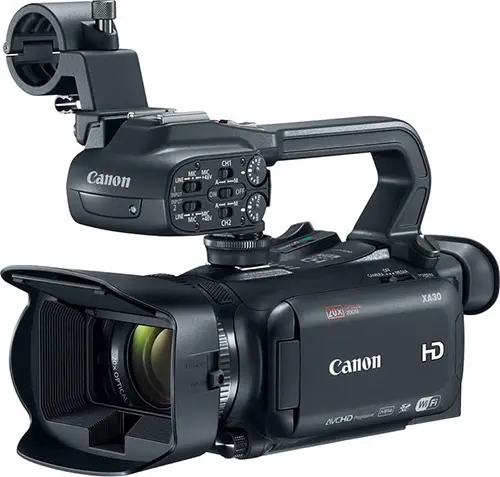
Most USB webcams should work with Wirecast as long as they are supported by AVFoundation on Mac OS X and DirectShow on Windows. Some typical webcams include, but are not limited to:
Logitech
- B910 HD Webcam
- B525 HD Webcam
- C930E Webcam
- HD Pro Webcam C910
- HD Pro Webcam C920
- HD Webcam C525
- HD Webcam C615
Microsoft
- LifeCam Cinema
- LifeCam Studio
- LifeCam HD-3000
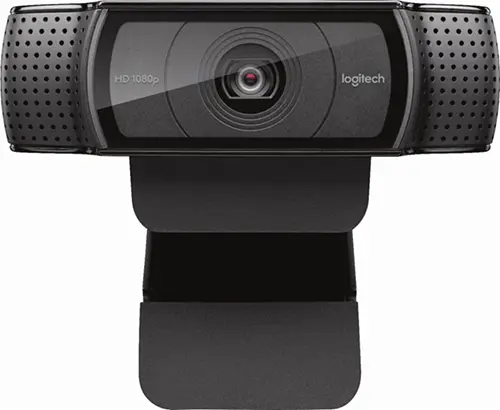
Wirecast Pro allows you to remotely control cameras with built-in pan, tilt and zoom (PTZ) features using the new PTZ Controller window. This feature currently works with PTZOptics and Lumens cameras that support VISCA over IP control, as well as NDI PTZ protocol controls.
Cameras we’ve tested:
- PTZOptics Live Streaming Cameras (VISCA/IP & NDI)
- 1 Beyond PTZ-IP20 (VISCA/TCP, VISCA/UDP)
- Lumens VC-A50PNB (VISCA/IP & NDI)
- Panasonic AW-HN130WPJ (NDI)
- Sony X-Series (VISCA/UDP)
USB PTZ Cameras
- PTZ control over USB is not supported currently, however the video feed can be acquired like most other USB webcams.
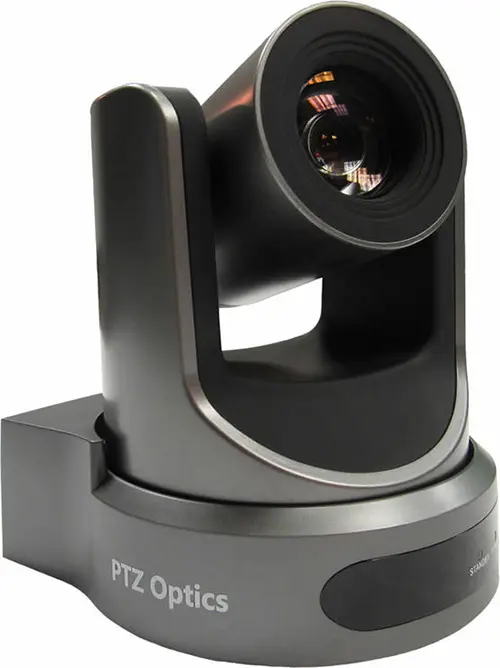
Note: Wirecast 9 and later versions have dropped support of HDV licenses/cameras. Please click here for additional information.
The current support overview also lists Sony PTZ cameras. Review the camera protocol and connection requirements above for your model.
Capture devices enable a computer to accept HDMI or SDI input from sources such as camcorders and D-SLRs.
The HDMI port on most computers is output-only and will not accept video input. USB cables that come packaged with cameras are generally intended for file transfer and most cameras do not allow for live video monitoring via USB.
Capture devices can be external devices that deliver HDMI or SDI sources into the computer over Thunderbolt or USB, or internal cards installed into an available PCI slot on a desktop PC that allow HDMI or SDI sources to be connected to the computer directly.
Support for Capture Cards
If you need help with using the Capture card in Wirecast, we ask that you contact the manufacturer as the 1st point of support. It’s possible that you need certain drivers or recommended settings to make it work with Wirecast, and they can best assist you with this.
Note: Telestream Support is unable to officially support any of the following capture cards. We will make every effort to assist you, but you may be asked to use the above resources.
Devices listed below provide information on their supported driver and the interface required to connect to a computer running Wirecast.
A device driver is a computer program that operates or controls a particular type of device that is attached to a computer.
- Source SDK drivers make a direct connection between a particular capture card’s SDK and the Wirecast SDK. It enables a fully optimized workflow with minimal middle-man services. Blackmagic and Magewell integration is maintained by Telestream, AJA integration is maintained by AJA.
- UVC/DS/AVF drivers utilize operating system “traffic directors” and “service negotiators” to negotiate and manage connections. This adds to potential for issues to occur and potentially introduce inefficiencies. Devices using these drivers should work with Wirecast unless there are problems with the manufacturer’s driver. UVC devices use the universal driver found within both Mac and Windows operating systems. DirectShow (Windows) and AV Foundation (Mac) drivers make connections to the multimedia framework their particular operating system uses to handle video-related tasks.
| Manufacturer | Capture Device | SourceSDK | UVC/DS/Avf | Interface |
|---|---|---|---|---|
| AJA | Io 4K | Thunderbolt 2 | ||
| Io 4K + | Thunderbolt 3 | |||
| Io Express | Thunderbolt 2 | |||
| Io XT | Thunderbolt 2 | |||
| KONA 1 | PCIe | |||
| KONA 3G | PCIe | |||
| KONA 4 | PCIe | |||
| KONA HDMI | PCIe | |||
| KONA IP | PCIe | |||
| KONA LHe Plus | PCIe | |||
| KONA LHi | PCIe | |||
| U-Tap | USB 3 | |||
| AverMedia | DarkCrystal 110 (CD110) | PCIe | ||
| DarkCrystal 750 (CD750) | USB 3 | |||
| Live Gamer HD (C985) | PCIe | |||
| Live Gamer HD 2 (LGHD2) | PCIe | |||
| Blackmagic Design | DeckLink 4K Extreme 12G | PCIe | ||
| DeckLink 8K Pro | PCIe | |||
| DeckLink Duo 2 | PCIe | |||
| DeckLink Mini Recorder | PCIe | |||
| DeckLink Quad 2 | PCIe | |||
| DeckLink Quad HDMI Recorder | PCIe | |||
| DeckLink SDI 4K | PCIe | |||
| DeckLink Studio 4K | PCIe | |||
| Intensity Pro 4K | PCIe | |||
| Intensity Shuttle Thunderbolt | Thunderbolt 2 | |||
| UltraStudio 4K | Thunderbolt 2 | |||
| UltraStudio 4K Extreme | PCIe, Thunderbolt 2 | |||
| UltraStudio 4K Extreme 3 | PCIe, Thunderbolt 3 | |||
| UltraStudio 4K Mini | Thunderbolt 3 | |||
| UltraStudio HD Mini | Thunderbolt 3 | |||
| UltraStudio Mini Recorder | Thunderbolt 2 | |||
| Web Presenter | USB 2 | |||
| Bluefish444 | Epoch 4K Neutron | PCIe | ||
| Epoch 4K Supernova S+ | PCIe | |||
| Elgato | Game Capture HD60 | Windows only |
USB 2 | |
| GameCapture HD60 S | Windows only |
USB 3 | ||
| Game Capture HD60 Pro | Windows only |
PCIe | ||
| Epiphan | AV.io HD | USB 3 | ||
| AV.io SDI | USB 3 | |||
| DVI2PCI-E | PCIe | |||
| DVI2USB 3.0 | USB 3 | |||
| SDI2USB 3.0 | USB 3 | |||
| Inogeni | DVI to USB 3.0 | USB 3 | ||
| HDMI to USB 3.0 | USB 3 | |||
| SDI to USB 3.0 | USB 3 | |||
| Share 1 | USB 3 | |||
| Share 2 | USB 3 | |||
| Share 2U | USB 3 | |||
| VGA to USB 3.0 | USB 3 | |||
| Magewell | Pro Capture AIO | PCIe | ||
| Pro Capture Dual DVI | PCIe | |||
| Pro Capture Dual HDMI | PCIe | |||
| Pro Capture Dual SDI | PCIe | |||
| Pro Capture DVI | PCIe | |||
| Pro Capture HDMI | PCIe | |||
| Pro Capture Mini HDMI | PCIe | |||
| Pro Capture Mini SDI | PCIe | |||
| Pro Capture Quad HDMI | PCIe | |||
| Pro Capture Quad SDI | PCIe | |||
| Pro Capture SDI | PCIe | |||
| USB Capture HDMI | USB 3 / USB 2 | |||
| USB Capture HDMI Plus | USB 3 / USB 2 | |||
| USB Capture SDI Plus | USB 3 / USB 2 | |||
| USB Capture DVI Plus | USB 3 / USB 2 | |||
| USB Capture SDI | USB 3 / USB 2 | |||
| Osprey | 260e | PCIe | ||
| 460e | PCIe | |||
| 811e | PCIe | |||
| 815e | PCIe | |||
| 816e | PCIe | |||
| 820e | PCIe | |||
| 821e | PCIe | |||
| 825e | PCIe | |||
| 827e | PCIe | |||
| 840e | PCIe | |||
| 845e | PCIe | |||
| USB 3 Video Capture | USB 3 |
Telestream is continually testing and qualifying new devices. Once verified, they will be added to this “Capture Card Support” list. Devices not listed may work with Wirecast, but if they are not officially qualified, our technical Support Staff may not have the information necessary to troubleshoot.
X-keys for Wirecast
- Custom designed buttons of the brand-new X-keys control surface for Wirecast allow faster, tactile operation of Wirecast while switching and producing your live shows. Compatible with USB on Mac or Windows. Sold separately for $659.95. Learn more.
Elgato Stream Deck
- Own an Elgato Stream Deck? Install the free Wirecast Plugin for Stream Deck for easy,
tactile control of your broadcast. Compatible with Mac or Windows. Stream Deck sold
separately. Download the Stream Deck Application and install the plugin from within
the application.
Read our User’s Guide |
Generic MIDI Controllers:
MIDI (short for Musical Instrument Digital Interface) control surfaces are USB-connected devices that enable tactile control of specific functions in Wirecast.
Depending on the device, controllable functions may include the ability to select shots, take shots live, set transitions, adjust audio mixer volumes and set audio channel pan.
Supported control surfaces:
- AKAI Professional APC mini
- AKAI Professional APC40 mkII
- Novation Launchpad MK2
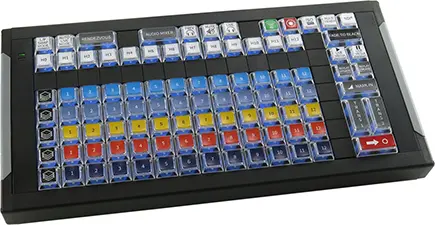
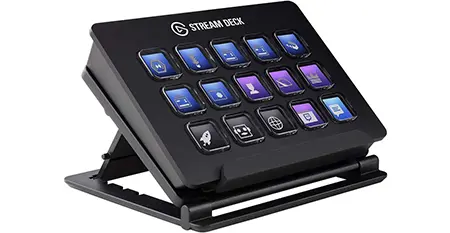
Please Note: MIDI control is not a final implementation and we intend to add features and broaden support for more devices in future releases.
Wirecast Pro now accepts RTMP, RTMPS, RTMP(e), RTSP, HTTP, and MMS streams directly with proper credentials and stream keys (if required). Teradek wireless devices can be added for cordless production.
Wirecast Pro is compatible with web/IP/security cameras (e.g., Bolin, PTZOptics, Panasonic, etc.) and network devices (e.g., LiveU, SportZcast, etc.).
Wirecast Pro supports web streams which support network video ingest over the Apple Bonjour protocol.
Teradek Cube is supported through the Wirecast Source SDK.
If IP cameras on the local network are not automatically recognized, they can be manually added as sources.
Wirecast Pro supports HDMI or SDI output through the following AJA and Blackmagic playback devices:
AJA
- Io4k
- Io4k+
- Io Express
- Io XT
- Kona 1
- Kona 3G
- Kona 4
- Kona 5
- Kona LHe Plus
- Kona LHi
- T-Tap
Blackmagic
- Decklink 4K Extreme 12G
- Decklink 8K Pro
- Decklink Duo 2
- Decklink MiniMonitor 4K
- Decklink MiniMonitor
- Decklink Quad 2
- Decklink SDI 4K
- Decklink Studio 4K
- Intensity Pro 4K
- Intensity Shuttle Thunderbolt
- UltraStudio 4K Extreme 3
- UltraStudio 4K Mini
- UltraStudio HD Mini
- UltraStudio Monitor 3G
- UltraStudio MiniMonitor
Use Wirecast’s built-in screen capture tool for unlimited capture of content directly from your computer screen(s). Pull any application window or connected monitor’s desktop directly into Wirecast as a live, viewable camera source, or just select the region of your screen you want to capture. To capture screens from other computers on your local area network, we recommend downloading NDI Tools (NDI – Take Control Of Your Connections – Download Now) for free and using their NDI Screen Capture (Windows) or NDI Scan Converter (mac) for better performance and reliability.
NDI stands for “Network Device Interface,” and it is an IP streaming video protocol that was developed by NewTek to simplify sharing video, audio and graphics sources across a network.
When an NDI source joins a network, it automatically announces itself through a multicast protocol known as mDNS, and can be seen by other NDI devices or applications on the same network and subnet without entering an IP address.
Please note: NDI requires 8-125 Mbps of bandwidth per source. 1 Gigabit of network bandwidth is recommended for best results.
The list of software and hardware that supports NDI is continually growing as the technology develops, but below are some commonly used NDI enabled products that can be used to send video into Wirecast.
Wirecast Pro can also output it’s produced live feed over NDI, allowing it to be received by other devices or software on the local network.
| Name | Use | Platform | Notes | |
|---|---|---|---|---|
| Software | Adobe Creative Cloud | NDI output from After Effects, Character Animator, Premiere Pro | Windows/Mac | |
| EasyWorship | Graphics software for houses of worship | Windows | ||
| NewBlue Titler Live | Graphics and titling software that comes in several modules: Express, Social, Sport, Present, Complete | Windows/Mac | NDI support in all modules (including Express) | |
| NewTek NDI Connect | Converts SDI or HDMI sources from capture cards into NDI | Windows | ||
| NewTek NDI Scan Converter | Desktop screen capture | Windows/Mac | ||
| NewTek NDI Signal Generator | Test patterns | Windows | ||
| NewTek NDI Telestrator | Video markup | Windows | ||
| NewTek NDI Transmit | Webcam output | Windows | ||
| ProPresenter | Graphics software for houses of worship | Windows/Mac | Requires SDI/NDI Module | |
| Sienna NDI Scan Converter | Desktop screen capture | Mac | ||
| Sienna NDI Signal Generator | Test patterns | Mac | ||
| Sienna NDI Source | Converts SDI or HDMI sources from capture cards into NDI | Mac | ||
| Sienna NDI Source Multi | Converts multiple SDI or HDMI sources from capture cards into multiple NDI streams | Mac | ||
| Sienna WebCam for NDI | Webcam output | Mac | ||
| Mobile Apps | LiveMedia LM-Cam | Turn your iPhone into a professional NDI camera | iOS | |
| Sienna NDICam | Create NDI Sources from iPhone/iPad | iOS | ||
| NewTek NDI Camera | Create NDI Sources from iPhone, iPad or Android | iOS/Android | ||
| Hardware | BirdDog | Create NDI sources from SDI or HDMI sources | Ethernet | |
| Viz Connect Solo | Create NDI sources from SDI or HDMI sources | Ethernet/WiFi | ||
| Cameras | BirdDog | Outputs full NDI | Ethernet | |
| Vizrt PTZ3 Camera | Outputs NDI HX stream | Ethernet | ||
| Viewing Output | NewTek NDI Studio Monitor | View NDI sources on desktop computer | Windows/Mac | |
| Sienna NDI Monitor | View NDI sources on desktop computer | Mac | ||
| Sienna NDI Outlet | Receive NDI and output SDI/HDMI | Mac | Requires Blackmagic Playback Device | |
| Sienna NDI WebLink | View NDI sources in any web browser | Mac | ||
| VLC Player | View NDI sources in video player client | Windows | Requires NewTek NDI VLC Plugin |
The support overview also lists EasyWorship among NDI software sources.
Why renew your Wirecast Insider Access?
FREE Software Upgrades
Keep your Wirecast software up to date! If you are on an active access plan, you qualify for free software upgrades/updates throughout the year. This includes new features, enhancements, and major releases for the software.
Help When You Need it
Our experienced support team is just an email away with Insider Access! Let us assist you in resolving technical issues you may encounter in live video production or streaming.
Full Coverage the Whole Time
Insider Access keeps you covered for 12 months effective immediately after you complete your purchase, with the option to renew each year.
What’s Included in Wirecast Insider Access
- Free Wirecast software updates and upgrades
- Email response time during support hours | Monday – Friday, 8am to 5pm PT
- Free access to the Stock Media Library – over 1 MILLION royalty free, unique media assets (videos, music, lower thirds, backgrounds and more) directly in Wirecast.
- Free access to our Knowledge Base
- On-demand video training from our extensive online library
- Be the first to know about upcoming releases, tips and tricks, and everything Wirecast
Renew your Insider Access*
Enter your Wirecast license key in the box below to verify your eligibility.
License Reset Tool
Reset your Wirecast serial number any time, 24/7.
Who can use this tool
You can reset your serial number with this tool if you are on:
- Wirecast version 7 and higher
Other licensing questions
For questions such as “how many computers can I activate” and “how do I look up my serial number”, see our Licensing FAQ or the Install & Activate FAQs.
Reset your Serial Number
Enter your Wirecast serial number below to reset its activations.


Zoom Meeting Screen Capture for Windows
Use Screen Capture to bring a Zoom meeting into Wirecast for Windows.
Watch VideoZoom Meeting Screen Capture for Mac
Use Screen Capture to bring a Zoom meeting into Wirecast for Mac.
Watch Video
Working With Web Page Source
Add a web page as a source or overlay to your broadcast and interact with that webpage in Wirecast.
Watch Video
Using Wirecast Go as a Local WiFi Camera
Set up and configure a local WiFi camera using an iOS device.
Watch Video
Secondary Display Output as a Virtual Camera Alternative
Use this workaround when broadcasting live to applications that block Virtual Camera.
Watch Video
Rendezvous Music Mode
Capture high-quality audio from musical instruments, improve audio bitrate, and enable stereo audio.
Watch Video
Rendezvous
Built-in peer-to-peer conferencing feature allows guests to join your live broadcast remotely.
Watch Video
Remote Desktop Presenter
Send screen capture video into Wirecast from another computer on your local network.
Watch Video

PTZ/Robotic Cameras
Connect and control a PTZ/Robotic camera using Wirecast Pro’s built-in PTZ Controller.
Watch Video
Troubleshooting NDI Sources
A few troubleshooting tips to try in order to get your NDI source to appear in Wirecast.
Watch Video