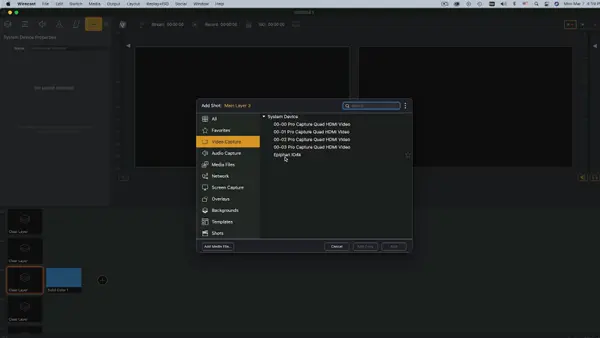

NDI Input Sources
Get video into Wirecast using various NDI hardware and software solutions.
Watch VideoYou’ve come to the right place. Find answers, download updates, check out training resources, or get in touch with our support experts.
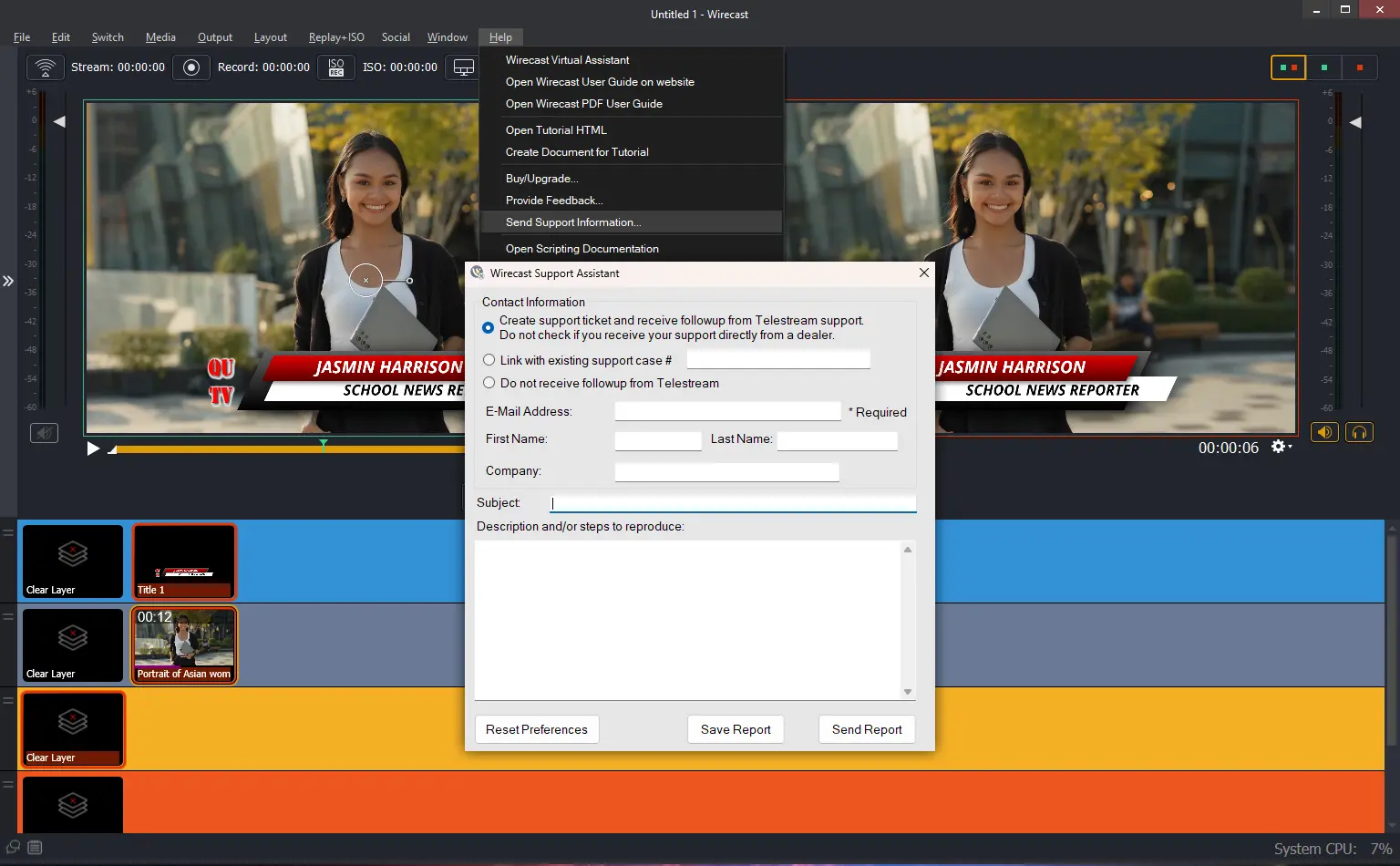
For fastest support, use the in-app support feature. In the Wirecast application, under the Help menu, click “Send Support Information…” and complete the form.
Watch these guides for activating Wirecast on Mac or Windows.
Activation, licensing, subscriptions, technical help, streaming, and input-source answers in one place.
Depending on your date of purchase, use the following:
If purchased through a reseller, contact them directly to recover your license.
Problem:
When applying my license, I receive a license error.
Solution:
If you are running into a Wirecast activation error, please try the following instructions.
First, deactivate your license key by going to Preferences > Licenses > Deactivate License.
Then, please quit Wirecast:
After deleting these folders, you should be able to activate successfully. If you continue to have difficulty, please contact support.
Problem:
When applying my license, I get an activation error.
Solution:
If you are running into a Wirecast activation error, please try the following instructions.
First, deactivate your license key by going to Preferences > Buy/Upgrade > Deactivate License.
Then, please quit Wirecast and uninstall from the Add/Remove Programs in your Control Panel:
After deleting these folders, you should be able to activate successfully. If you continue to have any difficulty with your license, please contact support.
Use our new “License Reset Tool” where you have 24/7 access to reset your own license key.
You have 24/7 access to reset your own license key, see below for instructions.
Our software End User Licensing Agreement (EULA) states that you may only have your license activated on one (1) computer at a time.
To activate your single license on a second computer you must first deactivate the license on the original machine and install and activate the license on your second system. Here is some helpful information on how to activate and deactivate your license:
Our software End User Licensing Agreement (EULA) states that you can run your desktop product on one (1) computer at a time. If you have purchased multiple quantities of the product, you are authorized to install the software on that number of computers.
To activate your single license on a second computer you must first deactivate the license on the original machine and install and activate the license on your second system. Here is some helpful information on how to activate and deactivate your license:
You have 24/7 access to reset your own license key, please visit to our new “License Reset” page.
We are no longer selling support renewals for perpetual/lifetime licenses. You can stay on your last supported version, purchase a new Subscription to regain access to updates and support, or use our self-help resources.
System CPU usage should remain below 70% while streaming.
We recommend checking your bandwidth via speedtest.net. System CPU usage should remain below 60% while streaming. Try switching to MPEG4 if using H.264.
Please read the Telestream Software License Terms and Conditions (EULA) carefully before installing this software.
Choose your operating system below. Review the release notes for system requirements, changes, and known issues. Wirecast 16 may require a paid upgrade from an earlier version.

Wirecast 14.1 incorporates new features that will enable new workflows and improve your existing ones. Here’s a quick rundown of some of the new features and important improvements and fixes in version 14.1.
Wirecast 14 is here! This is an epic release with a LOT of stability and reliability improvements. Additionally, we have several new features including an all new Chroma Key with added Luma Key and Color Key options.
We’ve also focused on improving the experience of doing remote guest interviews by improving Rendezvous’ stability as well as adding more flexibility for what displays if your guest gets disconnected.
Here’s what to expect in Wirecast 14:
NEW – Wirecast Rendezvous | Multi-site production with remote guests
NEW – Completely NEW rendering engine
NEW – Multi-Viewer Output System
NEW – Multi-Channel Audio Ingest
NEW – Multi-Track Audio Support (Pro only) – up to 8 tracks
NEW – Major encoding engine upgrade
NEW – Automatic color space matrix with options for override
NEW – NewBlue Titler Live – Complete titling suite with social media titling templates, sports templates, and much more.
Overview:
Versions::
NEW – NEW Transitions
NEW – (WIN) Implement WASAPI Audio Capture
NEW – (WIN) Implement ASIO Audio Ingestion
NEW – (MAC) Added Syphon client support for Mac
NEW – NEW Clock, Timer, and Stopwatch Source
NEW – Add option to override automatic format detection in capture cards
NEW – De-interlacing hot toggle
NEW – Add support for .WebM files
NEW – Add support for Sony XAVC-S video format
NEW – Replay – Option to mute audio during playback
NEW – Wirecast Go iOS App
Improvements:
Fixes:
Known Issue(s):
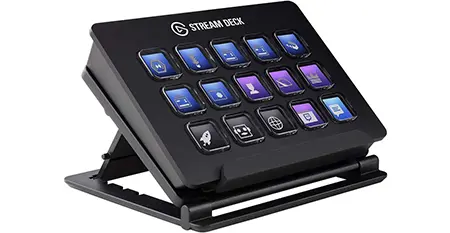
Install the free Wirecast Plugin for Stream Deck for easy, tactile control of your broadcast. Compatible with Mac or Windows. Stream Deck sold separately.
A high-level overview of how audio, video, and network sources flow through your hardware, into Wirecast, and out to your audience.
Bandwidth Baseline: Total bitrate needed x 2 = Required upload bandwidth. Upload speed can be tested at websites such as TestMy.net/upload.
Ensure these network ports are open for traffic:
Rendezvous utilizes WebRTC streams which scale system compute targets. Based on single simultaneous 720p30 streams @ 4.0Mbps:
High Frame-Rate (60fps) & CPU Stack: Maintained system CPU usage exceeding 60% increases dropped frame likelihood. Consider lowering target canvas resolutions if resource saturation occurs.
Wirecast interface controls, menus, and production toolkits are fully unlocked and available across 12 distinct localized languages:
 English
 Brazilian Portuguese
 Simplified Chinese
 Czech
Czech
 French
 German
 Italian
 Japanese
 Korean
 Dutch
Dutch
 Spanish
 Swedish
Wirecast supports a wide range of audio, camera, capture, control, and network devices. Review the compatibility details below for your setup.
Wirecast natively has the ability to add integrated audio sources such as your PCs line-in jack, microphone or microphone jack, and even the ability to capture audio playing out of your system.
Aside from integrated device capture, Wirecast supports audio interfaces via a variety of APIs:
The below devices have been tested as compatible with Wirecast. While others will likely work if they support the same standards, only the devices listed here are officially supported.
| Brand | Model | Analog Channels | ADAT Expansion |
|---|---|---|---|
| TASCAM | Celesonic US-20×20 | 10 | 8 |
| US-16×08 | 16 | N/A | |
| US-2×2 | 2 | N/A | |
| MiNiSTUDIO Creator US-42 | 2 | N/A | |
| MiNiSTUDIO Personal US-32 | 2 | N/A | |
| Behringer | U-PHORIA UMC1820 | 8 | 8 |
| Focusrite | Scarlett 18i8 | 8 | 8 |
| MOTU | MicroBook IIc | 4 | N/A |
| Native Instruments | Komplete Audio 6 | 6 | N/A |
| PreSonus | Studio 192 Mobile | 4 | 16 |
| RME | Babyface Pro | 4 | 8 |
| Steinberg | UR242 | 4 | N/A |
| Zoom | UAC-8 | 8 | 8 |
*Some Devices have additional channels via COAX S/PDIF not listed here.
This device allows you to add additional analog inputs to devices with ADAT expansion compatibility. While others will likely work, only the device listed here has been tested with Wirecast and is officially supported.
| Brand | Model | Analog Channels | ADAT Expansion |
|---|---|---|---|
| Behringer | ADA8200 Microphone Preamp | 8 | This is the ADAT Expander |
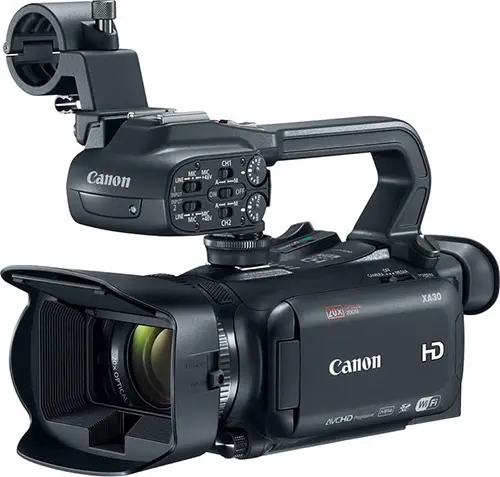
You can connect traditional SD, HD and UHD/4K video cameras to Wirecast by using a compatible capture card. DSLR and mirrorless cameras also work via capture cards. Please refer the Capture Card section below for more details on compatible capture and ingest cards. A few tips to remember when selecting a capture card to work with your camera:
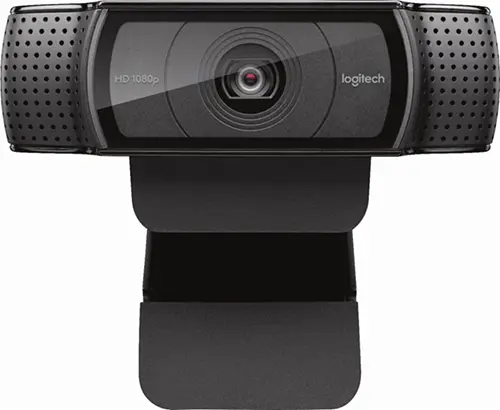
Most USB webcams should work with Wirecast as long as they are supported by AVFoundation on Mac OS X and DirectShow on Windows. Some typical webcams include, but are not limited to:
Logitech
Microsoft
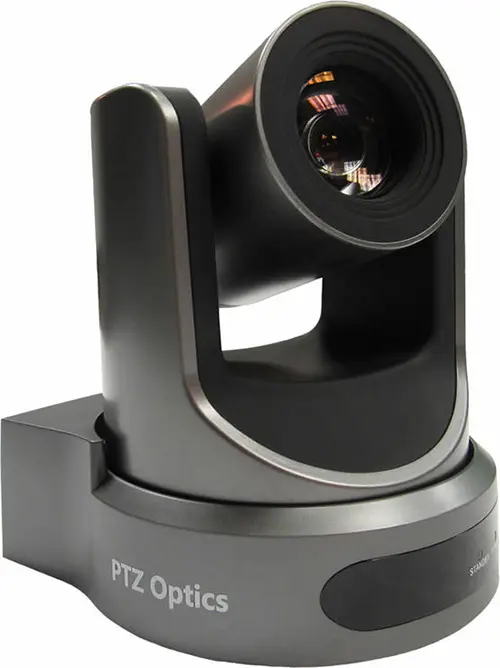
Wirecast Pro allows you to remotely control cameras with built-in pan, tilt and zoom (PTZ) features using the new PTZ Controller window. This feature currently works with PTZOptics and Lumens cameras that support VISCA over IP control, as well as NDI PTZ protocol controls.
Cameras we’ve tested:
USB PTZ Cameras
Note: Wirecast 9 and later versions have dropped support of HDV licenses/cameras. Please click here for additional information.
The current support overview also lists Sony PTZ cameras. Review the camera protocol and connection requirements above for your model.
Capture devices enable a computer to accept HDMI or SDI input from sources such as camcorders and D-SLRs.
The HDMI port on most computers is output-only and will not accept video input. USB cables that come packaged with cameras are generally intended for file transfer and most cameras do not allow for live video monitoring via USB.
Capture devices can be external devices that deliver HDMI or SDI sources into the computer over Thunderbolt or USB, or internal cards installed into an available PCI slot on a desktop PC that allow HDMI or SDI sources to be connected to the computer directly.
If you need help with using the Capture card in Wirecast, we ask that you contact the manufacturer as the 1st point of support. It’s possible that you need certain drivers or recommended settings to make it work with Wirecast, and they can best assist you with this.
Note: Telestream Support is unable to officially support any of the following capture cards. We will make every effort to assist you, but you may be asked to use the above resources.
Devices listed below provide information on their supported driver and the interface required to connect to a computer running Wirecast.
A device driver is a computer program that operates or controls a particular type of device that is attached to a computer.
| Manufacturer | Capture Device | SourceSDK | UVC/DS/Avf | Interface |
|---|---|---|---|---|
| AJA | Io 4K | Thunderbolt 2 | ||
| Io 4K + | Thunderbolt 3 | |||
| Io Express | Thunderbolt 2 | |||
| Io XT | Thunderbolt 2 | |||
| KONA 1 | PCIe | |||
| KONA 3G | PCIe | |||
| KONA 4 | PCIe | |||
| KONA HDMI | PCIe | |||
| KONA IP | PCIe | |||
| KONA LHe Plus | PCIe | |||
| KONA LHi | PCIe | |||
| U-Tap | USB 3 | |||
| AverMedia | DarkCrystal 110 (CD110) | PCIe | ||
| DarkCrystal 750 (CD750) | USB 3 | |||
| Live Gamer HD (C985) | PCIe | |||
| Live Gamer HD 2 (LGHD2) | PCIe | |||
| Blackmagic Design | DeckLink 4K Extreme 12G | PCIe | ||
| DeckLink 8K Pro | PCIe | |||
| DeckLink Duo 2 | PCIe | |||
| DeckLink Mini Recorder | PCIe | |||
| DeckLink Quad 2 | PCIe | |||
| DeckLink Quad HDMI Recorder | PCIe | |||
| DeckLink SDI 4K | PCIe | |||
| DeckLink Studio 4K | PCIe | |||
| Intensity Pro 4K | PCIe | |||
| Intensity Shuttle Thunderbolt | Thunderbolt 2 | |||
| UltraStudio 4K | Thunderbolt 2 | |||
| UltraStudio 4K Extreme | PCIe, Thunderbolt 2 | |||
| UltraStudio 4K Extreme 3 | PCIe, Thunderbolt 3 | |||
| UltraStudio 4K Mini | Thunderbolt 3 | |||
| UltraStudio HD Mini | Thunderbolt 3 | |||
| UltraStudio Mini Recorder | Thunderbolt 2 | |||
| Web Presenter | USB 2 | |||
| Bluefish444 | Epoch 4K Neutron | PCIe | ||
| Epoch 4K Supernova S+ | PCIe | |||
| Elgato | Game Capture HD60 | Windows only |
USB 2 | |
| GameCapture HD60 S | Windows only |
USB 3 | ||
| Game Capture HD60 Pro | Windows only |
PCIe | ||
| Epiphan | AV.io HD | USB 3 | ||
| AV.io SDI | USB 3 | |||
| DVI2PCI-E | PCIe | |||
| DVI2USB 3.0 | USB 3 | |||
| SDI2USB 3.0 | USB 3 | |||
| Inogeni | DVI to USB 3.0 | USB 3 | ||
| HDMI to USB 3.0 | USB 3 | |||
| SDI to USB 3.0 | USB 3 | |||
| Share 1 | USB 3 | |||
| Share 2 | USB 3 | |||
| Share 2U | USB 3 | |||
| VGA to USB 3.0 | USB 3 | |||
| Magewell | Pro Capture AIO | PCIe | ||
| Pro Capture Dual DVI | PCIe | |||
| Pro Capture Dual HDMI | PCIe | |||
| Pro Capture Dual SDI | PCIe | |||
| Pro Capture DVI | PCIe | |||
| Pro Capture HDMI | PCIe | |||
| Pro Capture Mini HDMI | PCIe | |||
| Pro Capture Mini SDI | PCIe | |||
| Pro Capture Quad HDMI | PCIe | |||
| Pro Capture Quad SDI | PCIe | |||
| Pro Capture SDI | PCIe | |||
| USB Capture HDMI | USB 3 / USB 2 | |||
| USB Capture HDMI Plus | USB 3 / USB 2 | |||
| USB Capture SDI Plus | USB 3 / USB 2 | |||
| USB Capture DVI Plus | USB 3 / USB 2 | |||
| USB Capture SDI | USB 3 / USB 2 | |||
| Osprey | 260e | PCIe | ||
| 460e | PCIe | |||
| 811e | PCIe | |||
| 815e | PCIe | |||
| 816e | PCIe | |||
| 820e | PCIe | |||
| 821e | PCIe | |||
| 825e | PCIe | |||
| 827e | PCIe | |||
| 840e | PCIe | |||
| 845e | PCIe | |||
| USB 3 Video Capture | USB 3 |
Telestream is continually testing and qualifying new devices. Once verified, they will be added to this “Capture Card Support” list. Devices not listed may work with Wirecast, but if they are not officially qualified, our technical Support Staff may not have the information necessary to troubleshoot.
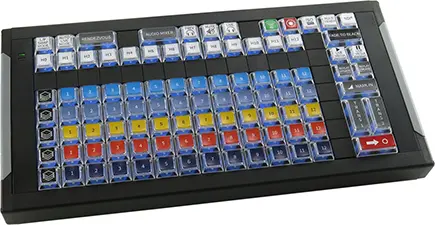
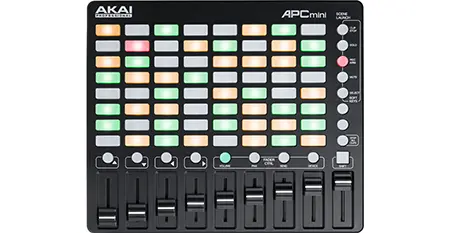
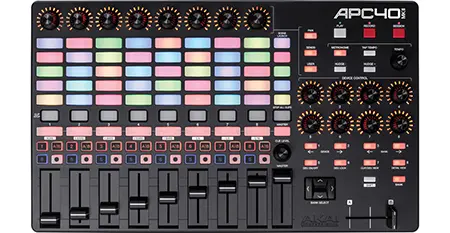
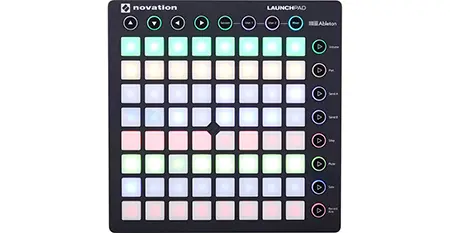
MIDI (short for Musical Instrument Digital Interface) control surfaces are USB-connected devices that enable tactile control of specific functions in Wirecast.
Depending on the device, controllable functions may include the ability to select shots, take shots live, set transitions, adjust audio mixer volumes and set audio channel pan.
Supported control surfaces:
Please Note: MIDI control is not a final implementation and we intend to add features and broaden support for more devices in future releases.
Wirecast Pro now accepts RTMP, RTMPS, RTMP(e), RTSP, HTTP, and MMS streams directly with proper credentials and stream keys (if required). Teradek wireless devices can be added for cordless production.
Wirecast Pro is compatible with web/IP/security cameras (e.g., Bolin, PTZOptics, Panasonic, etc.) and network devices (e.g., LiveU, SportZcast, etc.).
Wirecast Pro supports web streams which support network video ingest over the Apple Bonjour protocol.
Teradek Cube is supported through the Wirecast Source SDK.
If IP cameras on the local network are not automatically recognized, they can be manually added as sources.
Wirecast Pro supports HDMI or SDI output through the following AJA and Blackmagic playback devices:
AJA
Blackmagic
Use Wirecast’s built-in screen capture tool for unlimited capture of content directly from your computer screen(s). Pull any application window or connected monitor’s desktop directly into Wirecast as a live, viewable camera source, or just select the region of your screen you want to capture. To capture screens from other computers on your local area network, we recommend downloading NDI Tools (NDI – Take Control Of Your Connections – Download Now) for free and using their NDI Screen Capture (Windows) or NDI Scan Converter (mac) for better performance and reliability.
NDI stands for “Network Device Interface,” and it is an IP streaming video protocol that was developed by NewTek to simplify sharing video, audio and graphics sources across a network.
When an NDI source joins a network, it automatically announces itself through a multicast protocol known as mDNS, and can be seen by other NDI devices or applications on the same network and subnet without entering an IP address.
Please note: NDI requires 8-125 Mbps of bandwidth per source. 1 Gigabit of network bandwidth is recommended for best results.
The list of software and hardware that supports NDI is continually growing as the technology develops, but below are some commonly used NDI enabled products that can be used to send video into Wirecast.
Wirecast Pro can also output it’s produced live feed over NDI, allowing it to be received by other devices or software on the local network.
| Name | Use | Platform | Notes | |
|---|---|---|---|---|
| Software | Adobe Creative Cloud | NDI output from After Effects, Character Animator, Premiere Pro | Windows/Mac | |
| EasyWorship | Graphics software for houses of worship | Windows | ||
| NewBlue Titler Live | Graphics and titling software that comes in several modules: Express, Social, Sport, Present, Complete | Windows/Mac | NDI support in all modules (including Express) | |
| NewTek NDI Connect | Converts SDI or HDMI sources from capture cards into NDI | Windows | ||
| NewTek NDI Scan Converter | Desktop screen capture | Windows/Mac | ||
| NewTek NDI Signal Generator | Test patterns | Windows | ||
| NewTek NDI Telestrator | Video markup | Windows | ||
| NewTek NDI Transmit | Webcam output | Windows | ||
| ProPresenter | Graphics software for houses of worship | Windows/Mac | Requires SDI/NDI Module | |
| Sienna NDI Scan Converter | Desktop screen capture | Mac | ||
| Sienna NDI Signal Generator | Test patterns | Mac | ||
| Sienna NDI Source | Converts SDI or HDMI sources from capture cards into NDI | Mac | ||
| Sienna NDI Source Multi | Converts multiple SDI or HDMI sources from capture cards into multiple NDI streams | Mac | ||
| Sienna WebCam for NDI | Webcam output | Mac | ||
| Mobile Apps | LiveMedia LM-Cam | Turn your iPhone into a professional NDI camera | iOS | |
| Sienna NDICam | Create NDI Sources from iPhone/iPad | iOS | ||
| NewTek NDI Camera | Create NDI Sources from iPhone, iPad or Android | iOS/Android | ||
| Hardware | BirdDog | Create NDI sources from SDI or HDMI sources | Ethernet | |
| Viz Connect Solo | Create NDI sources from SDI or HDMI sources | Ethernet/WiFi | ||
| Cameras | BirdDog | Outputs full NDI | Ethernet | |
| Vizrt PTZ3 Camera | Outputs NDI HX stream | Ethernet | ||
| Viewing Output | NewTek NDI Studio Monitor | View NDI sources on desktop computer | Windows/Mac | |
| Sienna NDI Monitor | View NDI sources on desktop computer | Mac | ||
| Sienna NDI Outlet | Receive NDI and output SDI/HDMI | Mac | Requires Blackmagic Playback Device | |
| Sienna NDI WebLink | View NDI sources in any web browser | Mac | ||
| VLC Player | View NDI sources in video player client | Windows | Requires NewTek NDI VLC Plugin |
The support overview also lists EasyWorship among NDI software sources.
Keep your Wirecast software up to date! If you are on an active access plan, you qualify for free software upgrades/updates throughout the year. This includes new features, enhancements, and major releases for the software.
Our experienced support team is just an email away with Insider Access! Let us assist you in resolving technical issues you may encounter in live video production or streaming.
Insider Access keeps you covered for 12 months effective immediately after you complete your purchase, with the option to renew each year.
Enter your Wirecast license key in the box below to verify your eligibility.
Reset your Wirecast serial number any time, 24/7.
You can reset your serial number with this tool if you are on:
For questions such as “how many computers can I activate” and “how do I look up my serial number”, see our Licensing FAQ or the Install & Activate FAQs.
Enter your Wirecast serial number below to reset its activations.
Get video into Wirecast using various NDI hardware and software solutions.
Watch VideoAdd individual Microsoft Teams guests into Wirecast as an NDI source.
Watch VideoAdd an NDI source in Wirecast to get video input from NDI software applications.
Watch VideoLearn what Network Device Interface (NDI) is and how to use it with Wirecast.
Watch VideoQuickly generate a snapshot of your live stream output with just one click to create a captivating composite image for...
Watch VideoIndependently record any shot, including Rendezvous, audio-only or user-generated shots.
Watch VideoDisplay video from any connected monitor or active software application running on your Wirecast computer.
Watch VideoImproved support for 4K60 input sources, playback, and stream output.
Watch VideoSee some of the ways you can set up Wirecast as part of your video production or broadcasting workflow.
View Guide