Wirecast Hardware & Tech Specs
From capture cards and IP cameras to hardware encoders and streaming destinations, explore the complete ecosystem of supported devices for Wirecast on Mac and Windows.
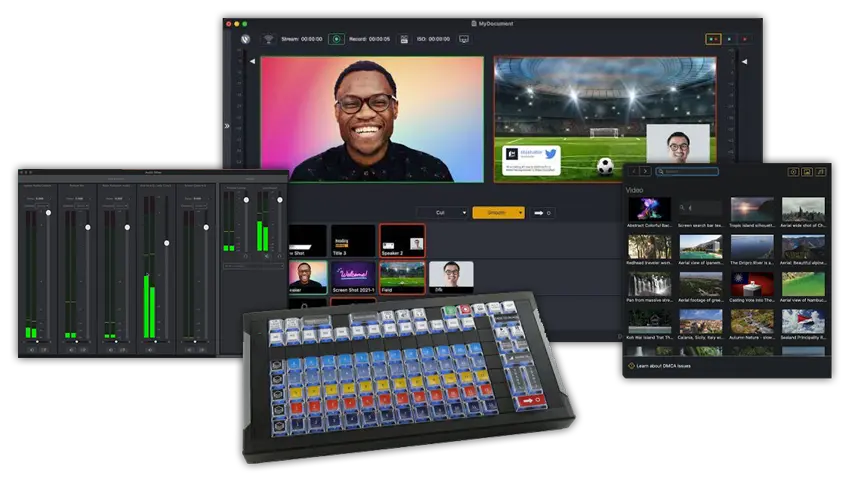
Wirecast Comparison Chart
See which software version has the right tools to power your productions.
Capture Professional Audio/Video
Produce Engaging Broadcasts
Stream Live & Output Destinations
The Wirecast Workflow
A high-level overview of how audio, video, and network sources flow through your hardware, into Wirecast, and out to your audience.
Audio/Video Sources
- Cameras: SD/HD SDI, HDMI, USB, USB-C, and Thunderbolt
- iOS / Wirecast Go
- Microphones: USB, Line In, XLR
- Audio interfaces, mixers, and ASIO devices
- Web streams: RTMP, RTSP, MMS, HTTP
- Screen Capture and Remote Desktop Presenters
- IP Cameras & Web Display
- NDI™ Integration
- PTZ control (VISCA)
- System Audio Capture & Media Files
Hardware Capture
- Mac (Apple Silicon & Intel)
- Windows PC
- Wirecast Gear (Win10)
- Note: Quad-core processor recommended.
- PCIe, Thunderbolt, USB 3.0/3.1
- AJA
- Blackmagic Design
- Magewell and more…
Encoding
- X264, H.264
- RTMP, SRT
- ProRes, MJPEG
- AAC, and WMV
- Intel QuickSync
- nVidia NVENC
- Apple H.264
Destinations
- YouTube, Facebook, X (formerly Twitter), and more
- CDNs & Streaming servers
- Record to disk via ISO Recording
- Virtual camera and microphone out
- HD-SDI output
- Multi-viewer
- Live program out via hardware
- NDI output (Pro feature)
- Secondary Live Display ouput
Detailed Technical Specifications & System Scaling
Supported Operating Systems
Hardware Capability Baseline
Network Stack & Best Practices
Bandwidth Baseline: Total bitrate needed x 2 = Required upload bandwidth. Upload speed can be tested at websites such as TestMy.net/upload.
Ensure these network ports are open for traffic:
- 53 (DNS), 80 (HTTP/HTTPS), 443 (SSL)
- 1935 (RTMP), 2935 (RTMPS)
- 3478 / 5349 (STUN/Rendezvous peer-to-peer)
- 5353 (mDNS for local NDI source discovery)
- 5960-59xx (NDI port range, 1 port per active source)
- 7272 (Remote Desktop Presenter)
- 49152-65535 (WebRTC Media/Rendezvous – selected dynamically)
- Intel Quick Sync Video: Requires an Intel CPU with an active Intel® QuickSync Video core.
- NVIDIA NVENC: Requires a dedicated NVidia GPU featuring Kepler architecture or newer.
- Apple Hardware H.264: Natively utilizes modern Apple Silicon unified pipelines or designated Mac processing arrays.
Rendezvous utilizes WebRTC streams which scale system compute targets. Based on single simultaneous 720p30 streams @ 4.0Mbps:
- Studio (2 Guests): Allocate +4 Mbps bandwidth | i5 quad-core CPU baseline.
- Pro (7 Guests): Allocate +5+ Mbps bandwidth | i7 quad-core CPU baseline.
High Frame-Rate (60fps) & CPU Stack: Maintained system CPU usage exceeding 60% increases dropped frame likelihood. Consider lowering target canvas resolutions if resource saturation occurs.
Supported Languages
Wirecast interface controls, menus, and production toolkits are fully unlocked and available across 12 distinct localized languages:
 English
 Brazilian Portuguese
 Simplified Chinese
 Czech
Czech
 French
 German
 Italian
 Japanese
 Korean
 Dutch
Dutch
 Spanish
 Swedish
Need Help Configuring Your Gear?
Explore our detailed setup documentation, or connect directly with our technical support team for specialized hardware assistance.
Hardware FAQ
Common questions about system requirements and capture devices.
Connect Your Gear
Wirecast is built to interface perfectly with the professional hardware you already own. Start broadcasting today.