
NDI Output from Wirecast Pro
Turn on NDI output in Wirecast Pro and receive it on another Wirecast computer connected to the same network.
Ditch the capture cards. Bring in PTZ cameras, screen captures, and mobile devices over your local network with Wirecast’s native NDI® support.
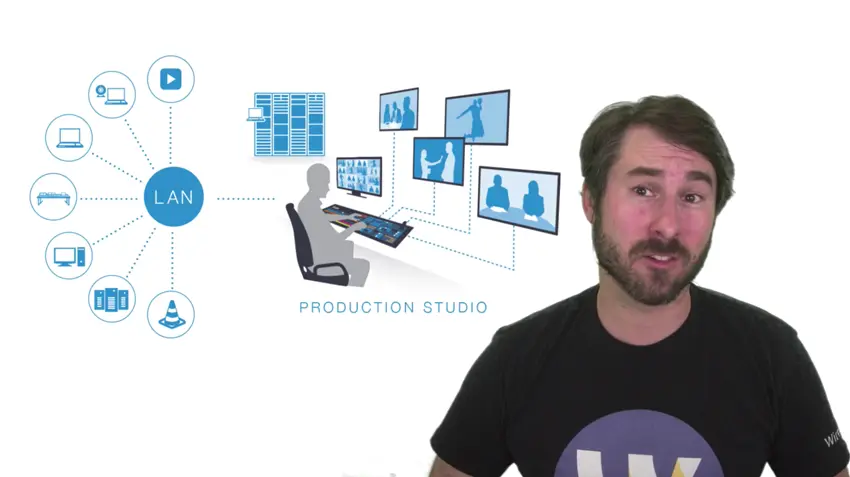
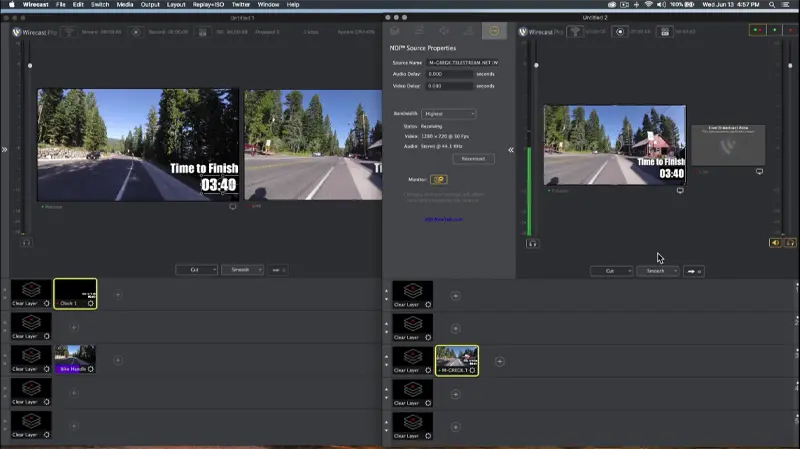
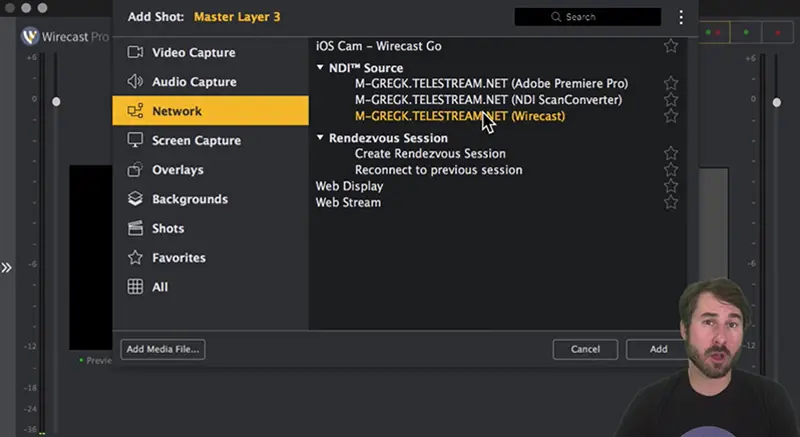
Forget expensive SDI hardware ingest cable runs and physical capture cards. If a device is on your local network and supports NDI, Wirecast can see it and use it as a live source instantly.
With Wirecast Pro, you aren’t just limited to receiving NDI—you can broadcast it out, too. Send your final production feed across your network.
Explore our library of related resources.
Turn on NDI output in Wirecast Pro and receive it on another Wirecast computer connected to the same network.
Learn what Network Device Interface (NDI) is and how to use it with Wirecast.
Add an NDI source in Wirecast to get video input from NDI software applications.
Common questions about using Network Device Interface (NDI).
Harness the power of IP video. Add limitless cameras and screens to your production workflow today.

